
matthew9964 - Minecraft Skins & Skin History
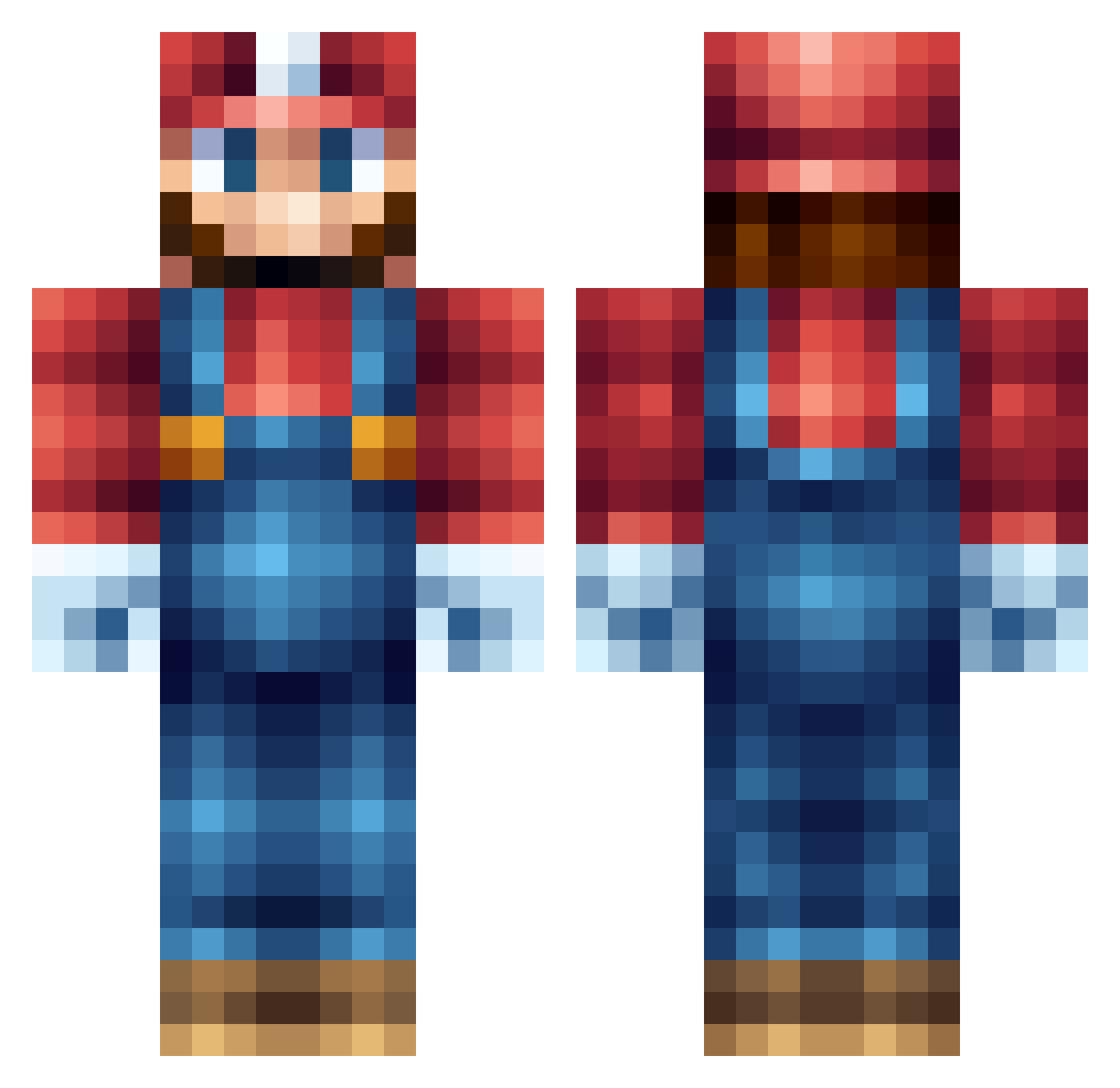
Current Minecraft skin of the player matthew9964, loaded from the official Mojang API. Rotate the 3D model with your mouse or finger, then download the skin as a PNG file and use it in Minecraft: Bedrock Edition or Java Edition for free. When matthew9964 changes their skin, this page updates automatically and the old skin stays in the history below.
Other players with this skin (556)
matthew9964 was the 270th player we have seen with this skin, first spotted on 19.09.2026. The same skin was seen on these players. Open a nickname to see their current skin and skin history.
 Karl_duan Gordon649 Richard_R arkasis theoneandolney vejarie l4v4rd Supando SirJoscus BIGG1pP3R Apoc_8bit EwanSS ChevyGunz Riverspoke palomine Poligon57 Dem0ndslay3r DeLancey99 LeonardoVittore ghandi779 IcyEnigma Creepasblow serj97 HelixHD danielgallrocks B3ron joindahouse26 Espanhol69 Fidjcho junior8724 lithopedion kalle_palle GMRedrubie Simsf Megacopy Wie_ein_Mann ttHui Hydroman400 Jacob0117 RedxSkin frezzar thebballplayer RayGamingFPS Ryan_Wilko UnicornTearsDK WilliamP04 JakoNintenCraft boneheadlary SwollTrain zebbabwe RoDxXK1ngXx thale03 Uggla_Dani eZah1988 epiccheesewiz Pushpaws Evilninja2 mosesplaysmc cheezed1 Sir_Matty
More Nintendo Minecraft skins
How to install the matthew9964 skin
- Press the Download button above to save the skin as a PNG file.
- Minecraft: Bedrock Edition (PE): open the Dressing Room from the main menu (or tap your character → Edit Character), go to Classic Skins → Owned, press the + (new skin) button, choose the downloaded PNG and pick the Classic (Steve) model. Works on PC and mobile; consoles cannot import custom skins.
- Minecraft: Java Edition: open the Minecraft Launcher, go to the Skins tab, click New Skin, load the PNG, pick the Classic (Steve) model and press Save & Use. You can also upload it at minecraft.net → Profile → Change Skin.
The skin does not show up after import - what should I do?
Restart Minecraft and open the Dressing Room again - imported skins sometimes appear only after a restart. Also make sure you selected the imported skin and picked the Classic (Steve) model.
Which model should I choose, Classic or Slim?
This skin is designed for the Classic (Steve) model. If you pick the wrong model, the arms of the skin will look stretched or squeezed.
Is the skin of matthew9964 free to download?
Yes. Press Download, save the PNG file and use it in Minecraft: Bedrock Edition or Java Edition - no payment or registration needed. The skin also works on multiplayer servers and Realms.
More skins
Looking for more? Go back to all Minecraft skins and check the top skins of the week, month and all time, or find any player's skin by nickname.