
mats_deweerd - Minecraft Skins & Skin History
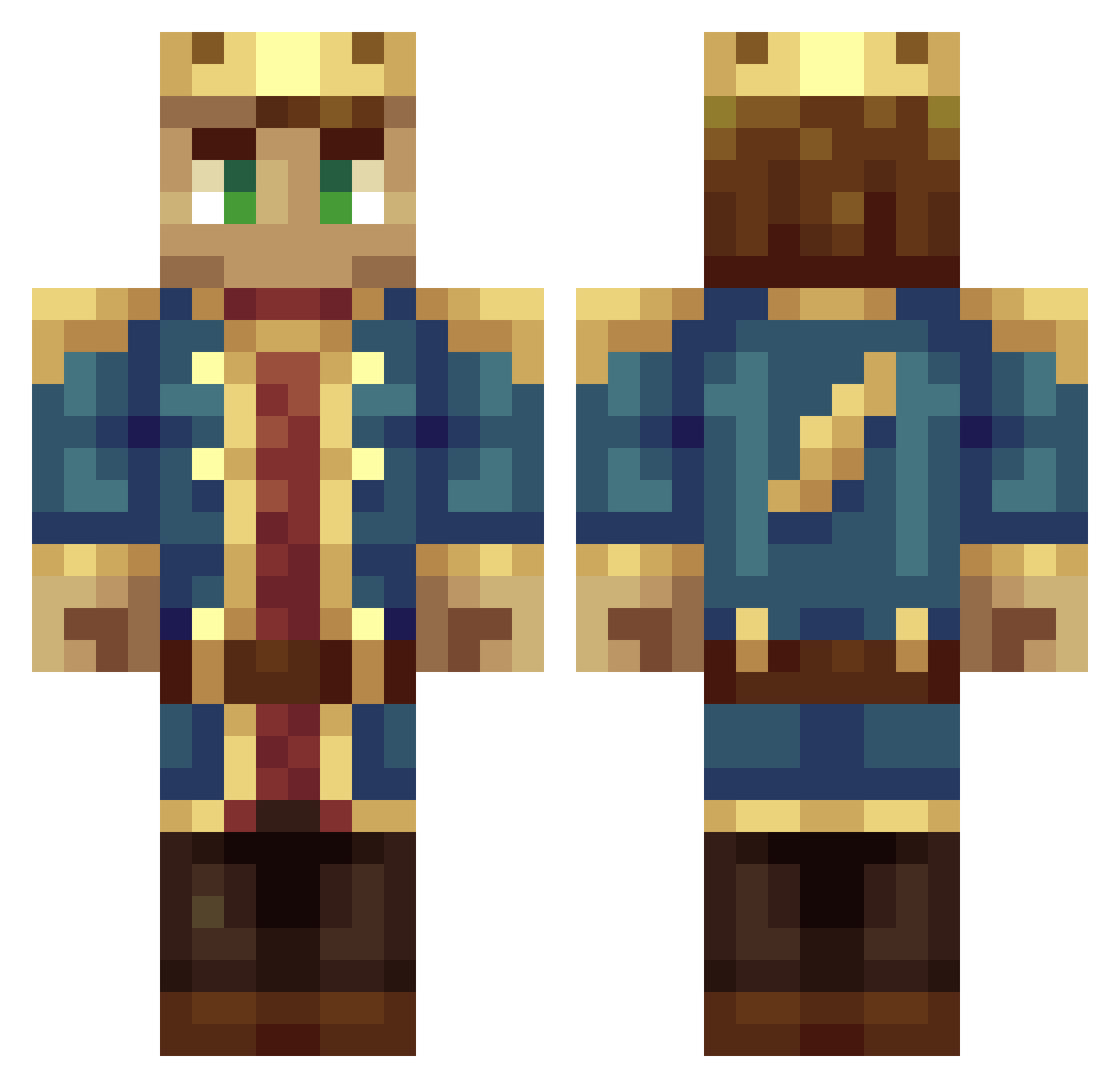
Current Minecraft skin of the player mats_deweerd, loaded from the official Mojang API. Rotate the 3D model with your mouse or finger, then download the skin as a PNG file and use it in Minecraft: Bedrock Edition or Java Edition for free. When mats_deweerd changes their skin, this page updates automatically and the old skin stays in the history below.
Other players with this skin (320)
mats_deweerd was the 224th player we have seen with this skin, first spotted on 06.10.2026. The same skin was seen on these players. Open a nickname to see their current skin and skin history.
 KingMichiel Medven321 ClashRoyaleGod Acydwarp BlueTornado10 _king_capp_ Fred22 asiandealer69 Hazzdat Djues Cazmirstayflyday Tokamura Mathisxxxl TheWillager Soeder95 Italian_Monk DamernesKonge rokeefe03 EdGilbert mcdrenagem Visse_02 jaarts258 pinappleparcore ddoglol Ekozium twanbijenhof Zantaz YaaBoiDre zotw Khrizjinn G2002JSPR1 hihahoe_games_YT MarkusHave Goon_Bag Da_nutter Bogiee Mesolin FaZeDrEaMs AshKatchem ruben_ben eiookaytos DavidGall PrimeLeonidas PappaDerpy GiranGames Vanhohenheim42 suzimuis Hawk2004_1234 thetab LordFolmo ilikepi22 MRBluBBeRmAn euphoman3 Versailles3927 len68len68 Thonyy67 CrayZWatch _LongDongSilver CrypticMood Luisa1248
More DSMP Minecraft skins
How to install the mats_deweerd skin
- Press the Download button above to save the skin as a PNG file.
- Minecraft: Bedrock Edition (PE): open the Dressing Room from the main menu (or tap your character → Edit Character), go to Classic Skins → Owned, press the + (new skin) button, choose the downloaded PNG and pick the Classic (Steve) model. Works on PC and mobile; consoles cannot import custom skins.
- Minecraft: Java Edition: open the Minecraft Launcher, go to the Skins tab, click New Skin, load the PNG, pick the Classic (Steve) model and press Save & Use. You can also upload it at minecraft.net → Profile → Change Skin.
The skin does not show up after import - what should I do?
Restart Minecraft and open the Dressing Room again - imported skins sometimes appear only after a restart. Also make sure you selected the imported skin and picked the Classic (Steve) model.
Which model should I choose, Classic or Slim?
This skin is designed for the Classic (Steve) model. If you pick the wrong model, the arms of the skin will look stretched or squeezed.
Is the skin of mats_deweerd free to download?
Yes. Press Download, save the PNG file and use it in Minecraft: Bedrock Edition or Java Edition - no payment or registration needed. The skin also works on multiplayer servers and Realms.
More skins
Looking for more? Go back to all Minecraft skins and check the top skins of the week, month and all time, or find any player's skin by nickname.