
mathis18 - Minecraft Skins & Skin History
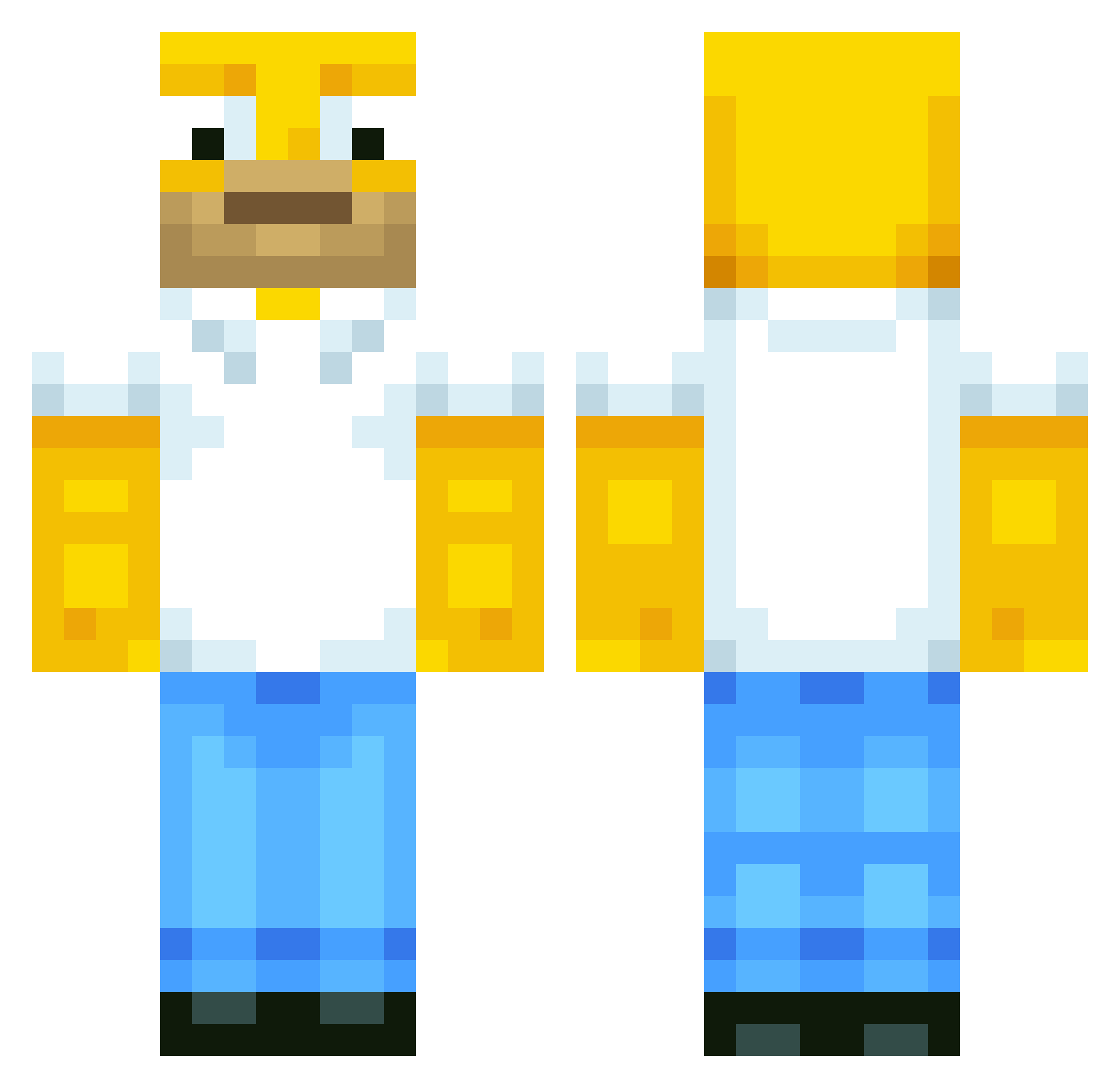
Current Minecraft skin of the player mathis18, loaded from the official Mojang API. Rotate the 3D model with your mouse or finger, then download the skin as a PNG file and use it in Minecraft: Bedrock Edition or Java Edition for free. When mathis18 changes their skin, this page updates automatically and the old skin stays in the history below.
Other players with this skin (568)
mathis18 was the 127th player we have seen with this skin, first spotted on 18.08.2026. The same skin was seen on these players. Open a nickname to see their current skin and skin history.
 b4ut123 valleyy22 Johnendo jongbin_zz Carrot0rgy Gudiiiiiii HeisenBerGg_ Stratodude92 michaelchan CerealTubaa BirchyBoi42 OuPea WLZLSJ MozzarellFirefox
 BENNY981018 YouNeverFindMe SL0PPYTOPPY powerBOB0301 Baby_Wax Woolycraft45 Unicoded Watt1226 Sammyo77777777 wumao Cloutmonkey zedew Sloppytop420 xsarcasm BoyLover27 Desingrini swampy_2
 Catmando11 2Faded Blyobas XxjimmxX Jtizle10 ah_zabenya
 Jdawg4523 galundir EdgarHi1990 Gerozzo02 Redbush22 HeastHawara QU33F_URBAN SomeRandomHorror EatingBoogies XantiWD SamBamSodaCan1 RyanHockey3 Dizzzyy_ notsoslim72 kambouz Ceedoe _Emox_ Saeedohalawa SirTootzAlot PurplePigeon345 extrasmalljake nugget633 WizardPigeon885
More Homer Simpson Minecraft skins
See all 284 Homer Simpson skins
How to install the mathis18 skin
- Press the Download button above to save the skin as a PNG file.
- Minecraft: Bedrock Edition (PE): open the Dressing Room from the main menu (or tap your character → Edit Character), go to Classic Skins → Owned, press the + (new skin) button, choose the downloaded PNG and pick the Classic (Steve) model. Works on PC and mobile; consoles cannot import custom skins.
- Minecraft: Java Edition: open the Minecraft Launcher, go to the Skins tab, click New Skin, load the PNG, pick the Classic (Steve) model and press Save & Use. You can also upload it at minecraft.net → Profile → Change Skin.
The skin does not show up after import - what should I do?
Restart Minecraft and open the Dressing Room again - imported skins sometimes appear only after a restart. Also make sure you selected the imported skin and picked the Classic (Steve) model.
Which model should I choose, Classic or Slim?
This skin is designed for the Classic (Steve) model. If you pick the wrong model, the arms of the skin will look stretched or squeezed.
Is the skin of mathis18 free to download?
Yes. Press Download, save the PNG file and use it in Minecraft: Bedrock Edition or Java Edition - no payment or registration needed. The skin also works on multiplayer servers and Realms.
More skins
Looking for more? Go back to all Minecraft skins and check the top skins of the week, month and all time, or find any player's skin by nickname.