
masonswfc7 - Minecraft Skins & Skin History
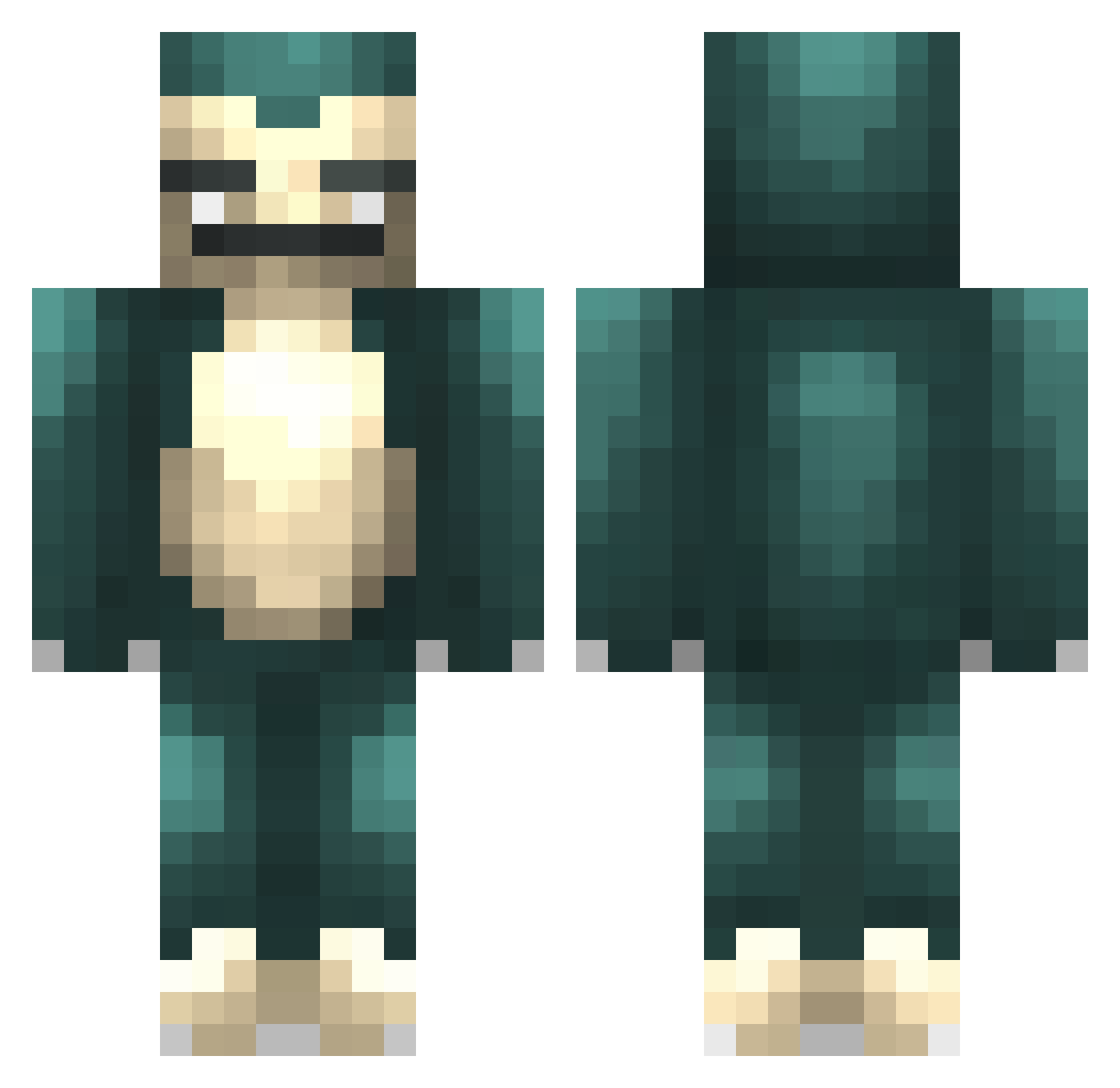
Current Minecraft skin of the player masonswfc7, loaded from the official Mojang API. Rotate the 3D model with your mouse or finger, then download the skin as a PNG file and use it in Minecraft: Bedrock Edition or Java Edition for free. When masonswfc7 changes their skin, this page updates automatically and the old skin stays in the history below.
Other players with this skin (479)
masonswfc7 was the 28th player we have seen with this skin, first spotted on 31.07.2026. The same skin was seen on these players. Open a nickname to see their current skin and skin history.
 JunkBeetle funkymagpie S0ul3ater Fireaxe52 PsyduckIsBae juiceboxbaby54 MisterClappy Tragelaphs NEFontube filetburger rem199 Houghtonclan desmond1104 MutantGP badassbaconboy DaPretzelBoy Semitje14 puggy88 Brend1n1 JFlowers11 Original_P1 L4mpshade Thibidou danyugioh123 FrowningTuna Phoenix_doro Xanulin jhunt33 fantasy184725 jaypie2000 swarm345 6cm BrotherWave junyoung0124 ShdwXChimp ohhSquare cleps35 Andjellodeath TeschioNEO Bankz788 Edinbrain pjsmug marsbars12 onyx32 Zombiebash22 AlfieTheHero LaiWongBao SofieSandnes critias420 previeaux Lebronjr2347 SSnorlax CaptBlex ModdyH Bendiksen Snorlaxrulz999 sebalti GuilleJaviGS _Huke_ Qaladrim
More Snorlax Minecraft skins
How to install the masonswfc7 skin
- Press the Download button above to save the skin as a PNG file.
- Minecraft: Bedrock Edition (PE): open the Dressing Room from the main menu (or tap your character → Edit Character), go to Classic Skins → Owned, press the + (new skin) button, choose the downloaded PNG and pick the Classic (Steve) model. Works on PC and mobile; consoles cannot import custom skins.
- Minecraft: Java Edition: open the Minecraft Launcher, go to the Skins tab, click New Skin, load the PNG, pick the Classic (Steve) model and press Save & Use. You can also upload it at minecraft.net → Profile → Change Skin.
The skin does not show up after import - what should I do?
Restart Minecraft and open the Dressing Room again - imported skins sometimes appear only after a restart. Also make sure you selected the imported skin and picked the Classic (Steve) model.
Which model should I choose, Classic or Slim?
This skin is designed for the Classic (Steve) model. If you pick the wrong model, the arms of the skin will look stretched or squeezed.
Is the skin of masonswfc7 free to download?
Yes. Press Download, save the PNG file and use it in Minecraft: Bedrock Edition or Java Edition - no payment or registration needed. The skin also works on multiplayer servers and Realms.
More skins
Looking for more? Go back to all Minecraft skins and check the top skins of the week, month and all time, or find any player's skin by nickname.