
m00nLP - Minecraft Skins & Skin History
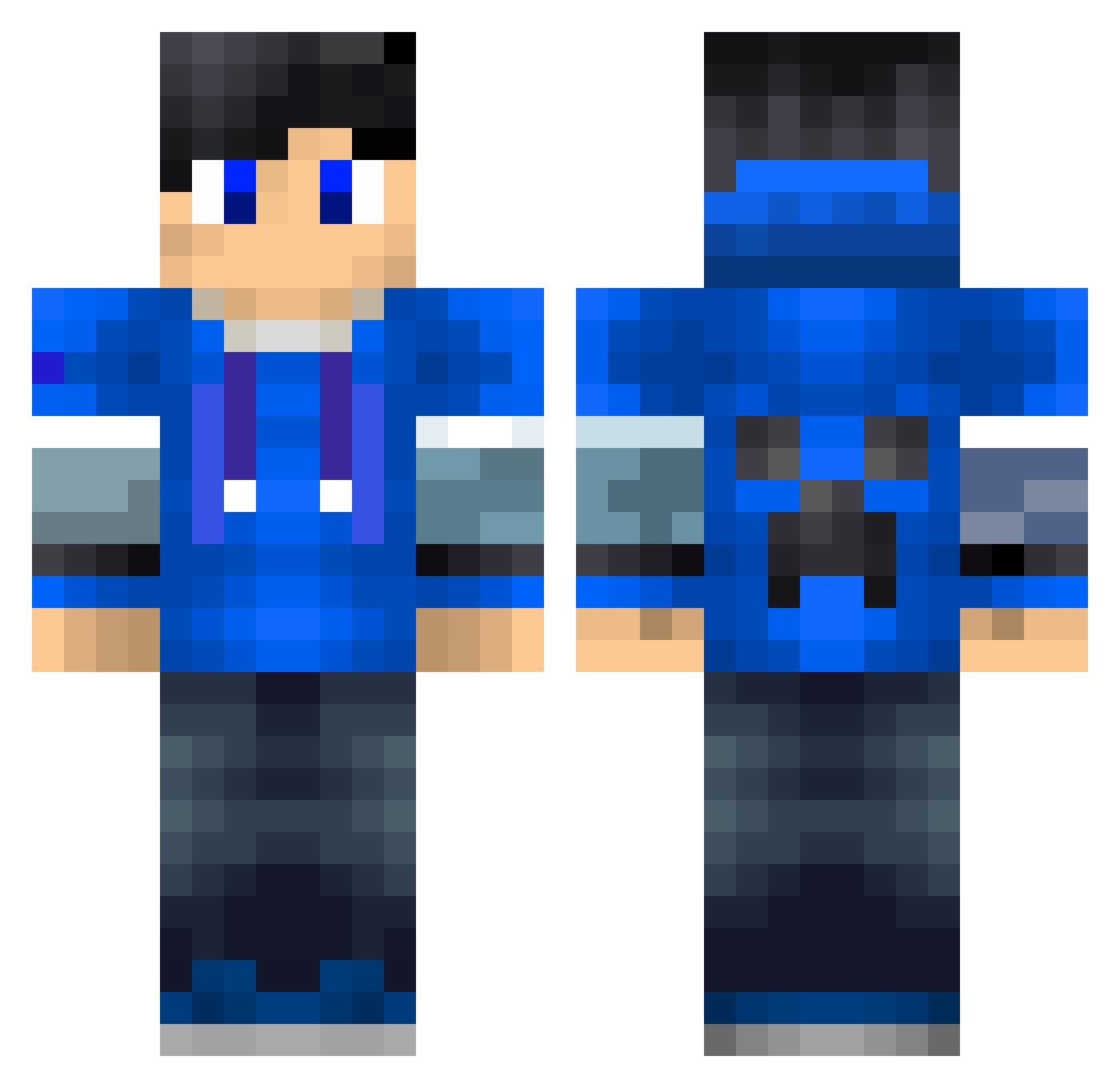
Current Minecraft skin of the player m00nLP, loaded from the official Mojang API. Rotate the 3D model with your mouse or finger, then download the skin as a PNG file and use it in Minecraft: Bedrock Edition or Java Edition for free. When m00nLP changes their skin, this page updates automatically and the old skin stays in the history below.
Other players with this skin (228)
m00nLP was the 24th player we have seen with this skin, first spotted on 05.08.2026. The same skin was seen on these players. Open a nickname to see their current skin and skin history.
 DutchCriminal007 RomuloSlk Qkking bestbryse Elite_Football james0035 Bluejoker80 Moffkoni Jornthijs rileymax05 bwattt xXTheOther0OneXx Arrow12345 noobgaming1997 Crazy_gamer110 Captain_Enigma_1 Goa04 Wouter_Nature ecgaming6 LolliCube_Shard Ymantou TheSubmarine pompx DarkpowerD Maris4696 bagas30 lord_of_gameing _Arakai_ B1ue_J WhyamIhereWHY ChaoticDGamer Willabce8717 rondev YAmir77 TNTisTyler hugandchris deniz0728 andyf124 Doggiedoggie11 Mr_Creeper78912 Huffer_Puffer xXGoing5tat1cXx DRA1NDEMON Bojje3 Vignes_14 TMoldskred XWUKIX theo62320 ZioYT Ellied110 GiMaGi Mr_Tobyz elidergamer Shroesti Green1000 Izumi_2333 PD123 Namenlos007 Trey1269 Nitro_Bird16
More Creeper Minecraft skins
How to install the m00nLP skin
- Press the Download button above to save the skin as a PNG file.
- Minecraft: Bedrock Edition (PE): open the Dressing Room from the main menu (or tap your character → Edit Character), go to Classic Skins → Owned, press the + (new skin) button, choose the downloaded PNG and pick the Classic (Steve) model. Works on PC and mobile; consoles cannot import custom skins.
- Minecraft: Java Edition: open the Minecraft Launcher, go to the Skins tab, click New Skin, load the PNG, pick the Classic (Steve) model and press Save & Use. You can also upload it at minecraft.net → Profile → Change Skin.
The skin does not show up after import - what should I do?
Restart Minecraft and open the Dressing Room again - imported skins sometimes appear only after a restart. Also make sure you selected the imported skin and picked the Classic (Steve) model.
Which model should I choose, Classic or Slim?
This skin is designed for the Classic (Steve) model. If you pick the wrong model, the arms of the skin will look stretched or squeezed.
Is the skin of m00nLP free to download?
Yes. Press Download, save the PNG file and use it in Minecraft: Bedrock Edition or Java Edition - no payment or registration needed. The skin also works on multiplayer servers and Realms.
More skins
Looking for more? Go back to all Minecraft skins and check the top skins of the week, month and all time, or find any player's skin by nickname.