
luh_shaq - Minecraft Skins & Skin History
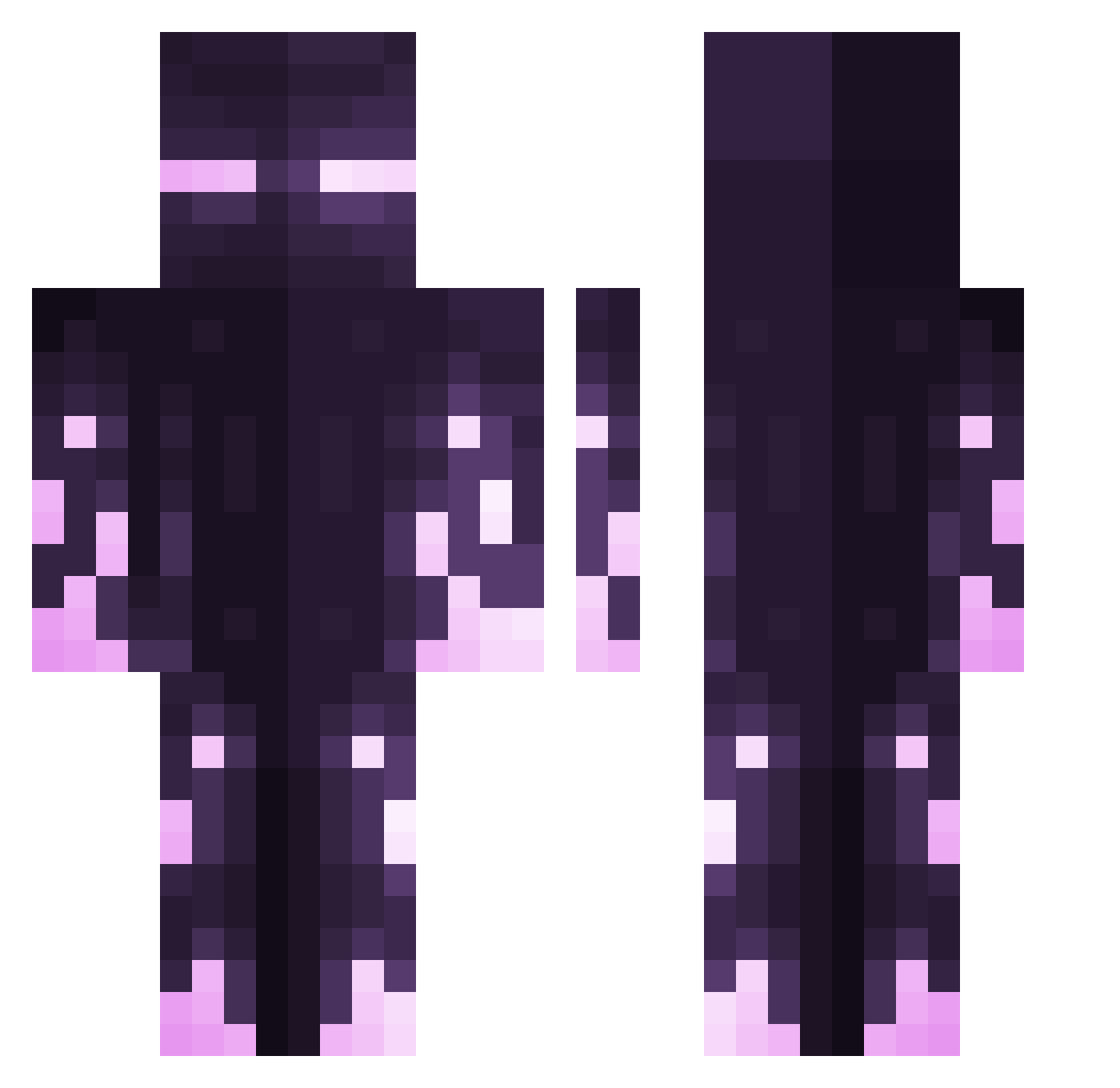
Current Minecraft skin of the player luh_shaq, loaded from the official Mojang API. Rotate the 3D model with your mouse or finger, then download the skin as a PNG file and use it in Minecraft: Bedrock Edition or Java Edition for free. When luh_shaq changes their skin, this page updates automatically and the old skin stays in the history below.
Other players with this skin (413)
luh_shaq was the 278th player we have seen with this skin, first spotted on 07.10.2026. The same skin was seen on these players. Open a nickname to see their current skin and skin history.
 Jerry23232 Kyuubidark Sintiboi Ender_man06 Kedge_85 xerinox HappiCampr101 reuarebo brehzeEeEe S_Sync BramvanDijck Naxdy _Zoglin_ PJVirk Armaia RogalDorn_ narora21 ixo3137 Konch2281 ewan_hrld JuulGod0 TheGreatTobee Im_TinyRick antonyongku entprince Alami Vox11 Serotonin_Syd Jonners420 VladiusMaximus Deltash GetClappedMan J0naRG Emilia1829 SilasHewson srafington zZzDreAmerZzZ Smileys974 eclipse0_yt notlivvy amirrezamc12 HugoTheBest06 GangSlammer bigdog0408 CatchMyKunai Rhasntsul D4MN25 L0RD_Painless YouKnowMe777 Gingermin NevermorRav pxndus Im_XinMC SiRoNoA Cytzn5 1zacrec1 Pattypig123 dvnny konvalesce Qwertix
More Enderman Minecraft skins
How to install the luh_shaq skin
- Press the Download button above to save the skin as a PNG file.
- Minecraft: Bedrock Edition (PE): open the Dressing Room from the main menu (or tap your character → Edit Character), go to Classic Skins → Owned, press the + (new skin) button, choose the downloaded PNG and pick the Classic (Steve) model. Works on PC and mobile; consoles cannot import custom skins.
- Minecraft: Java Edition: open the Minecraft Launcher, go to the Skins tab, click New Skin, load the PNG, pick the Classic (Steve) model and press Save & Use. You can also upload it at minecraft.net → Profile → Change Skin.
The skin does not show up after import - what should I do?
Restart Minecraft and open the Dressing Room again - imported skins sometimes appear only after a restart. Also make sure you selected the imported skin and picked the Classic (Steve) model.
Which model should I choose, Classic or Slim?
This skin is designed for the Classic (Steve) model. If you pick the wrong model, the arms of the skin will look stretched or squeezed.
Is the skin of luh_shaq free to download?
Yes. Press Download, save the PNG file and use it in Minecraft: Bedrock Edition or Java Edition - no payment or registration needed. The skin also works on multiplayer servers and Realms.
More skins
Looking for more? Go back to all Minecraft skins and check the top skins of the week, month and all time, or find any player's skin by nickname.