
lordfist - Minecraft Skins & Skin History
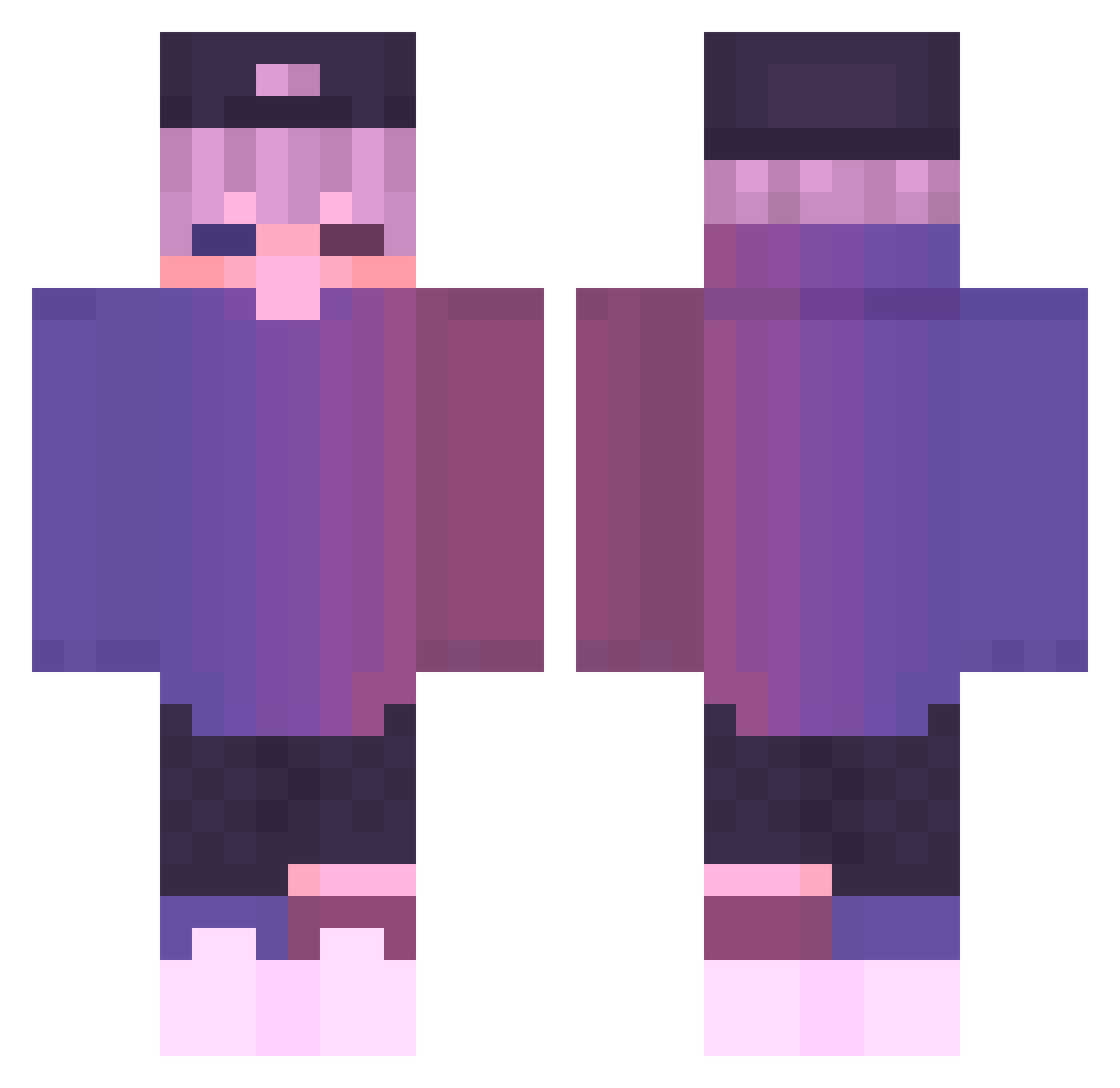
Current Minecraft skin of the player lordfist, loaded from the official Mojang API. Rotate the 3D model with your mouse or finger, then download the skin as a PNG file and use it in Minecraft: Bedrock Edition or Java Edition for free. When lordfist changes their skin, this page updates automatically and the old skin stays in the history below.
Other players with this skin (730)
lordfist was the 305th player we have seen with this skin, first spotted on 14.09.2026. The same skin was seen on these players. Open a nickname to see their current skin and skin history.
 IM_AN_OWL FamousTigger BlackPearls jihooni111 BrokenHeart12 Hanatschi SWAOff_ CabbageJuices Zhxy_ KotaWeederson420 WhoIsVenaa 4an_msmc_zef WantedJR GrinWasTaken MrStench_ RealFlexer MarsseAld Charon_666 Moonlightsandy1 JordyFCB DarkWarlord_09 Ta_joo Blusky05 AU7HER Ienzchen LostiQuiKz Tekowo LuizinGostosim10 RRRGaming Astralis_Fei Samu_OG abcd1234_ Voutour Rebye soakmedaddy Lengxuegg Jamboy44567 studysulgi NeverLaughed Anonymito Syoloo OranLe PhDGrimo Luty123 biguang _Shyru_ Wovvie Zendaya3 Garolon Anoxialf Shinroo1 hhhhokori VIP_Mims Lizi_awa Arrebol_0327 itsLaptop12 Ji_yon xsdz JestesLatawcem THEONLYSHERIFF
More Cap Minecraft skins
How to install the lordfist skin
- Press the Download button above to save the skin as a PNG file.
- Minecraft: Bedrock Edition (PE): open the Dressing Room from the main menu (or tap your character → Edit Character), go to Classic Skins → Owned, press the + (new skin) button, choose the downloaded PNG and pick the Classic (Steve) model. Works on PC and mobile; consoles cannot import custom skins.
- Minecraft: Java Edition: open the Minecraft Launcher, go to the Skins tab, click New Skin, load the PNG, pick the Classic (Steve) model and press Save & Use. You can also upload it at minecraft.net → Profile → Change Skin.
The skin does not show up after import - what should I do?
Restart Minecraft and open the Dressing Room again - imported skins sometimes appear only after a restart. Also make sure you selected the imported skin and picked the Classic (Steve) model.
Which model should I choose, Classic or Slim?
This skin is designed for the Classic (Steve) model. If you pick the wrong model, the arms of the skin will look stretched or squeezed.
Is the skin of lordfist free to download?
Yes. Press Download, save the PNG file and use it in Minecraft: Bedrock Edition or Java Edition - no payment or registration needed. The skin also works on multiplayer servers and Realms.
More skins
Looking for more? Go back to all Minecraft skins and check the top skins of the week, month and all time, or find any player's skin by nickname.