
lonely_puppy2 - Minecraft Skins & Skin History
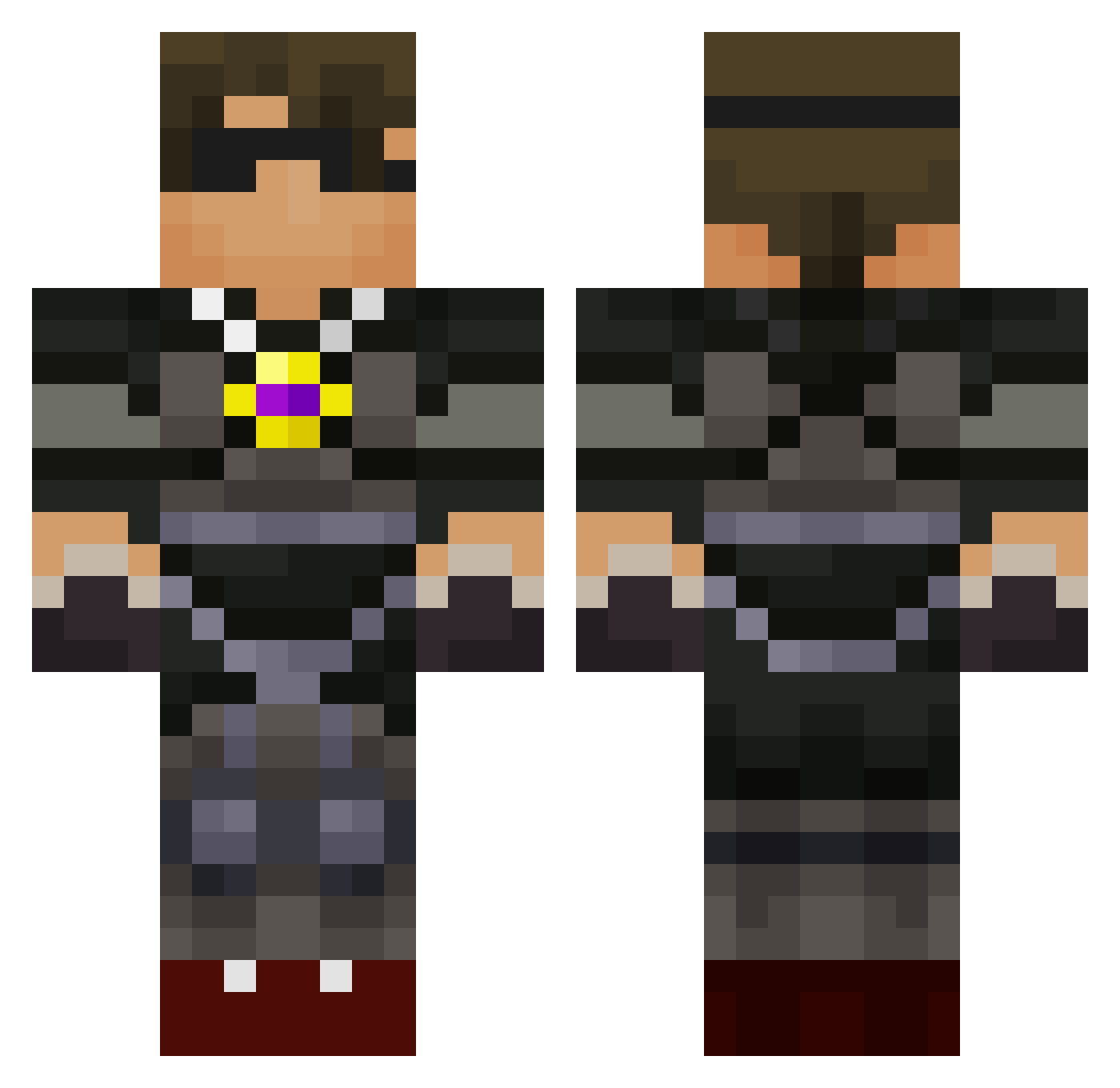
Current Minecraft skin of the player lonely_puppy2, loaded from the official Mojang API. Rotate the 3D model with your mouse or finger, then download the skin as a PNG file and use it in Minecraft: Bedrock Edition or Java Edition for free. When lonely_puppy2 changes their skin, this page updates automatically and the old skin stays in the history below.
Other players with this skin (589)
lonely_puppy2 was the 197th player we have seen with this skin, first spotted on 23.08.2026. The same skin was seen on these players. Open a nickname to see their current skin and skin history.
 thebeast404 FallenAngel777 ETS Chill1020 jackattax14 TheHat828 assassain46 AlexRennell lightningthiefer codyhasswag dwarfdigginjam tobyandtj JL0612 benniebugger derrickTDM CaveJacobJake BabyBoyESB Swagplayer33 bigpapa1942 Dylan_R1210 SuperBlock101 DA_MENACE LunaticTax02 TulipRoser Pinchedlockette7 matizool vontempisin Leechamp graciemc Jack1of3 Sky_Go connor_steve fluffy_one shawzy00 pk811 dylan1430 nizez Parkour_Crafter skydoes000 nuckster Blue_Dragon3 JaxonThomas19 Letrollingallday Andy557 jbrock88 dantheman205 matt_the_man2332 vegetagaming AussieMadDog1 perersej 26henry ConnerHard Boskinner captaincoop laseghost shitdo myangelvictoria alfiestep everluvn74 zakery23
More Necklace Minecraft skins
How to install the lonely_puppy2 skin
- Press the Download button above to save the skin as a PNG file.
- Minecraft: Bedrock Edition (PE): open the Dressing Room from the main menu (or tap your character → Edit Character), go to Classic Skins → Owned, press the + (new skin) button, choose the downloaded PNG and pick the Classic (Steve) model. Works on PC and mobile; consoles cannot import custom skins.
- Minecraft: Java Edition: open the Minecraft Launcher, go to the Skins tab, click New Skin, load the PNG, pick the Classic (Steve) model and press Save & Use. You can also upload it at minecraft.net → Profile → Change Skin.
The skin does not show up after import - what should I do?
Restart Minecraft and open the Dressing Room again - imported skins sometimes appear only after a restart. Also make sure you selected the imported skin and picked the Classic (Steve) model.
Which model should I choose, Classic or Slim?
This skin is designed for the Classic (Steve) model. If you pick the wrong model, the arms of the skin will look stretched or squeezed.
Is the skin of lonely_puppy2 free to download?
Yes. Press Download, save the PNG file and use it in Minecraft: Bedrock Edition or Java Edition - no payment or registration needed. The skin also works on multiplayer servers and Realms.
More skins
Looking for more? Go back to all Minecraft skins and check the top skins of the week, month and all time, or find any player's skin by nickname.