
lilyL10 - Minecraft Skins & Skin History
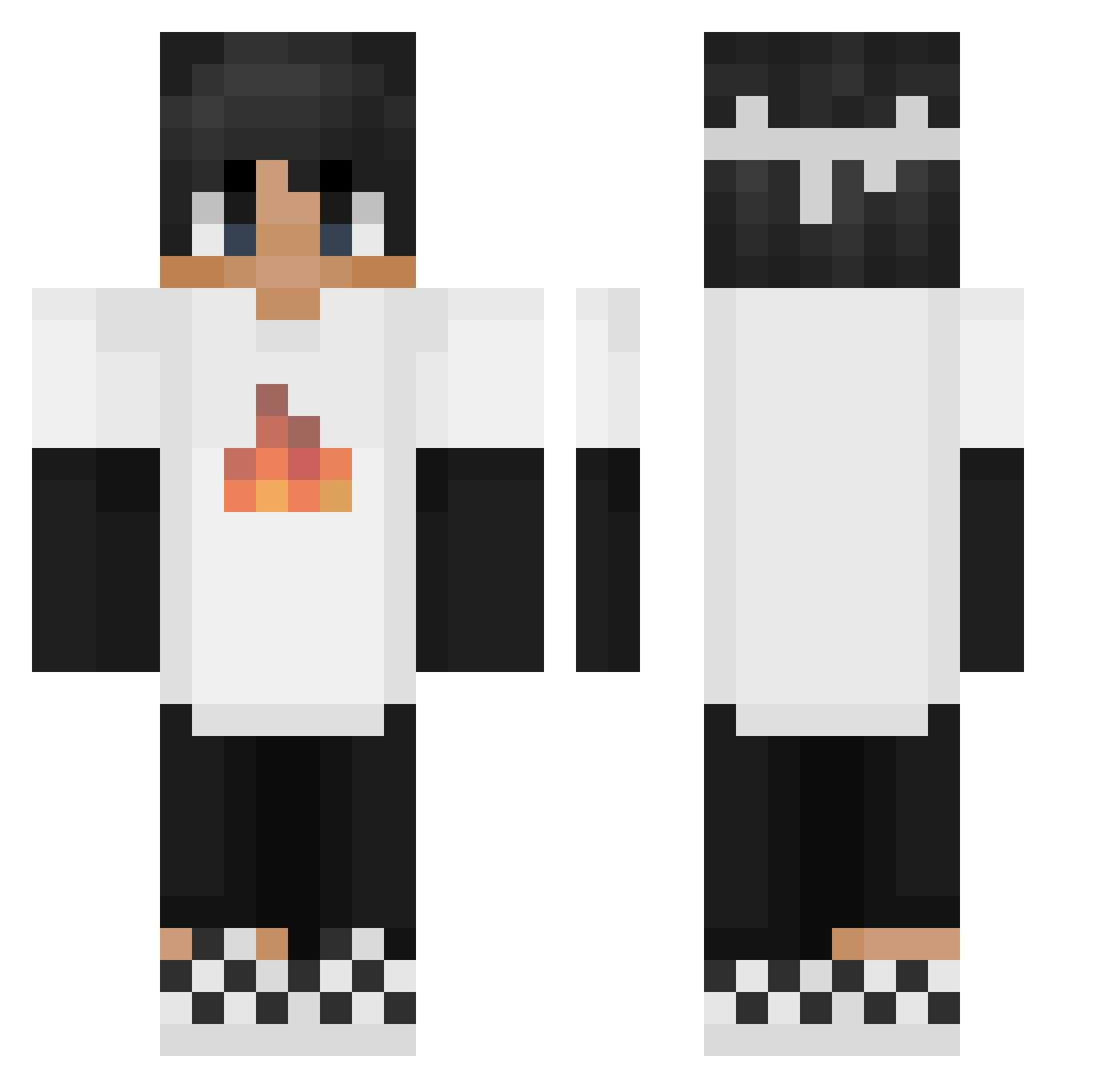
Current Minecraft skin of the player lilyL10, loaded from the official Mojang API. Rotate the 3D model with your mouse or finger, then download the skin as a PNG file and use it in Minecraft: Bedrock Edition or Java Edition for free. When lilyL10 changes their skin, this page updates automatically and the old skin stays in the history below.
Other players with this skin (277)
lilyL10 was the 92nd player we have seen with this skin, first spotted on 01.09.2026. The same skin was seen on these players. Open a nickname to see their current skin and skin history.
 Dusty129 KIIsZkA IFOLLOWJESUS1 ikenotfound Techno1999 dragonslay3r185 Yesitsatrap KrzysztofStr SanchezPMH BAYGUN53 Itrashu7783 Mazi_Yolo
 2Bryann tyking_123 insmuse QeveryoneR Profano_ KamilosToJa Ashuram Bailey1695 Strength67 3xterminator Goku17c Yammyn _Miskoo NathanF_ chelseacam16 xyzmv pallinau Skragar_ ogait03_ ErenEVREN01 Trideout22 itzgamingbuddy Greatestwish TeamVeldmuis Sapduc WoozySuperset30 Dymnyy lDede NewZ_Danamara _NatSuu_ CraftingAK _____Sirius bbartekku Crashstyler_PvP 2crazybunnies3 swizizi Kingsmasher21 Akoos09 Budzbody viz_pog Coxinha101_BR Max1fy saffiry Gaborka2012 Ewan2011 Buchar2244 xMGHDx C1H4I3N7A
More Checkerboard Shoes Minecraft skins
See all 47 Checkerboard Shoes skins
How to install the lilyL10 skin
- Press the Download button above to save the skin as a PNG file.
- Minecraft: Bedrock Edition (PE): open the Dressing Room from the main menu (or tap your character → Edit Character), go to Classic Skins → Owned, press the + (new skin) button, choose the downloaded PNG and pick the Classic (Steve) model. Works on PC and mobile; consoles cannot import custom skins.
- Minecraft: Java Edition: open the Minecraft Launcher, go to the Skins tab, click New Skin, load the PNG, pick the Classic (Steve) model and press Save & Use. You can also upload it at minecraft.net → Profile → Change Skin.
The skin does not show up after import - what should I do?
Restart Minecraft and open the Dressing Room again - imported skins sometimes appear only after a restart. Also make sure you selected the imported skin and picked the Classic (Steve) model.
Which model should I choose, Classic or Slim?
This skin is designed for the Classic (Steve) model. If you pick the wrong model, the arms of the skin will look stretched or squeezed.
Is the skin of lilyL10 free to download?
Yes. Press Download, save the PNG file and use it in Minecraft: Bedrock Edition or Java Edition - no payment or registration needed. The skin also works on multiplayer servers and Realms.
More skins
Looking for more? Go back to all Minecraft skins and check the top skins of the week, month and all time, or find any player's skin by nickname.