
len0rto - Minecraft Skins & Skin History
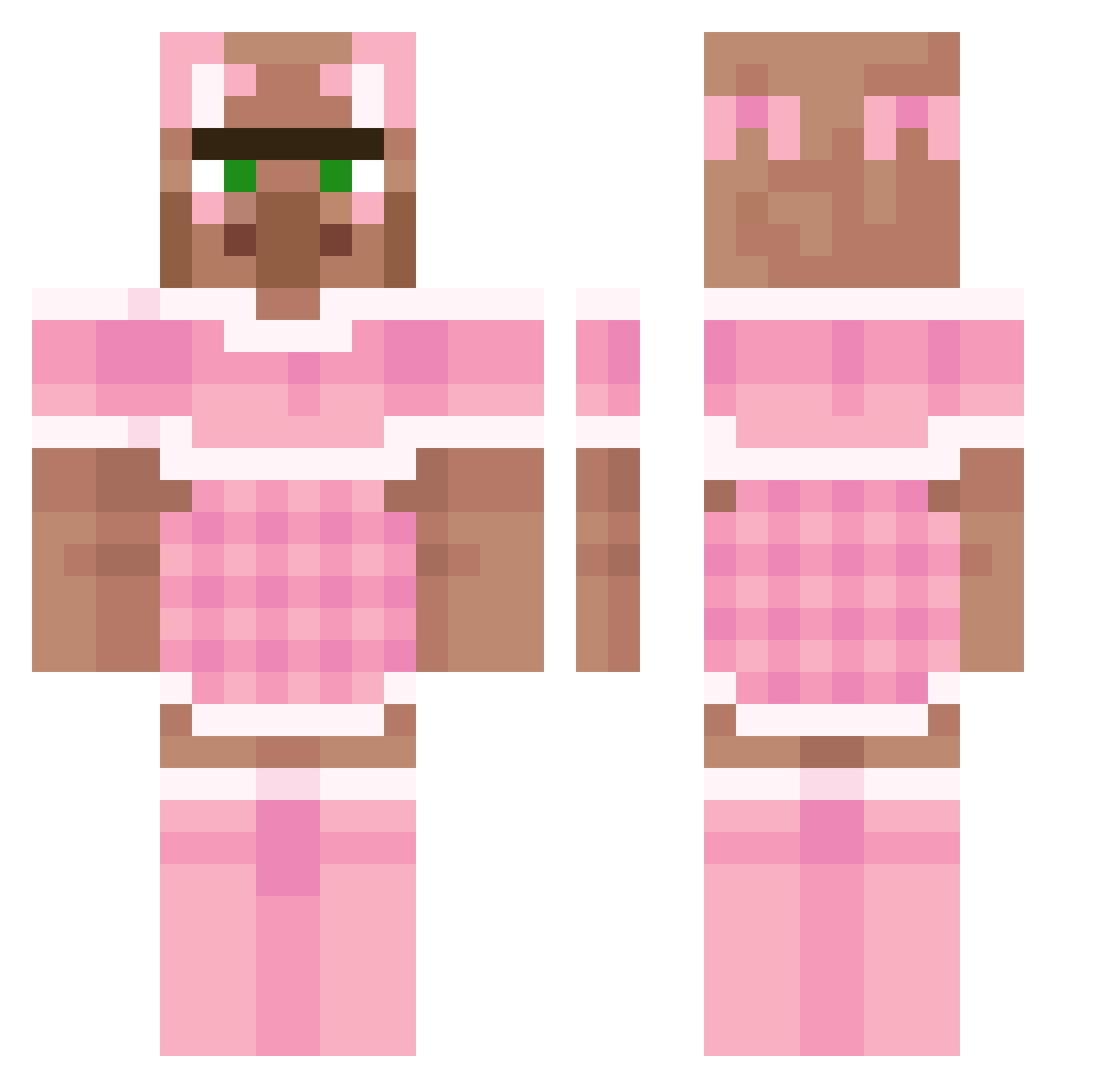
Current Minecraft skin of the player len0rto, loaded from the official Mojang API. Rotate the 3D model with your mouse or finger, then download the skin as a PNG file and use it in Minecraft: Bedrock Edition or Java Edition for free. When len0rto changes their skin, this page updates automatically and the old skin stays in the history below.
Other players with this skin (193)
len0rto was the 80th player we have seen with this skin, first spotted on 01.09.2026. The same skin was seen on these players. Open a nickname to see their current skin and skin history.
 frog_lily _PAWG_ Rayz19 K3yB04rD KEAW13 Hambro5669 Tokachips tayjf SirAtreus DarthDoug HeySnuske1 NoahCG ComanderCody233 Eserrr szambonurkaa TAKOEIEI_LOL Halouette scoochyourmooch strawberrymilk2 Furdae Molletje massi4567 chajei _elnino DisinfectantWipe angeloinfuocato2 T0xic1nk RandaleRoland ZBEEUBB Mjartina DAVEblat12 David_666_ kimmehed Miraiotwa sael_126 ____SCARLET_____ HP_Pr1nter Laquedem SelvagemBesta TheFluteMan123 Kpansano gustavsii DasTofTofGHG balraber ONCE5 911driver69 arimaner nicoleta05 Norf1x Sooshi03 Kok_NL livilac monkeybombruns2 Greenllamas1 Colidgilo Kirk_inator RipRonpe VoteCrate ur_mom_69 lakresxd
More Villager Minecraft skins
How to install the len0rto skin
- Press the Download button above to save the skin as a PNG file.
- Minecraft: Bedrock Edition (PE): open the Dressing Room from the main menu (or tap your character → Edit Character), go to Classic Skins → Owned, press the + (new skin) button, choose the downloaded PNG and pick the Classic (Steve) model. Works on PC and mobile; consoles cannot import custom skins.
- Minecraft: Java Edition: open the Minecraft Launcher, go to the Skins tab, click New Skin, load the PNG, pick the Classic (Steve) model and press Save & Use. You can also upload it at minecraft.net → Profile → Change Skin.
The skin does not show up after import - what should I do?
Restart Minecraft and open the Dressing Room again - imported skins sometimes appear only after a restart. Also make sure you selected the imported skin and picked the Classic (Steve) model.
Which model should I choose, Classic or Slim?
This skin is designed for the Classic (Steve) model. If you pick the wrong model, the arms of the skin will look stretched or squeezed.
Is the skin of len0rto free to download?
Yes. Press Download, save the PNG file and use it in Minecraft: Bedrock Edition or Java Edition - no payment or registration needed. The skin also works on multiplayer servers and Realms.
More skins
Looking for more? Go back to all Minecraft skins and check the top skins of the week, month and all time, or find any player's skin by nickname.