
lelelemon_ - Minecraft Skins & Skin History
Current Minecraft skin of the player lelelemon_, loaded from the official Mojang API. Rotate the 3D model with your mouse or finger, then download the skin as a PNG file and use it in Minecraft: Bedrock Edition or Java Edition for free. When lelelemon_ changes their skin, this page updates automatically and the old skin stays in the history below.
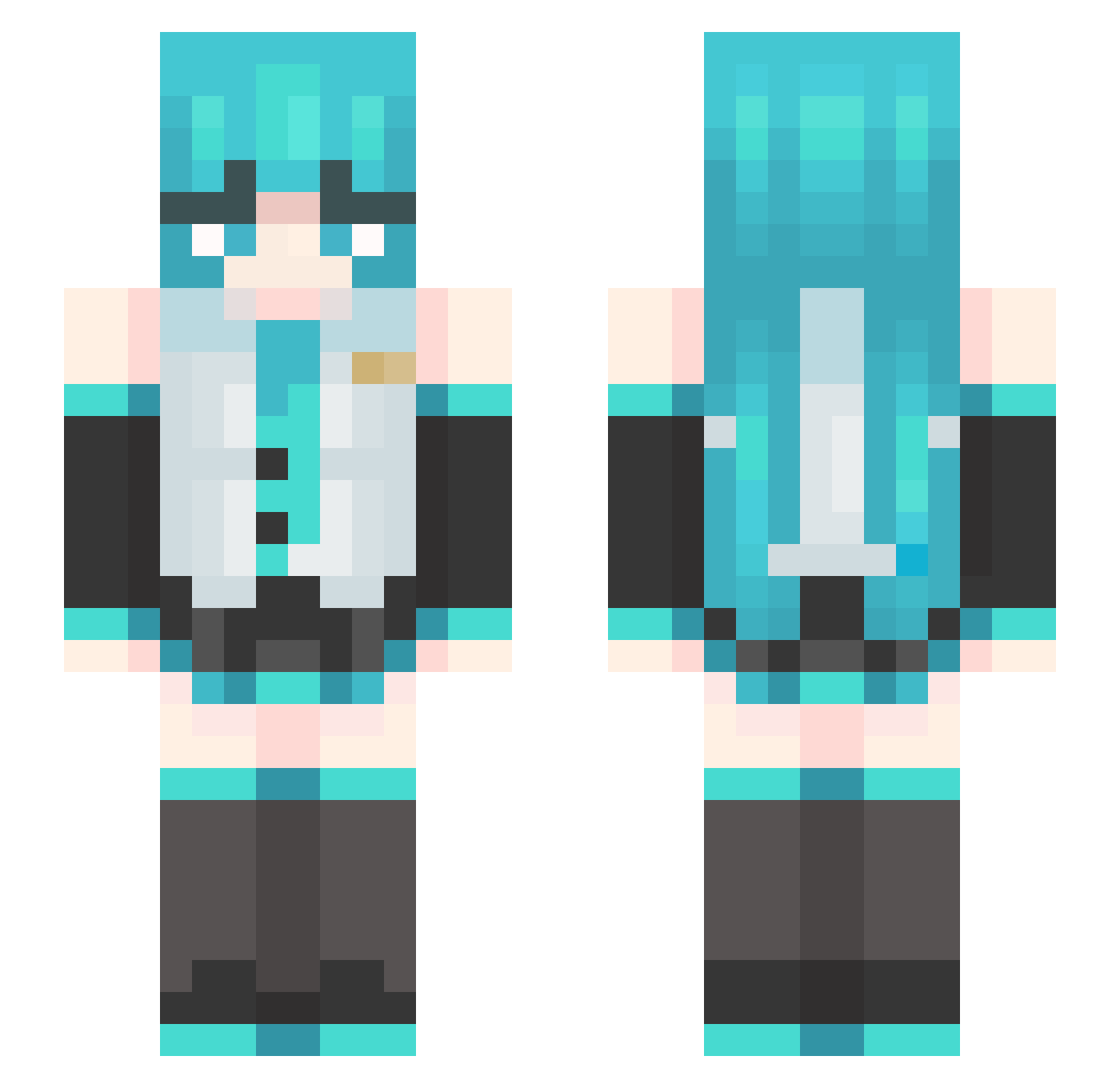
Other players with this skin (484)
lelelemon_ was the 34th player we have seen with this skin, first spotted on 02.08.2026. The same skin was seen on these players. Open a nickname to see their current skin and skin history.
 tang1023 _ToxicClouds_ pinw_ouzo Oskiaz1 zeroslin BingChingPing tornillo24 Fallon_NTJ Kafem07
 ph77707 ChaMooSik_ DooDooPotato yuanshen169 ryzennn777 displayabuse still6037 Trarra A2UKA XxxSquidx lovidtomaro hpdtk 5chz JULIYET AcousticBeanz Ritsuka1986 brother_goo Violet713 Vesperan itz_yakosha luca411 yujie555 greatredo TornadoFiya2014 choldisan AvoPyS_YT
 LatinoTweeno moosegamong LorienIrmo lizixian MMCC101 stoneymonke KillaCobz WYDAGANGMEN MAYER_the_runner zZP_123 EmiliaMia17 shc233 Simone_MC Astaring Minijosuep832 Hutaoao Melleonin kimstun__ felpcuralado69 Hannie_143 Diabeto1425 cheng_6666 Depreseo yaozixi deokdam2
More Hatsune Miku Minecraft skins
See all 898 Hatsune Miku skins
How to install the lelelemon_ skin
- Press the Download button above to save the skin as a PNG file.
- Minecraft: Bedrock Edition (PE): open the Dressing Room from the main menu (or tap your character → Edit Character), go to Classic Skins → Owned, press the + (new skin) button, choose the downloaded PNG and pick the Slim (Alex) model. Works on PC and mobile; consoles cannot import custom skins.
- Minecraft: Java Edition: open the Minecraft Launcher, go to the Skins tab, click New Skin, load the PNG, pick the Slim (Alex) model and press Save & Use. You can also upload it at minecraft.net → Profile → Change Skin.
The skin does not show up after import - what should I do?
Restart Minecraft and open the Dressing Room again - imported skins sometimes appear only after a restart. Also make sure you selected the imported skin and picked the Slim (Alex) model.
Which model should I choose, Classic or Slim?
This skin is designed for the Slim (Alex) model. If you pick the wrong model, the arms of the skin will look stretched or squeezed.
Is the skin of lelelemon_ free to download?
Yes. Press Download, save the PNG file and use it in Minecraft: Bedrock Edition or Java Edition - no payment or registration needed. The skin also works on multiplayer servers and Realms.
More skins
Looking for more? Go back to all Minecraft skins and check the top skins of the week, month and all time, or find any player's skin by nickname.