
lalmine345 - Minecraft Skins & Skin History
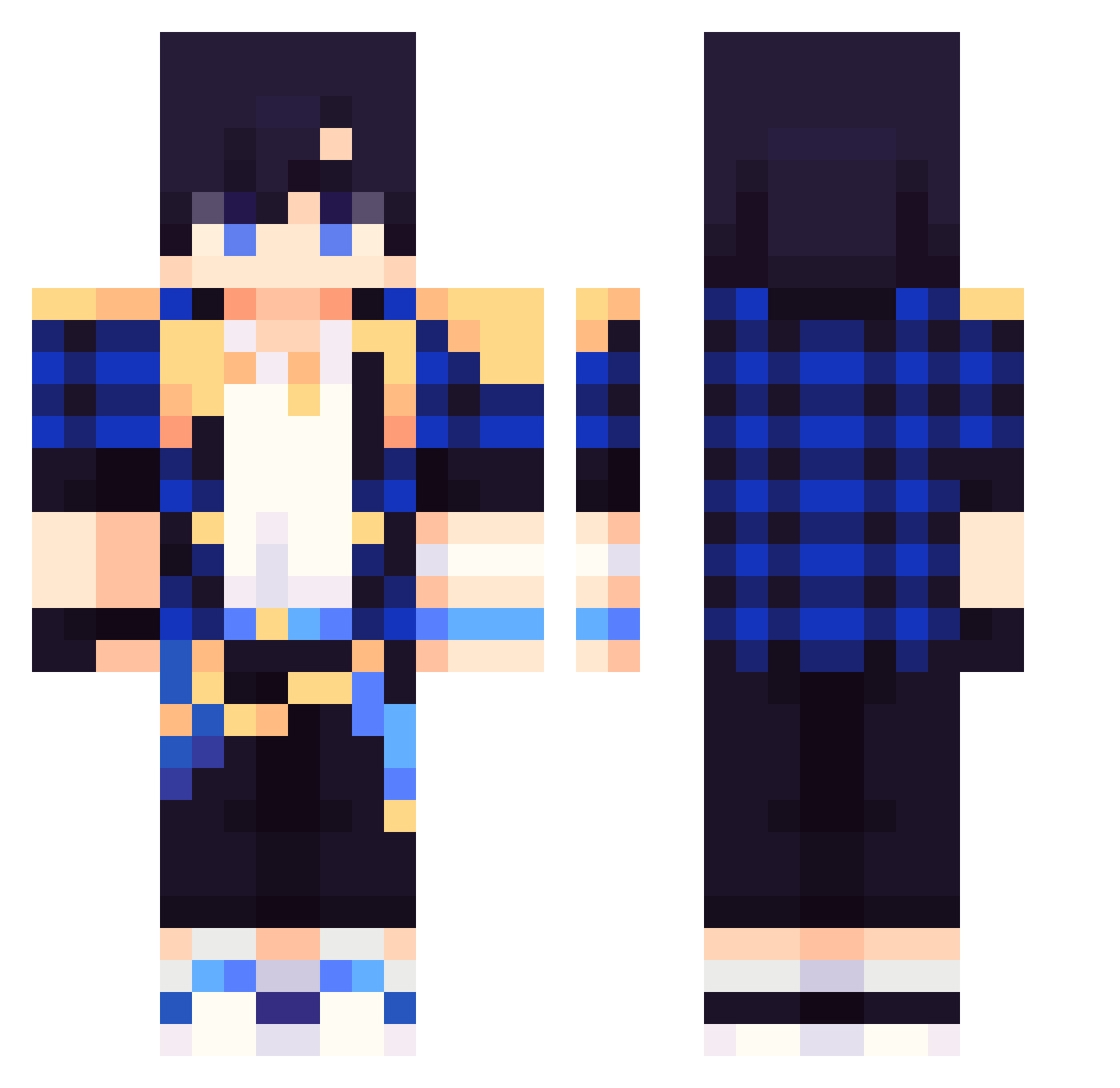
Current Minecraft skin of the player lalmine345, loaded from the official Mojang API. Rotate the 3D model with your mouse or finger, then download the skin as a PNG file and use it in Minecraft: Bedrock Edition or Java Edition for free. When lalmine345 changes their skin, this page updates automatically and the old skin stays in the history below.
Other players with this skin (268)
lalmine345 was the 158th player we have seen with this skin, first spotted on 26.09.2026. The same skin was seen on these players. Open a nickname to see their current skin and skin history.
 SHIAKS laststardust11 ty6608 Bob1509 alberto111111 dwgh YUANPROMAX supermaicraf2200 Jabolon_Gaming 1minhu1 Liao0416 qudgns0509 Flaxer_11 SendiiLeq JYH8 Gengzar volleyball1232 epepe69 jungwon_0123 TolopoRey berko12345 zerokk30 Hugo4587 yomiyomi700 Hidden41 baseball121213 dldbqja bilitzy pastel1022 Sweynnzx sjeusk jyppi1234 aibeie omjck15 kevin4872 sixking6 blueamaz im_SoIO Flajo2409 WalkDownEli caocar55184 Daelchih siho1004 minerking_1453 rlinchen JIUF666 awes0mecrazgam3r Fantome_12 Fonsi888 hyunjun0705 Rayoazul654 SKYCLOUD_SOUL ggnekito_1LsAp yoodangyi gointoac sangyeol0211 Pasun monkeybady12 Caldd zzyss
How to install the lalmine345 skin
- Press the Download button above to save the skin as a PNG file.
- Minecraft: Bedrock Edition (PE): open the Dressing Room from the main menu (or tap your character → Edit Character), go to Classic Skins → Owned, press the + (new skin) button, choose the downloaded PNG and pick the Classic (Steve) model. Works on PC and mobile; consoles cannot import custom skins.
- Minecraft: Java Edition: open the Minecraft Launcher, go to the Skins tab, click New Skin, load the PNG, pick the Classic (Steve) model and press Save & Use. You can also upload it at minecraft.net → Profile → Change Skin.
The skin does not show up after import - what should I do?
Restart Minecraft and open the Dressing Room again - imported skins sometimes appear only after a restart. Also make sure you selected the imported skin and picked the Classic (Steve) model.
Which model should I choose, Classic or Slim?
This skin is designed for the Classic (Steve) model. If you pick the wrong model, the arms of the skin will look stretched or squeezed.
Is the skin of lalmine345 free to download?
Yes. Press Download, save the PNG file and use it in Minecraft: Bedrock Edition or Java Edition - no payment or registration needed. The skin also works on multiplayer servers and Realms.
More skins
Looking for more? Go back to all Minecraft skins and check the top skins of the week, month and all time, or find any player's skin by nickname.