
lKuuhakul - Minecraft Skins & Skin History
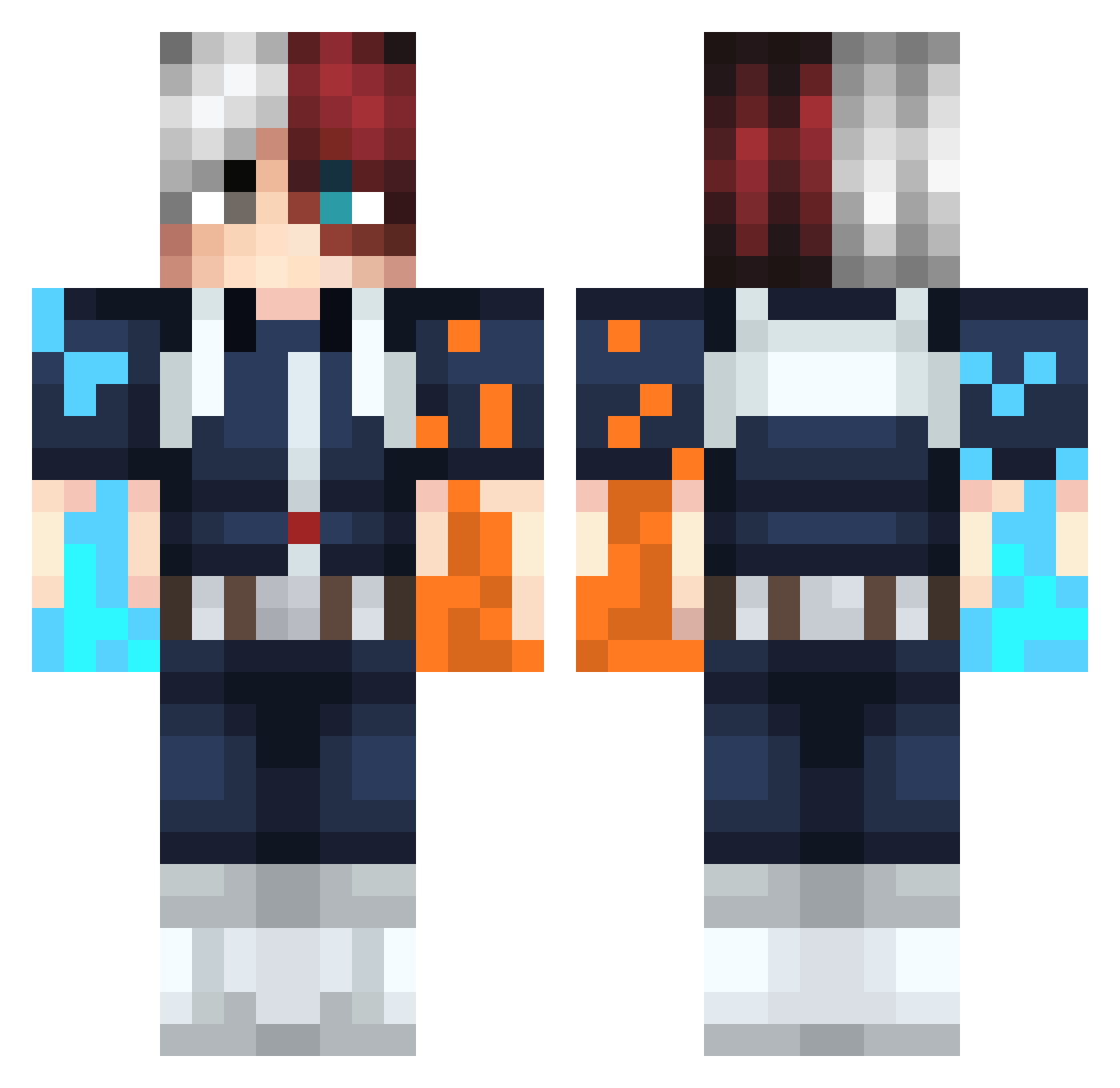
Current Minecraft skin of the player lKuuhakul, loaded from the official Mojang API. Rotate the 3D model with your mouse or finger, then download the skin as a PNG file and use it in Minecraft: Bedrock Edition or Java Edition for free. When lKuuhakul changes their skin, this page updates automatically and the old skin stays in the history below.
Other players with this skin (298)
lKuuhakul was the 82nd player we have seen with this skin, first spotted on 28.08.2026. The same skin was seen on these players. Open a nickname to see their current skin and skin history.
 xnikyroz Heards_ Nintendante Kamyloo Tony_2486 Briskill matadela69 Silentwraith359 spooker337 Speedyjelly stargame0332 Xreduers A1ex065 Neiroh MonkeysEmperor JuicyJuice92 JLFrozz DodgasaurusRex __Hashtag___ JMHunterPro Mynameiscrow SparThann KayraGaming emreyuss _scarx_ KANGORIN RYUKEN14 Osax_75 MrPerfection69 Lumar140 Kawacy jesuschris16 PeppOz_ xFluffyButterx ____Sakura_____ amberboo11 T_koyaki666 SaVe_Python Shard_0 Erimu37 tencs MrBrzieFer tr111111111 CraneDoeuf321 CaptainParagon Allen31 Lunar235 xtrshoto Soi152 harrusa Brolem532 Aelem alexik_99 cljq _Heez_ DAZAI0619 BooTea Julienbrgs iamyiling takunage
More Shoto Todoroki Minecraft skins
See all 299 Shoto Todoroki skins
How to install the lKuuhakul skin
- Press the Download button above to save the skin as a PNG file.
- Minecraft: Bedrock Edition (PE): open the Dressing Room from the main menu (or tap your character → Edit Character), go to Classic Skins → Owned, press the + (new skin) button, choose the downloaded PNG and pick the Classic (Steve) model. Works on PC and mobile; consoles cannot import custom skins.
- Minecraft: Java Edition: open the Minecraft Launcher, go to the Skins tab, click New Skin, load the PNG, pick the Classic (Steve) model and press Save & Use. You can also upload it at minecraft.net → Profile → Change Skin.
The skin does not show up after import - what should I do?
Restart Minecraft and open the Dressing Room again - imported skins sometimes appear only after a restart. Also make sure you selected the imported skin and picked the Classic (Steve) model.
Which model should I choose, Classic or Slim?
This skin is designed for the Classic (Steve) model. If you pick the wrong model, the arms of the skin will look stretched or squeezed.
Is the skin of lKuuhakul free to download?
Yes. Press Download, save the PNG file and use it in Minecraft: Bedrock Edition or Java Edition - no payment or registration needed. The skin also works on multiplayer servers and Realms.
More skins
Looking for more? Go back to all Minecraft skins and check the top skins of the week, month and all time, or find any player's skin by nickname.