
l123477 - Minecraft Skins & Skin History
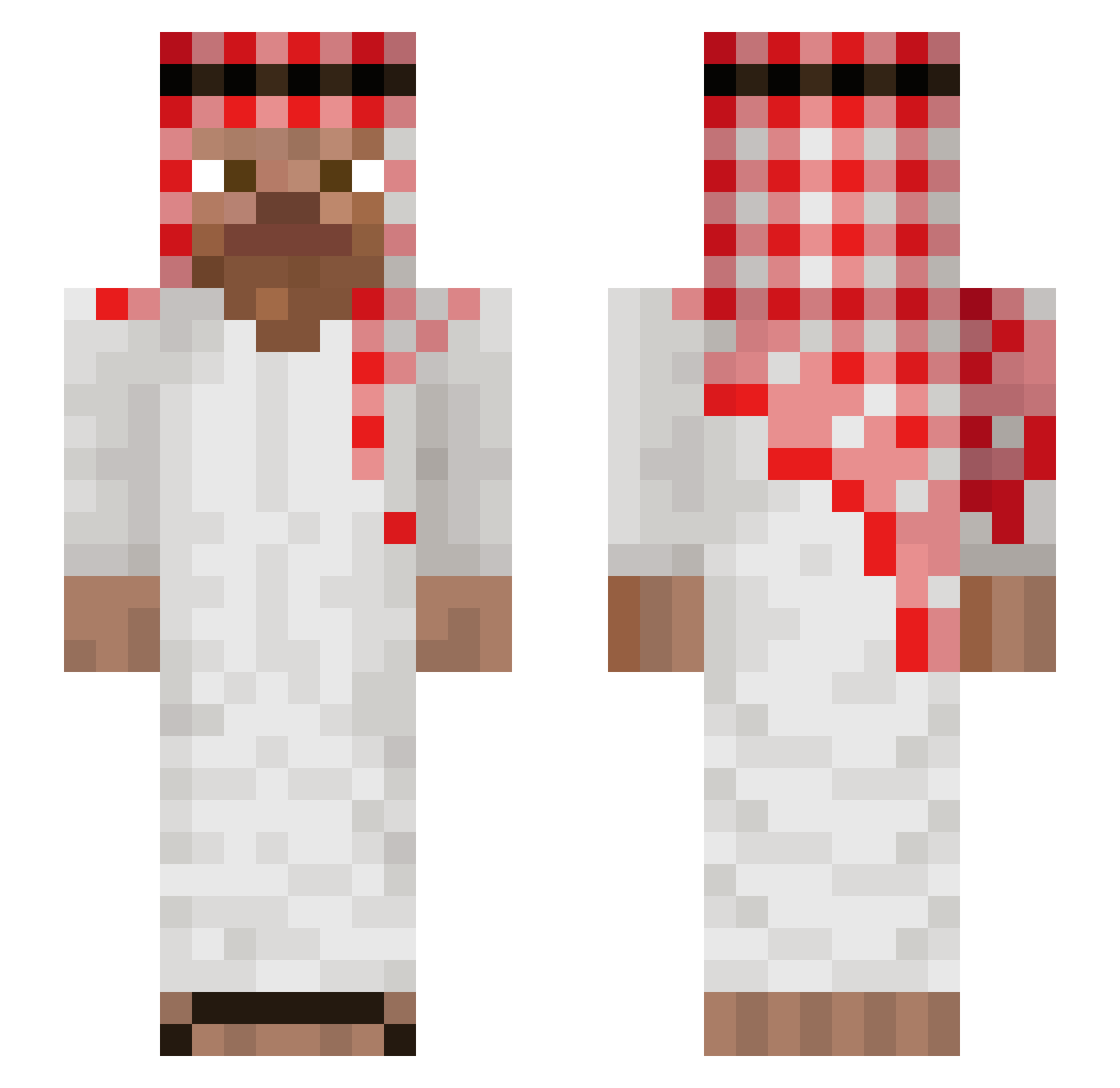
Current Minecraft skin of the player l123477, loaded from the official Mojang API. Rotate the 3D model with your mouse or finger, then download the skin as a PNG file and use it in Minecraft: Bedrock Edition or Java Edition for free. When l123477 changes their skin, this page updates automatically and the old skin stays in the history below.
Other players with this skin (1033)
l123477 was the 956th player we have seen with this skin, first spotted on 25.10.2026. The same skin was seen on these players. Open a nickname to see their current skin and skin history.
 KCtev grisgryta19 GreyMan12 AreYouMe_ Zula006 VITORLOCODAPESTE dbsxogn ZOROXRAY Mietekx MAMSAID Micas0505 issam1 gripper01 Bigbalz24 Gooperi McQueen1311 bestzaza49 ismaaa93 Nae692 proudcloud52543 gren21 terrywest40 mcthore0211 ZadniyKashel WockaFlocka5 BENJIFISCHANTI_ NashorSensei Szymonix11 kenlui QueasFN raresh85 grayohh Kaan34 Gabricrthis alexdh10 28matteo Dep_Dep crmt SpeedDimit RestiElPicos BigBlahmo lukako2358 sinanceu izpll giuseppe_caddura bduzin_ lusik1 TestyMicrobe316 JLMitzy Cheruben 01_k_risti_n_15 JJW1227 Matex_uganda THEVVSUDHOD Zeraume KazamaBravo Emojistyle 1PtiteBierre aroncinno ElPatronVoid
More Arabic Minecraft skins
How to install the l123477 skin
- Press the Download button above to save the skin as a PNG file.
- Minecraft: Bedrock Edition (PE): open the Dressing Room from the main menu (or tap your character → Edit Character), go to Classic Skins → Owned, press the + (new skin) button, choose the downloaded PNG and pick the Slim (Alex) model. Works on PC and mobile; consoles cannot import custom skins.
- Minecraft: Java Edition: open the Minecraft Launcher, go to the Skins tab, click New Skin, load the PNG, pick the Slim (Alex) model and press Save & Use. You can also upload it at minecraft.net → Profile → Change Skin.
The skin does not show up after import - what should I do?
Restart Minecraft and open the Dressing Room again - imported skins sometimes appear only after a restart. Also make sure you selected the imported skin and picked the Slim (Alex) model.
Which model should I choose, Classic or Slim?
This skin is designed for the Slim (Alex) model. If you pick the wrong model, the arms of the skin will look stretched or squeezed.
Is the skin of l123477 free to download?
Yes. Press Download, save the PNG file and use it in Minecraft: Bedrock Edition or Java Edition - no payment or registration needed. The skin also works on multiplayer servers and Realms.
More skins
Looking for more? Go back to all Minecraft skins and check the top skins of the week, month and all time, or find any player's skin by nickname.