
kurio420 - Minecraft Skins & Skin History
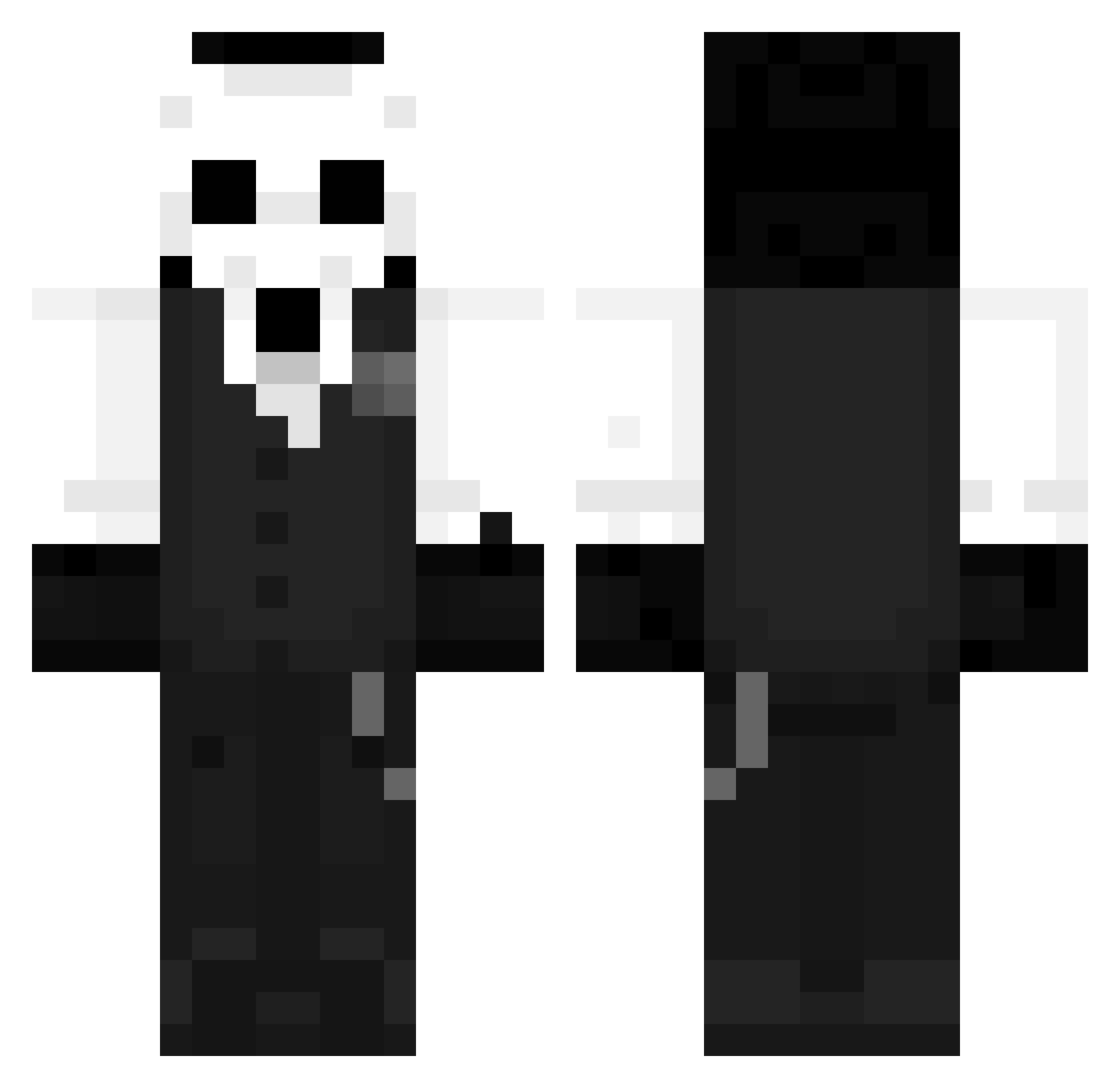
Current Minecraft skin of the player kurio420, loaded from the official Mojang API. Rotate the 3D model with your mouse or finger, then download the skin as a PNG file and use it in Minecraft: Bedrock Edition or Java Edition for free. When kurio420 changes their skin, this page updates automatically and the old skin stays in the history below.
Other players with this skin (1273)
kurio420 was the 462nd player we have seen with this skin, first spotted on 06.09.2026. The same skin was seen on these players. Open a nickname to see their current skin and skin history.
 dinks zCallsMe CyberDomi MAX_RAMI ihak1990 The_Angel1233 Expe07 The_Kaiju_slayer Neunou Rulineta saubrox Santy071107 LordAesir88 _Nurths RomcoMomo Eden716 Sannns_7 zTyzo Omen0424 katshupp Yagozada_ Chadow00XD _Aime BrookSama99 Htxsntz Tayson20 MartyNelly Tongkang Mitern Strompholiano blazinasian2002 EndHero0214 K31shin TsH_Mao JohanCruiff ClusterBeThings stasiek982 beng1307 Pantherkette956 h3artlessz _rSh Faze7x FOERS CHDENG Tomekkai NanHai1 fkx_123 pczcq Lenzi101 Axronaz Alex_Lee00 Logan005 Pallor68 Tiny_bug Dragon_King1026 jun1104 Chuliganos05 Ghostii98 junyoung6889 Drakochu
More Sans Minecraft skins
How to install the kurio420 skin
- Press the Download button above to save the skin as a PNG file.
- Minecraft: Bedrock Edition (PE): open the Dressing Room from the main menu (or tap your character → Edit Character), go to Classic Skins → Owned, press the + (new skin) button, choose the downloaded PNG and pick the Classic (Steve) model. Works on PC and mobile; consoles cannot import custom skins.
- Minecraft: Java Edition: open the Minecraft Launcher, go to the Skins tab, click New Skin, load the PNG, pick the Classic (Steve) model and press Save & Use. You can also upload it at minecraft.net → Profile → Change Skin.
The skin does not show up after import - what should I do?
Restart Minecraft and open the Dressing Room again - imported skins sometimes appear only after a restart. Also make sure you selected the imported skin and picked the Classic (Steve) model.
Which model should I choose, Classic or Slim?
This skin is designed for the Classic (Steve) model. If you pick the wrong model, the arms of the skin will look stretched or squeezed.
Is the skin of kurio420 free to download?
Yes. Press Download, save the PNG file and use it in Minecraft: Bedrock Edition or Java Edition - no payment or registration needed. The skin also works on multiplayer servers and Realms.
More skins
Looking for more? Go back to all Minecraft skins and check the top skins of the week, month and all time, or find any player's skin by nickname.