
koalasandshiit - Minecraft Skins & Skin History
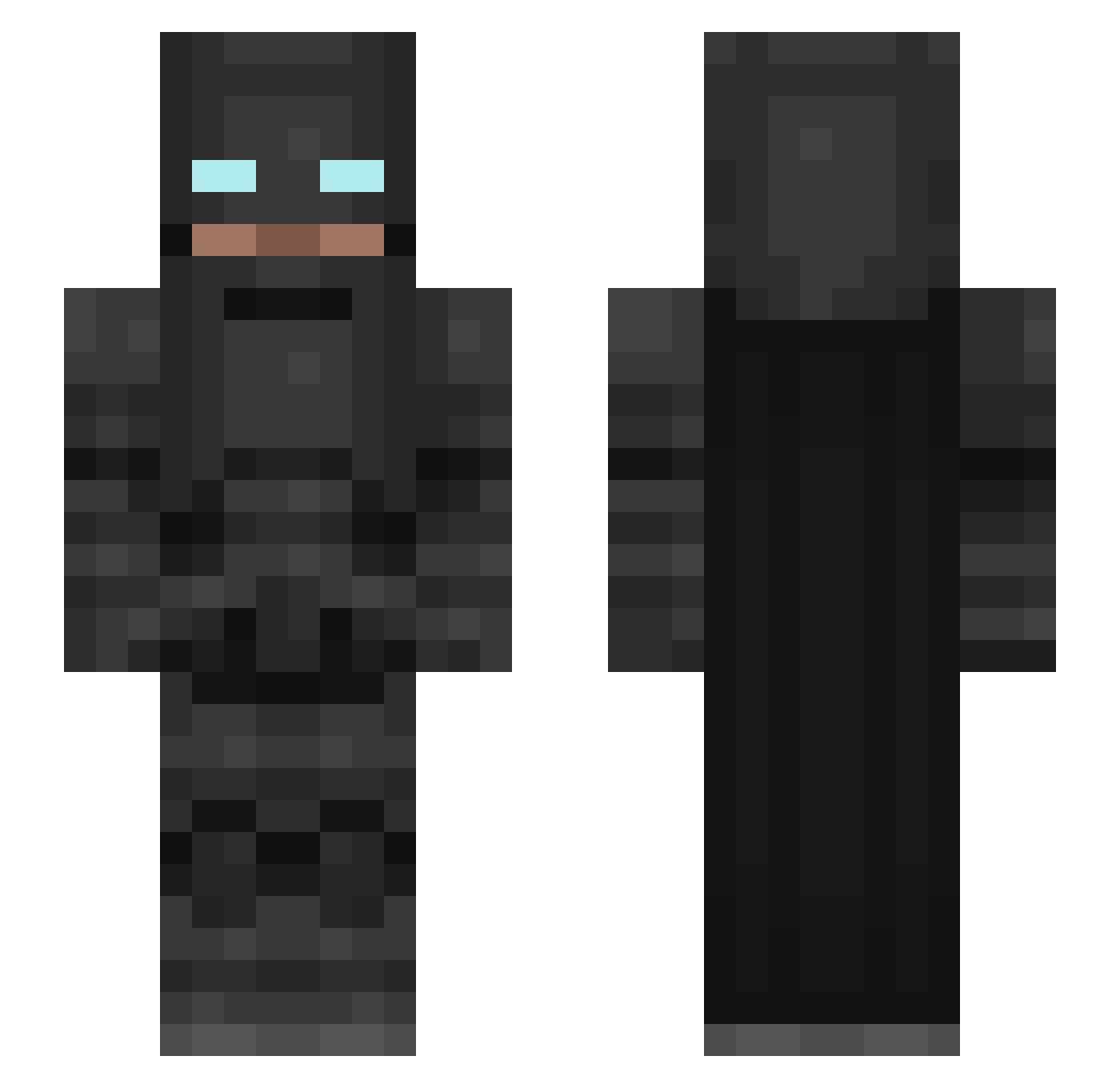
Current Minecraft skin of the player koalasandshiit, loaded from the official Mojang API. Rotate the 3D model with your mouse or finger, then download the skin as a PNG file and use it in Minecraft: Bedrock Edition or Java Edition for free. When koalasandshiit changes their skin, this page updates automatically and the old skin stays in the history below.
Other players with this skin (183)
koalasandshiit was the 84th player we have seen with this skin, first spotted on 11.09.2026. The same skin was seen on these players. Open a nickname to see their current skin and skin history.
 Maddinowitch Uriel_TUW T0M0D4 chairlegeatsball PePeThEfOrG Neisenq ShOt1k3 shadowX233 ShubMan Publicenemy0399 Lonely_Architect HackerMunda Fantasymc Biglii agha_abdullah WizardBox4147 KadenJKing16 TheTerra98 Quastt_ Meteora44 optikpompalama Anexo_77 gx600 AwsomeRaptor7 grovekid enriqueparra2000 watchout76 EarthSaturn4135 Haunter_37 Salty_Phish Trussetyv123 SharkDude8670 23shqdowz FrexMex Ccola16 Lightyear_RIP maize1201 taimur0607 killakev413 BestGameSense Stayland N1ghtRav3n k0kc EM89 JPMYSTERY Jamel1s opaisuki ShadowScout46 Juforce Viktorkaiser LeHunter01 TimHatz cristiiian98 REIVA99 LaxBorren alenasheeee Edgokuxx Axio91 andreiuuu14 nimbostratus_521
More Batman Minecraft skins
How to install the koalasandshiit skin
- Press the Download button above to save the skin as a PNG file.
- Minecraft: Bedrock Edition (PE): open the Dressing Room from the main menu (or tap your character → Edit Character), go to Classic Skins → Owned, press the + (new skin) button, choose the downloaded PNG and pick the Slim (Alex) model. Works on PC and mobile; consoles cannot import custom skins.
- Minecraft: Java Edition: open the Minecraft Launcher, go to the Skins tab, click New Skin, load the PNG, pick the Slim (Alex) model and press Save & Use. You can also upload it at minecraft.net → Profile → Change Skin.
The skin does not show up after import - what should I do?
Restart Minecraft and open the Dressing Room again - imported skins sometimes appear only after a restart. Also make sure you selected the imported skin and picked the Slim (Alex) model.
Which model should I choose, Classic or Slim?
This skin is designed for the Slim (Alex) model. If you pick the wrong model, the arms of the skin will look stretched or squeezed.
Is the skin of koalasandshiit free to download?
Yes. Press Download, save the PNG file and use it in Minecraft: Bedrock Edition or Java Edition - no payment or registration needed. The skin also works on multiplayer servers and Realms.
More skins
Looking for more? Go back to all Minecraft skins and check the top skins of the week, month and all time, or find any player's skin by nickname.