
kickedlizard - Minecraft Skins & Skin History
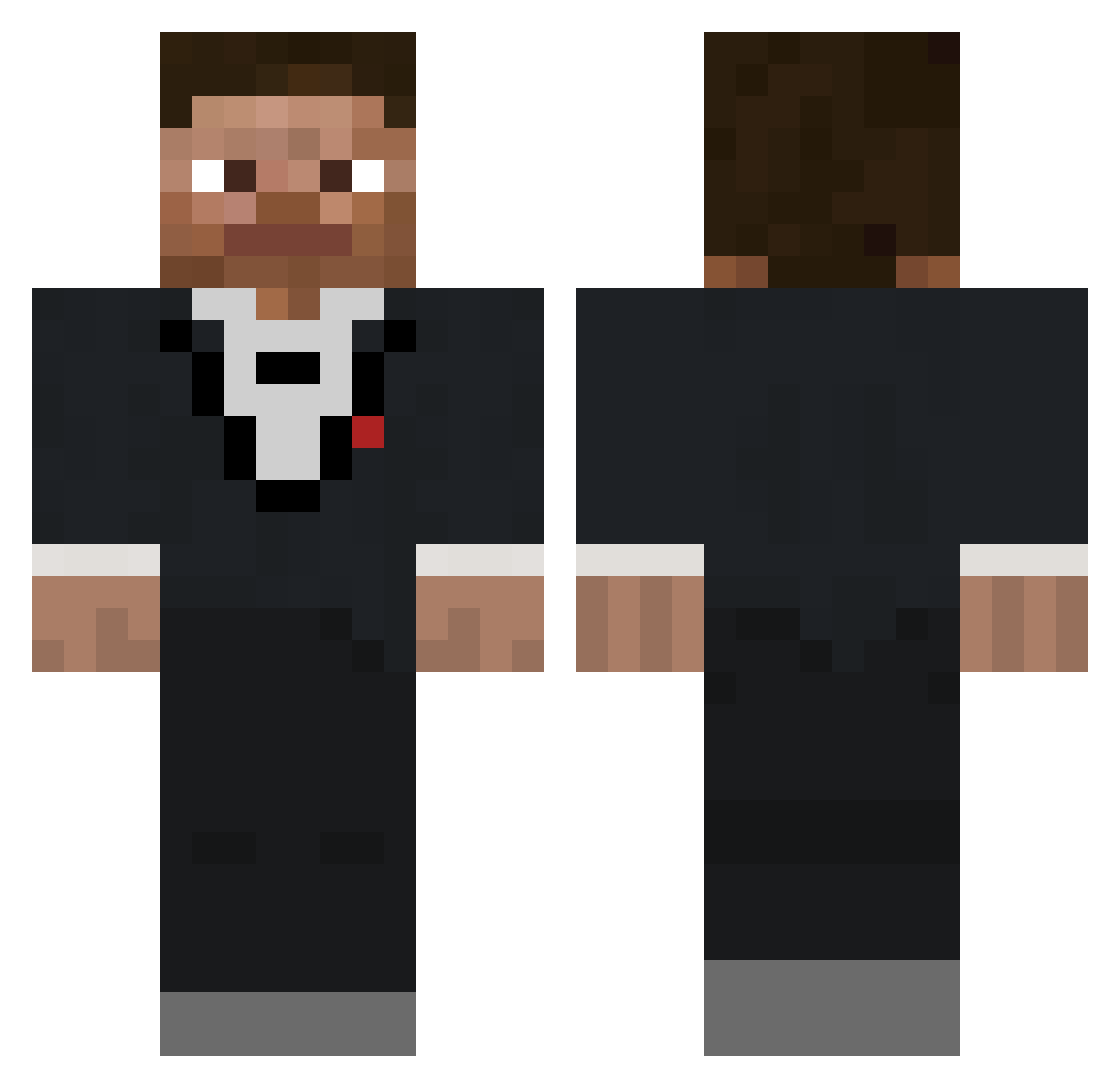
Current Minecraft skin of the player kickedlizard, loaded from the official Mojang API. Rotate the 3D model with your mouse or finger, then download the skin as a PNG file and use it in Minecraft: Bedrock Edition or Java Edition for free. When kickedlizard changes their skin, this page updates automatically and the old skin stays in the history below.
Other players with this skin (403)
kickedlizard was the 273rd player we have seen with this skin, first spotted on 06.10.2026. The same skin was seen on these players. Open a nickname to see their current skin and skin history.
 polynesiansauce FathersMayo Naval_Monkey LordThingy raspberrysMC Milo_Harry2 GeorgeR2001 BogosseCraquant XxTheRedStormxX losimik PandaComeGetMe Jackwong6888 Drewnjeff2 TurboTexas nftrkk Estevan armbrawler456 Richy_36 OverlandRhino97 xLightzout pnme KeegZCampKeegan Monkeyman12345 tony_olsen Deckbox _Stinger_1 glithnil JoJoBiggens Aether001 N0ahSw1ft ordinary_dood dastisgut234 Racy9 WestofWeston_ SenseiWuGaming Blue_enjoyer DrcoolWA AgentChleb c0astt Dion_The_Cheese 512scott prkr1 MrNycro nnantaray SuYaMaaaaa GorillaPixles danipeper Shoopy855 Andrew_BA ragerider13 me_loser22 Pitufito27 DizzyPhoenix107 tedschmieds gezoyt Thecoolsheep DreadSalt221 Tbone123416 nosine BenM1l
How to install the kickedlizard skin
- Press the Download button above to save the skin as a PNG file.
- Minecraft: Bedrock Edition (PE): open the Dressing Room from the main menu (or tap your character → Edit Character), go to Classic Skins → Owned, press the + (new skin) button, choose the downloaded PNG and pick the Classic (Steve) model. Works on PC and mobile; consoles cannot import custom skins.
- Minecraft: Java Edition: open the Minecraft Launcher, go to the Skins tab, click New Skin, load the PNG, pick the Classic (Steve) model and press Save & Use. You can also upload it at minecraft.net → Profile → Change Skin.
The skin does not show up after import - what should I do?
Restart Minecraft and open the Dressing Room again - imported skins sometimes appear only after a restart. Also make sure you selected the imported skin and picked the Classic (Steve) model.
Which model should I choose, Classic or Slim?
This skin is designed for the Classic (Steve) model. If you pick the wrong model, the arms of the skin will look stretched or squeezed.
Is the skin of kickedlizard free to download?
Yes. Press Download, save the PNG file and use it in Minecraft: Bedrock Edition or Java Edition - no payment or registration needed. The skin also works on multiplayer servers and Realms.
More skins
Looking for more? Go back to all Minecraft skins and check the top skins of the week, month and all time, or find any player's skin by nickname.