
kelpfly - Minecraft Skins & Skin History
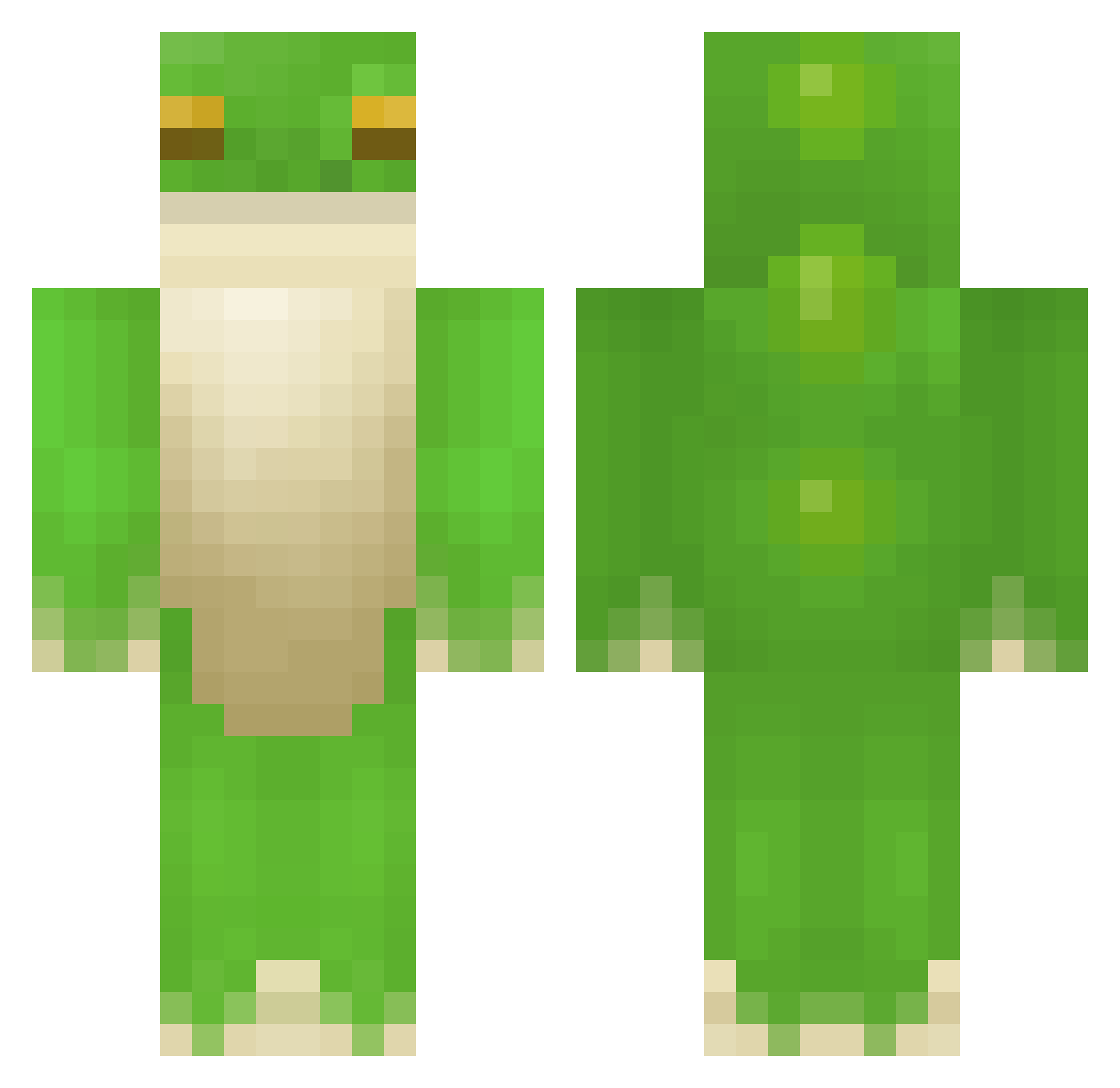
Current Minecraft skin of the player kelpfly, loaded from the official Mojang API. Rotate the 3D model with your mouse or finger, then download the skin as a PNG file and use it in Minecraft: Bedrock Edition or Java Edition for free. When kelpfly changes their skin, this page updates automatically and the old skin stays in the history below.
Other players with this skin (208)
kelpfly was the 57th player we have seen with this skin, first spotted on 26.08.2026. The same skin was seen on these players. Open a nickname to see their current skin and skin history.
 Sarge_F tiuzinho_loko HyperBuns richyrichjp blockmehard Malthemester mynameeatvevo goldeneyefrog Keroppi69 froggert5 kiruhafi Charlroot frogman31680 graphicsfrog turkey009 Dreamer_wolf PH1LL1 spinelessgoose frogman303 RoyalFrogie BlipDog Creekwood hambostinson OinkGaming mkay_sh Fesco99 sortingjan khanzila DoubleRa1nbow MatthewScheffler MrEngs kidjk47 rapfrog froggityfrog Alexander1504 lFroggy Alastore Ibiza19 Notcher NinjaFroggyy xfrogg annasbasa alantsd Dunx8727 Derpz2 darkmonster236 Koerteijck Frohg Spasmito Radiated_Fishy bigshrimpinbois frognik Apex_Essentials fatbutskinny samsonite45 MeatyMark Goofrog FailureFrog RawrrRaychel WolfS05
More Frog Minecraft skins
How to install the kelpfly skin
- Press the Download button above to save the skin as a PNG file.
- Minecraft: Bedrock Edition (PE): open the Dressing Room from the main menu (or tap your character → Edit Character), go to Classic Skins → Owned, press the + (new skin) button, choose the downloaded PNG and pick the Classic (Steve) model. Works on PC and mobile; consoles cannot import custom skins.
- Minecraft: Java Edition: open the Minecraft Launcher, go to the Skins tab, click New Skin, load the PNG, pick the Classic (Steve) model and press Save & Use. You can also upload it at minecraft.net → Profile → Change Skin.
The skin does not show up after import - what should I do?
Restart Minecraft and open the Dressing Room again - imported skins sometimes appear only after a restart. Also make sure you selected the imported skin and picked the Classic (Steve) model.
Which model should I choose, Classic or Slim?
This skin is designed for the Classic (Steve) model. If you pick the wrong model, the arms of the skin will look stretched or squeezed.
Is the skin of kelpfly free to download?
Yes. Press Download, save the PNG file and use it in Minecraft: Bedrock Edition or Java Edition - no payment or registration needed. The skin also works on multiplayer servers and Realms.
More skins
Looking for more? Go back to all Minecraft skins and check the top skins of the week, month and all time, or find any player's skin by nickname.