
keitan_com - Minecraft Skins & Skin History
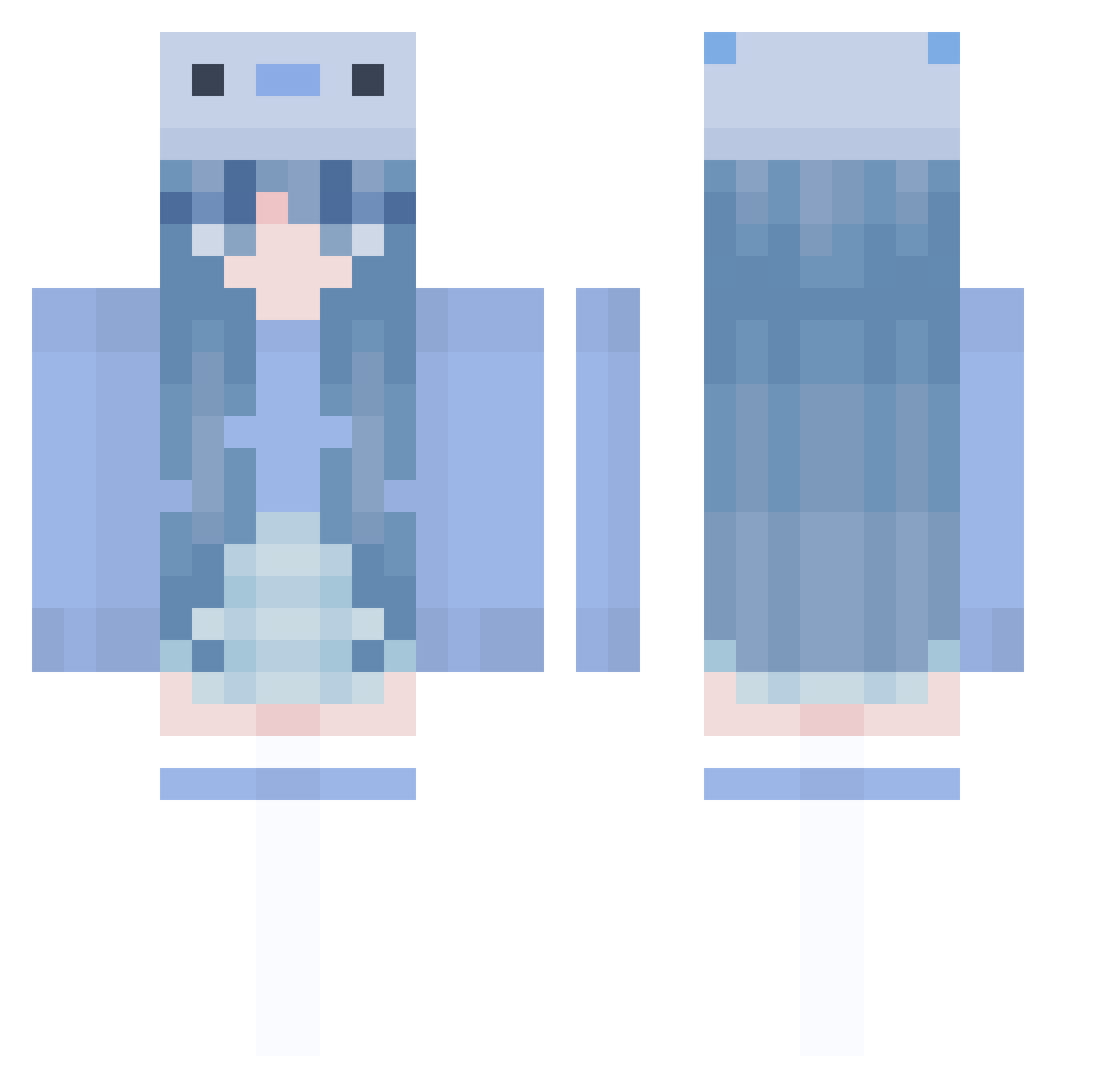
Current Minecraft skin of the player keitan_com, loaded from the official Mojang API. Rotate the 3D model with your mouse or finger, then download the skin as a PNG file and use it in Minecraft: Bedrock Edition or Java Edition for free. When keitan_com changes their skin, this page updates automatically and the old skin stays in the history below.
Other players with this skin (1005)
keitan_com was the 415th player we have seen with this skin, first spotted on 11.09.2026. The same skin was seen on these players. Open a nickname to see their current skin and skin history.
 Su_CYen xShinyXg muyu233 MinDi_Song FSCY valridley Ndjads _ouyu Hypixel_Hate_Me kosuke0211 namenlos_mp4 NANAchan85 LordWally15 plromfoui bellakri011 Cibeeele sunmingyang1 SomeoneHot bluestar32235 meowda666 IZUNA44 macha0826 ItsSqueakyBop Cookiez202 CBX0716 Callydilo Xiaoli_MC_2 Mavoski
 wsf0354 ZhiZhiYO NotRusso Yuenn_ artery_ Surprise8 0liviaaaa LuLuther Briight mitchie015 LuLULuri BlockFaceKillah Matetusse QueenOfInk jaimieee clvrinha MELONYBELONY IKZY_XOZ_ emisbaby9 IceyHeart101 olivesthegreat Peppiest ssssdeerjith EggFluff IlanaBananan Lady_Ulma Graphicality KeyThy sunfeel200000 Harin9017 tzechiK Snowwy07
More Axolotl Minecraft skins
How to install the keitan_com skin
- Press the Download button above to save the skin as a PNG file.
- Minecraft: Bedrock Edition (PE): open the Dressing Room from the main menu (or tap your character → Edit Character), go to Classic Skins → Owned, press the + (new skin) button, choose the downloaded PNG and pick the Classic (Steve) model. Works on PC and mobile; consoles cannot import custom skins.
- Minecraft: Java Edition: open the Minecraft Launcher, go to the Skins tab, click New Skin, load the PNG, pick the Classic (Steve) model and press Save & Use. You can also upload it at minecraft.net → Profile → Change Skin.
The skin does not show up after import - what should I do?
Restart Minecraft and open the Dressing Room again - imported skins sometimes appear only after a restart. Also make sure you selected the imported skin and picked the Classic (Steve) model.
Which model should I choose, Classic or Slim?
This skin is designed for the Classic (Steve) model. If you pick the wrong model, the arms of the skin will look stretched or squeezed.
Is the skin of keitan_com free to download?
Yes. Press Download, save the PNG file and use it in Minecraft: Bedrock Edition or Java Edition - no payment or registration needed. The skin also works on multiplayer servers and Realms.
More skins
Looking for more? Go back to all Minecraft skins and check the top skins of the week, month and all time, or find any player's skin by nickname.