
karasumusi_ - Minecraft Skins & Skin History
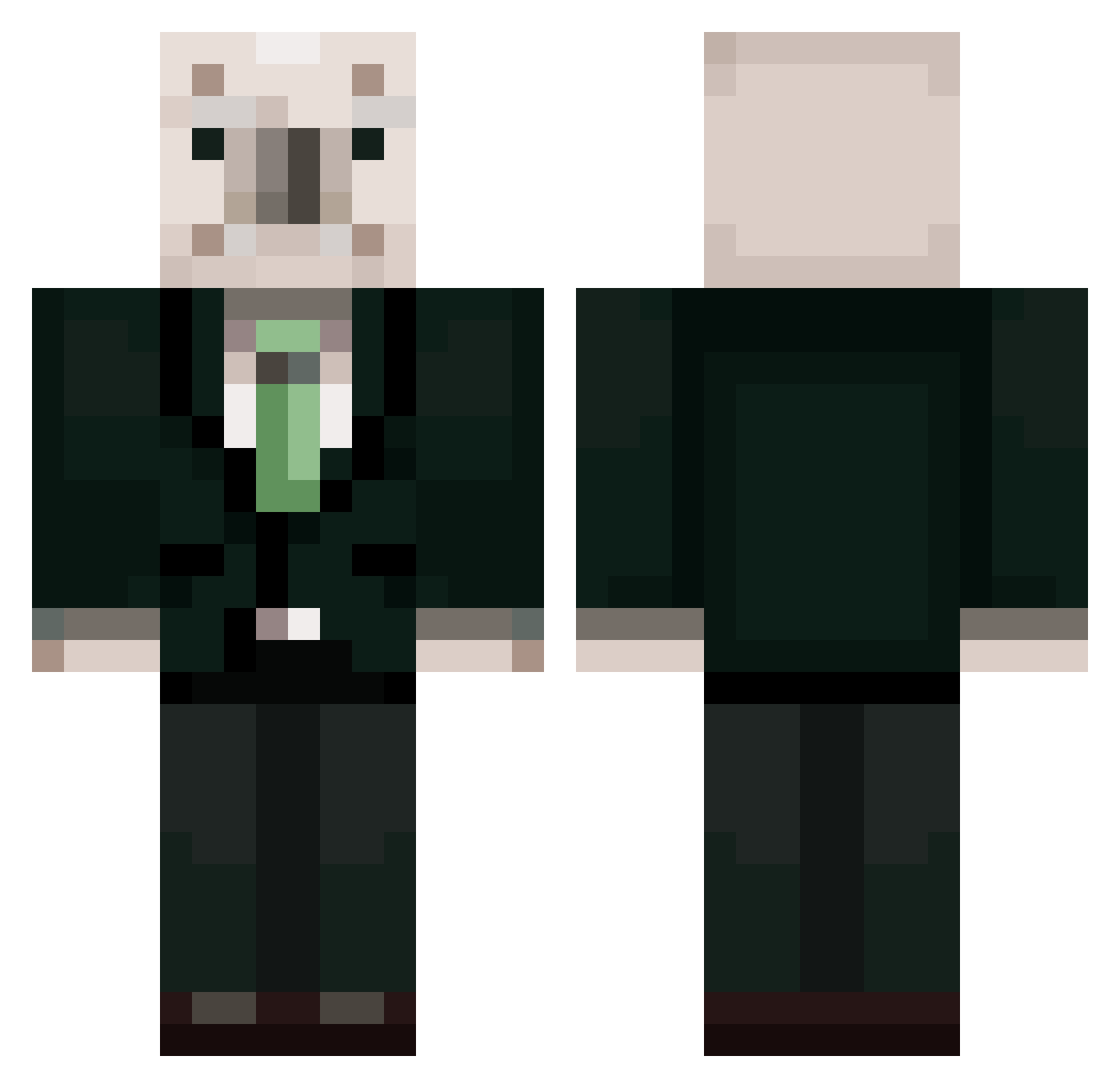
Current Minecraft skin of the player karasumusi_, loaded from the official Mojang API. Rotate the 3D model with your mouse or finger, then download the skin as a PNG file and use it in Minecraft: Bedrock Edition or Java Edition for free. When karasumusi_ changes their skin, this page updates automatically and the old skin stays in the history below.
Other players with this skin (461)
karasumusi_ was the 123rd player we have seen with this skin, first spotted on 27.08.2026. The same skin was seen on these players. Open a nickname to see their current skin and skin history.
 Alpha1019 GOSU_DA sckks seok_jyoung oversystem Tokening shangus_518523 Mardy_ n_gga1 annonghaseyo Perentie1 QRTSU123 arigeno jh30302 Junhyung2011 PRO3319rider khw4147 Xirot gunbbang0219 amg05 03boss_do_hyun kkongchi0514 gskill0334 xeppt wooang_1234 hong_000 beegoistic NoGwangSung hi_9420 Hyunang xx_xsnam K_seun10 _HuTao_77 parksehe yasHeart newjeanwsHanni 2009_05_23 Jeon_Doo_Gwang GAYJO namyoungjoo Han_DasoL YeongJunn yoonseol0417 eryulvs salmon_ramen MChabe Aryun1220 dwijillae HJKG725 vilian05 lsb0523 KOMPO303 rohmuhyunass EAEAkTA rjsgn11 choijunghwan6974 kimkimki50 lxmin0913 ummalove KMJ9118AAA
More Koala Minecraft skins
How to install the karasumusi_ skin
- Press the Download button above to save the skin as a PNG file.
- Minecraft: Bedrock Edition (PE): open the Dressing Room from the main menu (or tap your character → Edit Character), go to Classic Skins → Owned, press the + (new skin) button, choose the downloaded PNG and pick the Classic (Steve) model. Works on PC and mobile; consoles cannot import custom skins.
- Minecraft: Java Edition: open the Minecraft Launcher, go to the Skins tab, click New Skin, load the PNG, pick the Classic (Steve) model and press Save & Use. You can also upload it at minecraft.net → Profile → Change Skin.
The skin does not show up after import - what should I do?
Restart Minecraft and open the Dressing Room again - imported skins sometimes appear only after a restart. Also make sure you selected the imported skin and picked the Classic (Steve) model.
Which model should I choose, Classic or Slim?
This skin is designed for the Classic (Steve) model. If you pick the wrong model, the arms of the skin will look stretched or squeezed.
Is the skin of karasumusi_ free to download?
Yes. Press Download, save the PNG file and use it in Minecraft: Bedrock Edition or Java Edition - no payment or registration needed. The skin also works on multiplayer servers and Realms.
More skins
Looking for more? Go back to all Minecraft skins and check the top skins of the week, month and all time, or find any player's skin by nickname.