
julesarmando - Minecraft Skins & Skin History
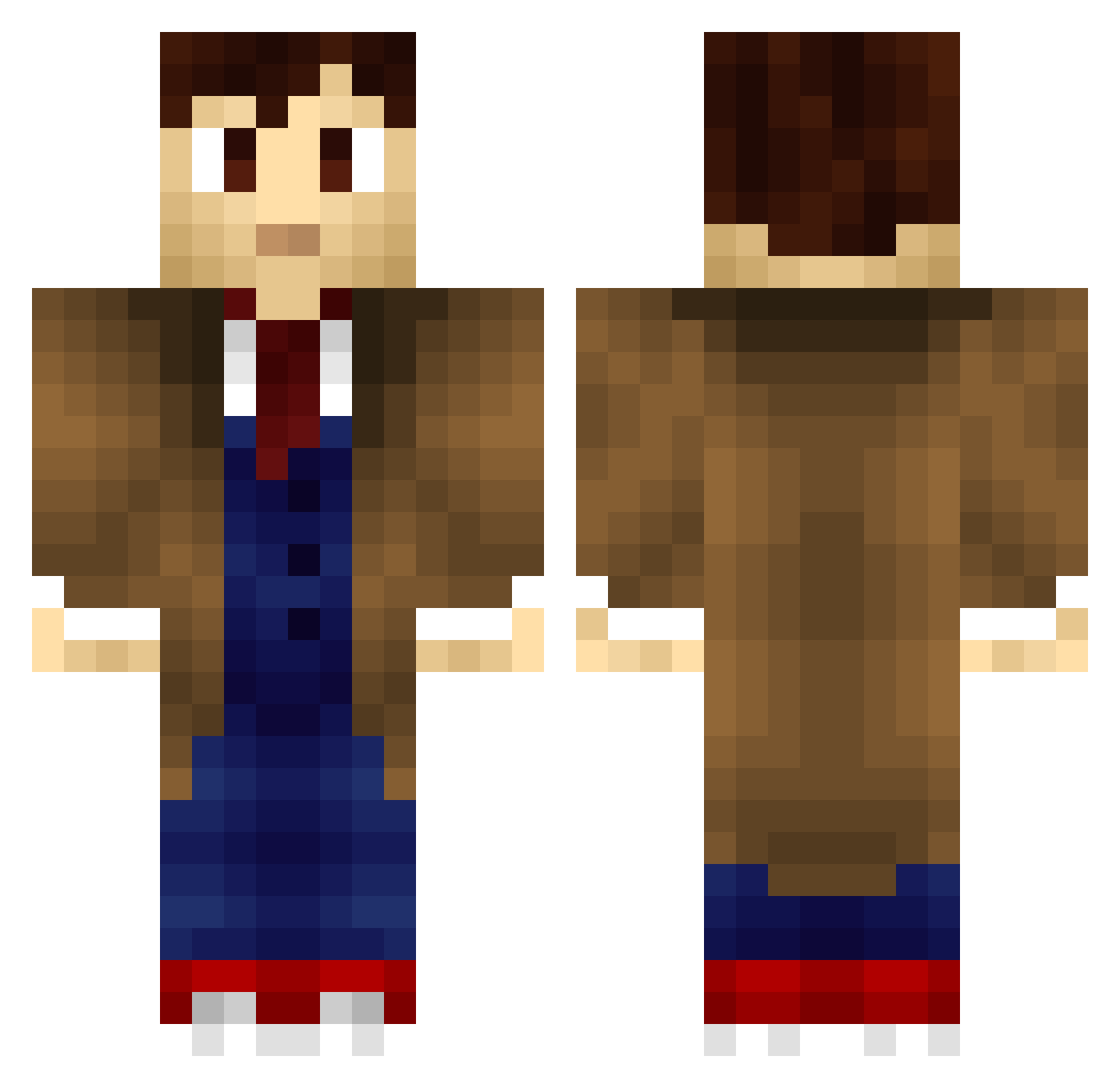
Current Minecraft skin of the player julesarmando, loaded from the official Mojang API. Rotate the 3D model with your mouse or finger, then download the skin as a PNG file and use it in Minecraft: Bedrock Edition or Java Edition for free. When julesarmando changes their skin, this page updates automatically and the old skin stays in the history below.
Other players with this skin (707)
julesarmando was the 184th player we have seen with this skin, first spotted on 22.08.2026. The same skin was seen on these players. Open a nickname to see their current skin and skin history.
 arinaud hogbola Matt7177 Saljen Thegamingzombie1 BitterBarista Pattycakes1495 Martaxi Caeseyador THEALPHASTAB QukiMonster XeLli0ss IfritX dachesley_ Bastolin wormdrake96 Zerocool914 jackylego9821 Romma PenDrop BlackCubeSVK OspeyHD PoorPeter TechTrouble Saminer DoubleOhKevin HannahTurner footballmaniac15 SammyPriestley ToasterFu caseymario amanda_mae bartacus4 Master_Zei SimCaptDave fufflybacon1529 Arikki2 JForJoe Ladiesman2014 kingcobra1234567 crewe_rb Polykin bloodog aurlsubee RedRidingHood93 dotEvan leviathan106 Bloodkiller2560 El_Vigilante14 dcchut gavinthomas10 FatBoy1993 VictorEBear MrHugen1 JustKalene N0nau TheDoctor236 sergemister Rezenance Xibalba144
More Timelord Minecraft skins
How to install the julesarmando skin
- Press the Download button above to save the skin as a PNG file.
- Minecraft: Bedrock Edition (PE): open the Dressing Room from the main menu (or tap your character → Edit Character), go to Classic Skins → Owned, press the + (new skin) button, choose the downloaded PNG and pick the Classic (Steve) model. Works on PC and mobile; consoles cannot import custom skins.
- Minecraft: Java Edition: open the Minecraft Launcher, go to the Skins tab, click New Skin, load the PNG, pick the Classic (Steve) model and press Save & Use. You can also upload it at minecraft.net → Profile → Change Skin.
The skin does not show up after import - what should I do?
Restart Minecraft and open the Dressing Room again - imported skins sometimes appear only after a restart. Also make sure you selected the imported skin and picked the Classic (Steve) model.
Which model should I choose, Classic or Slim?
This skin is designed for the Classic (Steve) model. If you pick the wrong model, the arms of the skin will look stretched or squeezed.
Is the skin of julesarmando free to download?
Yes. Press Download, save the PNG file and use it in Minecraft: Bedrock Edition or Java Edition - no payment or registration needed. The skin also works on multiplayer servers and Realms.
More skins
Looking for more? Go back to all Minecraft skins and check the top skins of the week, month and all time, or find any player's skin by nickname.