
jubileu131 - Minecraft Skins & Skin History
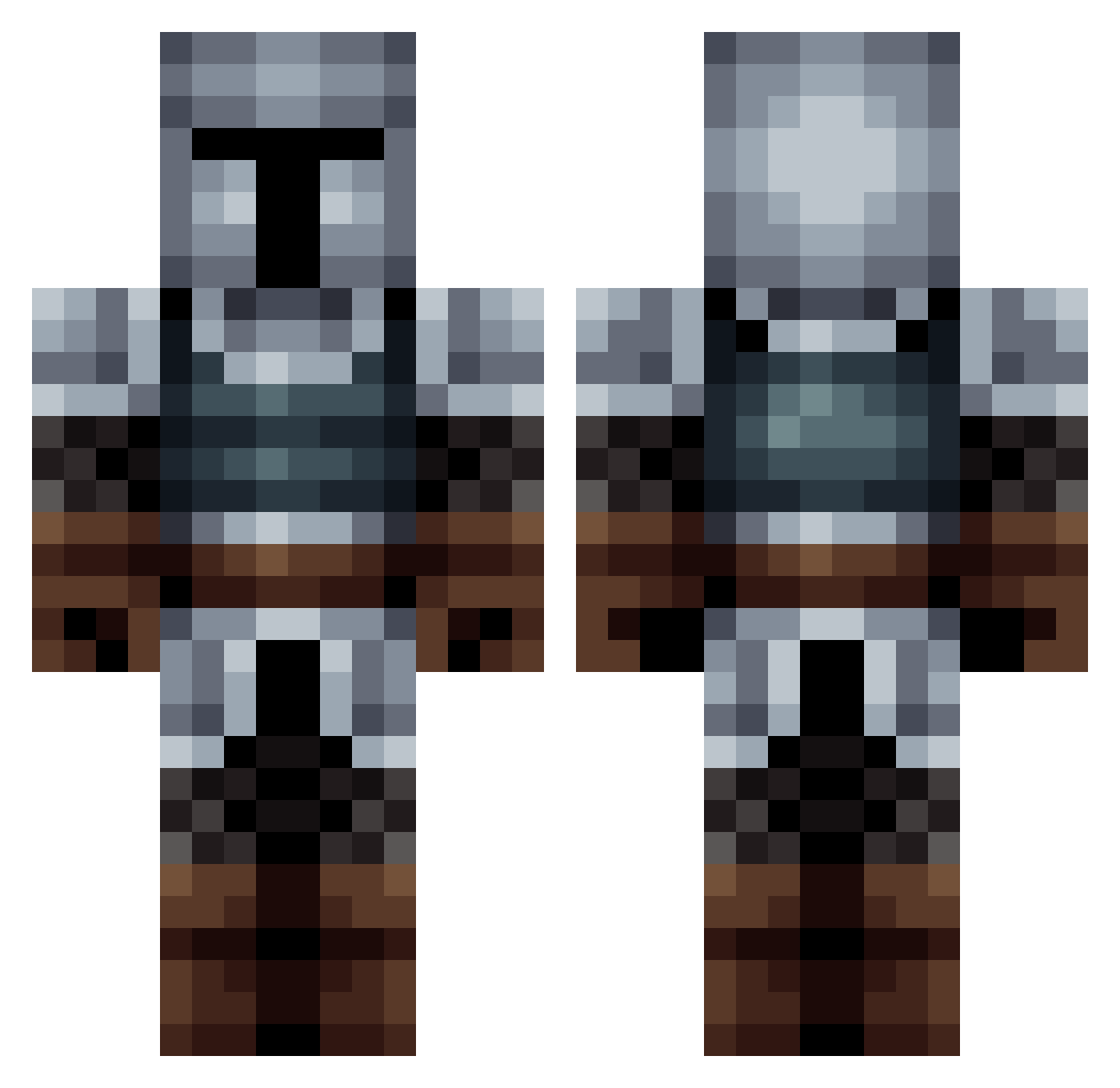
Current Minecraft skin of the player jubileu131, loaded from the official Mojang API. Rotate the 3D model with your mouse or finger, then download the skin as a PNG file and use it in Minecraft: Bedrock Edition or Java Edition for free. When jubileu131 changes their skin, this page updates automatically and the old skin stays in the history below.
Other players with this skin (563)
jubileu131 was the 277th player we have seen with this skin, first spotted on 20.09.2026. The same skin was seen on these players. Open a nickname to see their current skin and skin history.
 stuppid_deme RobiniSan Dead_Maros SaladSpoon__ Korneplod777 Babulex Nostevil EnorcKnigth whitewolfa TheKiromen pexerao Sangvis TheMoosezz VitroncioBR slycoop22 _Lord____ dr_insecto208 FlareDeSel Zhefier Numbers___ Platyacanthus Major_Kelp JewishChimp43 Laff78 mercifulgoose XxLuisitoxXDD Goodman8 TorlusDM vulgosilvas Adorieru Dagnaro BuffyDuck Mfatih_0605 TheSplashix BigBurger2210 Afonsooooo CaesarX_ cat_master246 Blagogoves Barsolow Afro_Monkey010 RORZOR solieos Rose12w CornierBasket26 solfell KravenLegendary Greywolf167 quax_gg SirElrik_Smith01 BubbleChief19 arrowgaurd Slodion Ouch90 serjao109 SKLY_sniphler SdDarklight Fireballcat13 CaptainChock Crab1t
More Medieval Minecraft skins
How to install the jubileu131 skin
- Press the Download button above to save the skin as a PNG file.
- Minecraft: Bedrock Edition (PE): open the Dressing Room from the main menu (or tap your character → Edit Character), go to Classic Skins → Owned, press the + (new skin) button, choose the downloaded PNG and pick the Classic (Steve) model. Works on PC and mobile; consoles cannot import custom skins.
- Minecraft: Java Edition: open the Minecraft Launcher, go to the Skins tab, click New Skin, load the PNG, pick the Classic (Steve) model and press Save & Use. You can also upload it at minecraft.net → Profile → Change Skin.
The skin does not show up after import - what should I do?
Restart Minecraft and open the Dressing Room again - imported skins sometimes appear only after a restart. Also make sure you selected the imported skin and picked the Classic (Steve) model.
Which model should I choose, Classic or Slim?
This skin is designed for the Classic (Steve) model. If you pick the wrong model, the arms of the skin will look stretched or squeezed.
Is the skin of jubileu131 free to download?
Yes. Press Download, save the PNG file and use it in Minecraft: Bedrock Edition or Java Edition - no payment or registration needed. The skin also works on multiplayer servers and Realms.
More skins
Looking for more? Go back to all Minecraft skins and check the top skins of the week, month and all time, or find any player's skin by nickname.