
joechim2004 - Minecraft Skins & Skin History
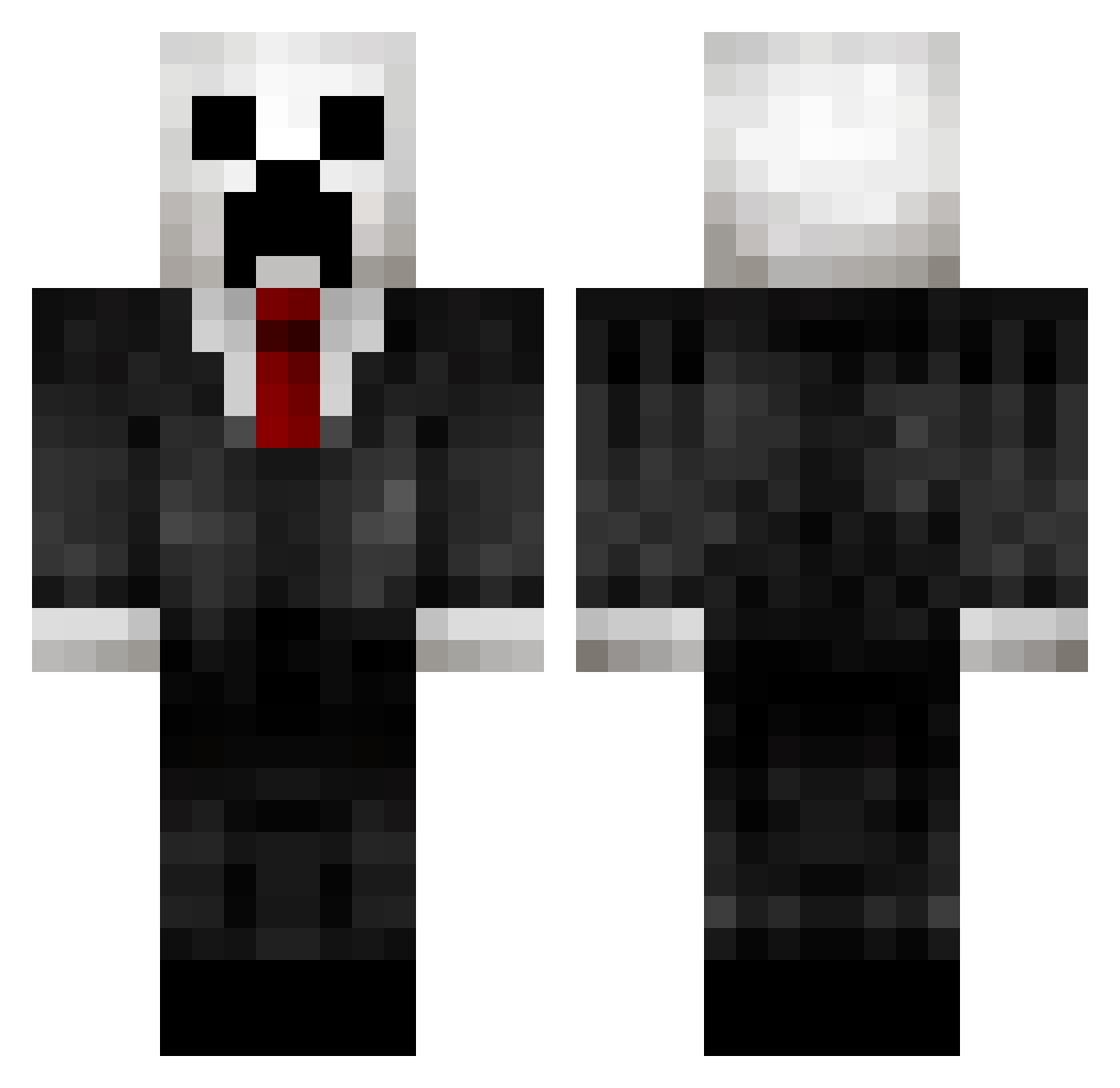
Current Minecraft skin of the player joechim2004, loaded from the official Mojang API. Rotate the 3D model with your mouse or finger, then download the skin as a PNG file and use it in Minecraft: Bedrock Edition or Java Edition for free. When joechim2004 changes their skin, this page updates automatically and the old skin stays in the history below.
Other players with this skin (432)
joechim2004 was the 186th player we have seen with this skin, first spotted on 18.09.2026. The same skin was seen on these players. Open a nickname to see their current skin and skin history.
 hydralink1 cyclone274 Majongstar CLOAKED_MTD jojonen keepcalm1998 rdoom888 TiedWakeupcall BlackTheKiller10 Baseballstar931 mattybrew03 Luiscr1020 sjawoe CptnObviouZz SimyPvP Dayton876 Hawaiiin Eli_as96 masreipan JackLeLion Dougnyy10 Bluenuts007 MorrisThe7th Chocolate_TJ Arbooc LBV123 Jok1er Louis424 pingisaxel Jmg2000 Firnen597 unripeplastic Brown1eKillz 15_44 zuperdoom Skkiim MarineAngel666 MustangBro21 MrTimmah vidgamer19 DeSiReVeteran Yvanovits Hobbes_z iblok321 MrSwagPresident TalMan171 Byungja caelita YaBoyEd SoulReaperH Muzzzza96 tbone1703 Kingsapoi TheCrankydog0918 bbiill Krinit BlooregardQ killerabs23 Spike751 THE_GOLDEN_36
More Creeper Minecraft skins
How to install the joechim2004 skin
- Press the Download button above to save the skin as a PNG file.
- Minecraft: Bedrock Edition (PE): open the Dressing Room from the main menu (or tap your character → Edit Character), go to Classic Skins → Owned, press the + (new skin) button, choose the downloaded PNG and pick the Classic (Steve) model. Works on PC and mobile; consoles cannot import custom skins.
- Minecraft: Java Edition: open the Minecraft Launcher, go to the Skins tab, click New Skin, load the PNG, pick the Classic (Steve) model and press Save & Use. You can also upload it at minecraft.net → Profile → Change Skin.
The skin does not show up after import - what should I do?
Restart Minecraft and open the Dressing Room again - imported skins sometimes appear only after a restart. Also make sure you selected the imported skin and picked the Classic (Steve) model.
Which model should I choose, Classic or Slim?
This skin is designed for the Classic (Steve) model. If you pick the wrong model, the arms of the skin will look stretched or squeezed.
Is the skin of joechim2004 free to download?
Yes. Press Download, save the PNG file and use it in Minecraft: Bedrock Edition or Java Edition - no payment or registration needed. The skin also works on multiplayer servers and Realms.
More skins
Looking for more? Go back to all Minecraft skins and check the top skins of the week, month and all time, or find any player's skin by nickname.