
jisatsu11 - Minecraft Skins & Skin History
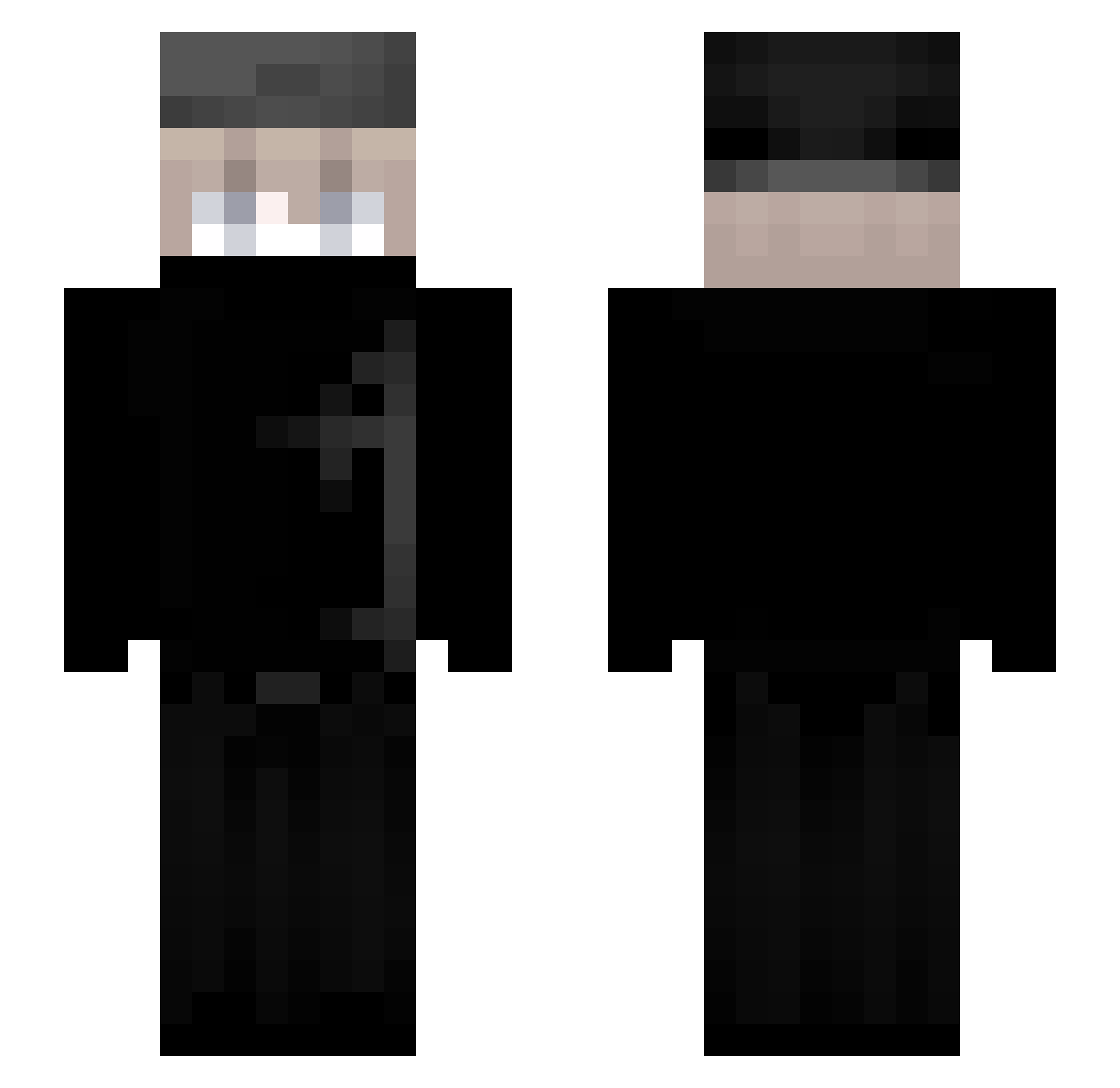
Current Minecraft skin of the player jisatsu11, loaded from the official Mojang API. Rotate the 3D model with your mouse or finger, then download the skin as a PNG file and use it in Minecraft: Bedrock Edition or Java Edition for free. When jisatsu11 changes their skin, this page updates automatically and the old skin stays in the history below.
Other players with this skin (78)
jisatsu11 was the 30th player we have seen with this skin, first spotted on 30.08.2026. The same skin was seen on these players. Open a nickname to see their current skin and skin history.
 AEaslan Max10Ja servachz Vampzin FoxFix_ medinaaa_
 Krejzi_ nightmarez888 Leonardo46 Ligaxy Nec038 u4rz Gorex476 EditorHoney enzo6457
 Formorian Mai0ky iKSAi Kyxzen Yangchaojie c0rzlite LinhJadevx2UwU
 BarelyMilo 0000000_0
 Buqmi
Buqmi DiAz222 MK_A_ SkyyRei Super1583 WHAZAM Davihenrique_ ItzPiedra ChengQo Taylor327
 cabrall Illusionist_2 LucasNotSoldier JohnSina2025 caNNoxx intrud qwu_ Wenhelxing Noxyouz xozuk SturmgeszhutzIV Mincraft_Guard Azerasf SkyblockRuler_YT
 DTMX74
 NAP7 lleung_ jShadow_1 KAROLOXX rent1k shaaking Abzazelo castustin RainlyAce ryser90 mmelaa
More Face Mask Minecraft skins
How to install the jisatsu11 skin
- Press the Download button above to save the skin as a PNG file.
- Minecraft: Bedrock Edition (PE): open the Dressing Room from the main menu (or tap your character → Edit Character), go to Classic Skins → Owned, press the + (new skin) button, choose the downloaded PNG and pick the Slim (Alex) model. Works on PC and mobile; consoles cannot import custom skins.
- Minecraft: Java Edition: open the Minecraft Launcher, go to the Skins tab, click New Skin, load the PNG, pick the Slim (Alex) model and press Save & Use. You can also upload it at minecraft.net → Profile → Change Skin.
The skin does not show up after import - what should I do?
Restart Minecraft and open the Dressing Room again - imported skins sometimes appear only after a restart. Also make sure you selected the imported skin and picked the Slim (Alex) model.
Which model should I choose, Classic or Slim?
This skin is designed for the Slim (Alex) model. If you pick the wrong model, the arms of the skin will look stretched or squeezed.
Is the skin of jisatsu11 free to download?
Yes. Press Download, save the PNG file and use it in Minecraft: Bedrock Edition or Java Edition - no payment or registration needed. The skin also works on multiplayer servers and Realms.
More skins
Looking for more? Go back to all Minecraft skins and check the top skins of the week, month and all time, or find any player's skin by nickname.