
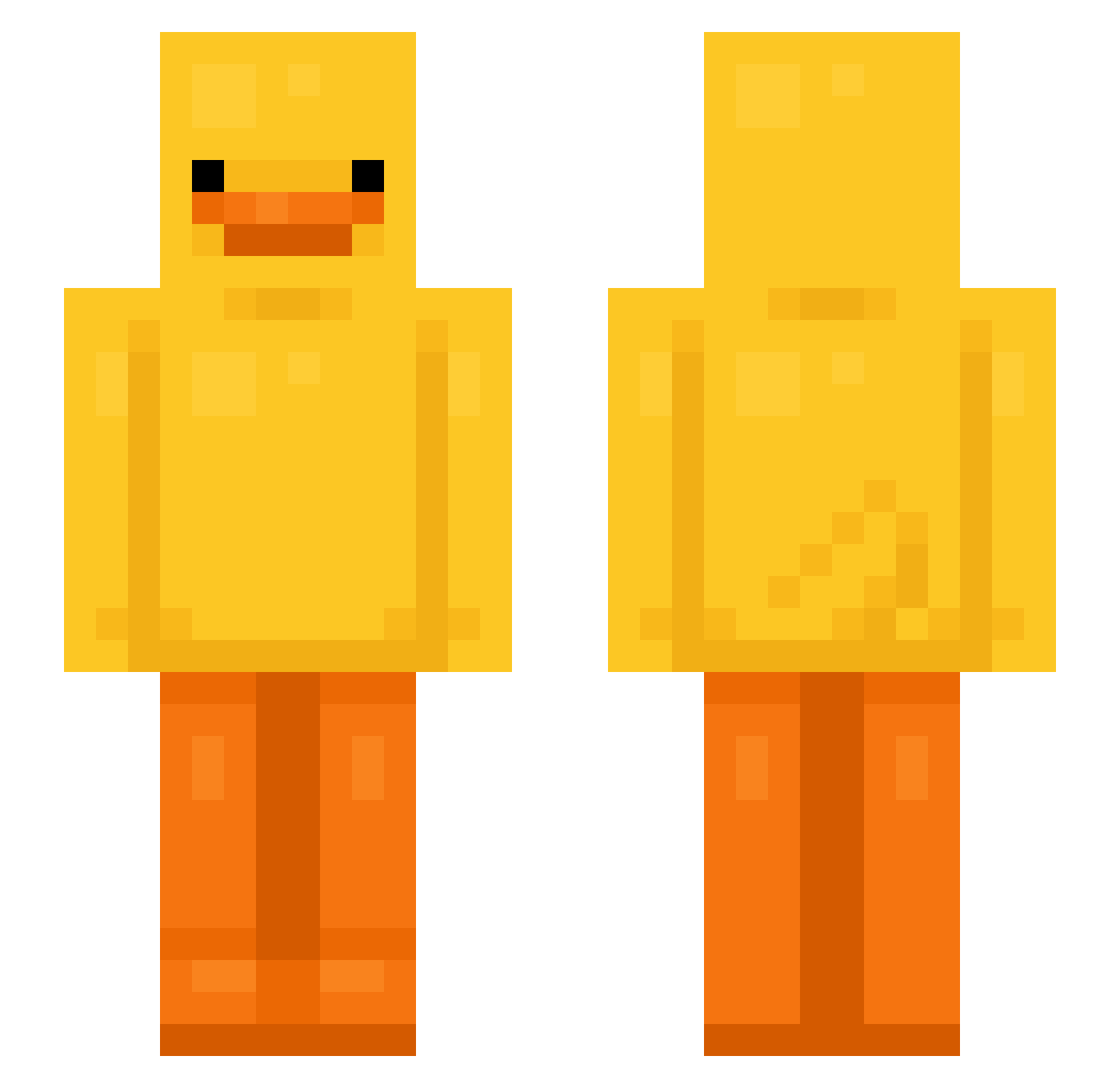
Current Minecraft skin of the player jinxae, loaded from the official Mojang API. Rotate the 3D model with your mouse or finger, then download the skin as a PNG file and use it in Minecraft: Bedrock Edition or Java Edition for free. When jinxae changes their skin, this page updates automatically and the old skin stays in the history below.
Other players with this skin (584)
jinxae was the 534th player we have seen with this skin, first spotted on 09.10.2026. The same skin was seen on these players. Open a nickname to see their current skin and skin history.
 jackson2326 Grim_chi06 firekingman EatTaco GrPhill Yuriko3 AmirSSL Affeeeee YSZ_ Rosty45 Craft0Naps cris1000x JSUY Coinlvy Duckbot69 Jaction14 Robert_Tacos1 daddyblake11 jujugames28 pennyisacat challywood KenzoElf1201 LungWoo_ XantheC coral4029 bakedacake521 NonekW UltimateZane TungTungsaahuur Kataniums HK_9464 Cold_winter vxue Verslinda _Ariqna_ Spritely15 taintedduck NinjaJ27 HeiligeOrdnung liliAKAtaleuf Raisins_coffee kwon012 M0nox2 Mr_Notaniceguy Iza15273 seyoung2009 Dayden10 Arthur_autismo otltohs _Kaczorek_HWDP dreadman78 kuinka Kirito_XD_ s2uki itsnotneko_ Timsel2011 dirdie04 Talynutella Sofia574 GordonW1
More Bird Minecraft skins
How to install the jinxae skin
- Press the Download button above to save the skin as a PNG file.
- Minecraft: Bedrock Edition (PE): open the Dressing Room from the main menu (or tap your character → Edit Character), go to Classic Skins → Owned, press the + (new skin) button, choose the downloaded PNG and pick the Slim (Alex) model. Works on PC and mobile; consoles cannot import custom skins.
- Minecraft: Java Edition: open the Minecraft Launcher, go to the Skins tab, click New Skin, load the PNG, pick the Slim (Alex) model and press Save & Use. You can also upload it at minecraft.net → Profile → Change Skin.
The skin does not show up after import - what should I do?
Restart Minecraft and open the Dressing Room again - imported skins sometimes appear only after a restart. Also make sure you selected the imported skin and picked the Slim (Alex) model.
Which model should I choose, Classic or Slim?
This skin is designed for the Slim (Alex) model. If you pick the wrong model, the arms of the skin will look stretched or squeezed.
Is the skin of jinxae free to download?
Yes. Press Download, save the PNG file and use it in Minecraft: Bedrock Edition or Java Edition - no payment or registration needed. The skin also works on multiplayer servers and Realms.
More skins
Looking for more? Go back to all Minecraft skins and check the top skins of the week, month and all time, or find any player's skin by nickname.