
jbhifi55 - Minecraft Skins & Skin History
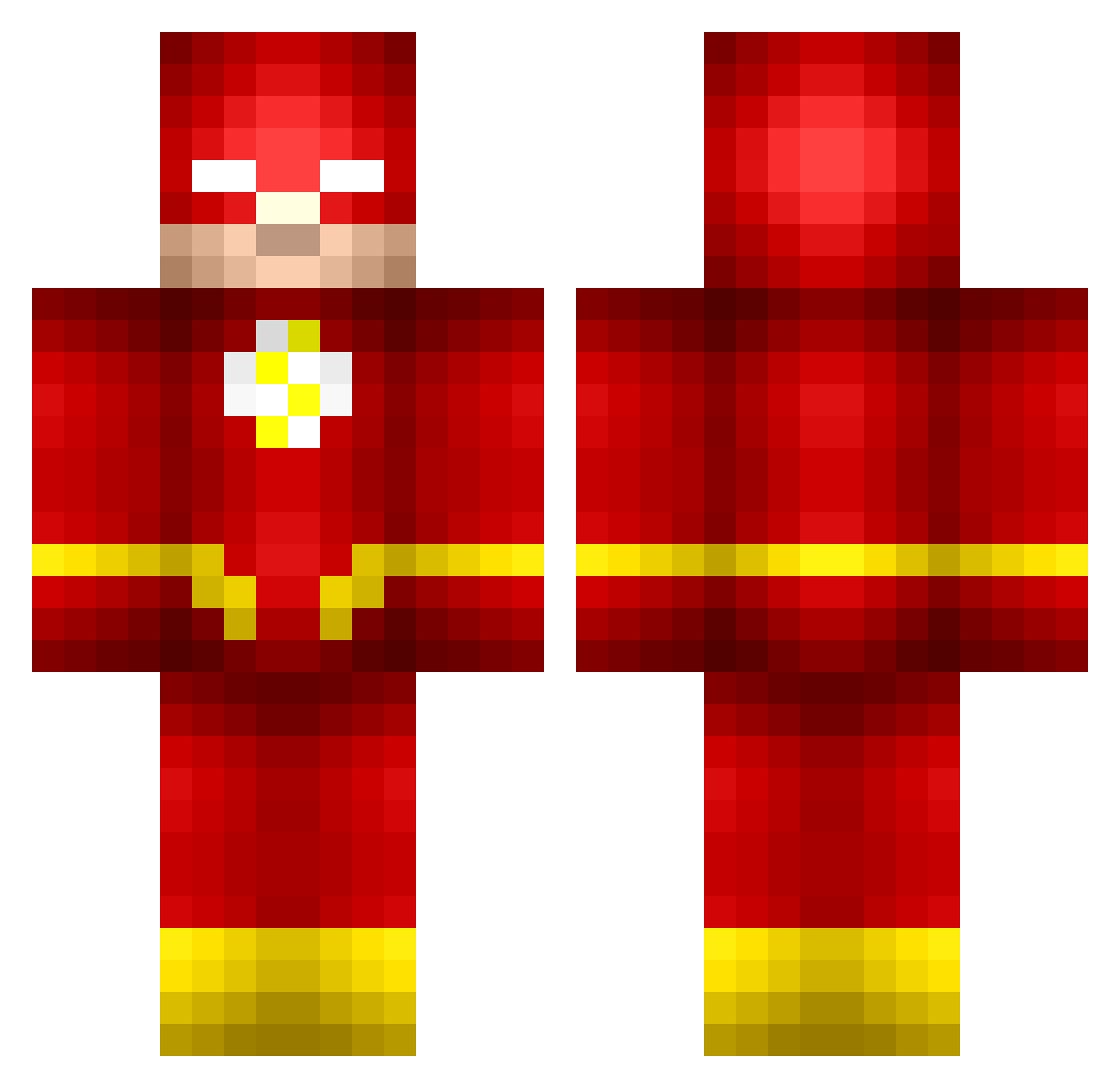
Current Minecraft skin of the player jbhifi55, loaded from the official Mojang API. Rotate the 3D model with your mouse or finger, then download the skin as a PNG file and use it in Minecraft: Bedrock Edition or Java Edition for free. When jbhifi55 changes their skin, this page updates automatically and the old skin stays in the history below.
Other players with this skin (673)
jbhifi55 was the 31st player we have seen with this skin, first spotted on 27.07.2026. The same skin was seen on these players. Open a nickname to see their current skin and skin history.
 SneakyGreenGlob _Kaisen JamesODwyer radke14 juicypotatoes487 Mrquestionmark jeremy9075 monkeystevie giraffethegraph ryansoccer1994 QuickAsFlash JFTORRES30 WPL_Minecraft_15 DancingDarhk skymasterwoo Mav3rik gameboyz2000 Pikamood kaekke vuppu amclaa GoBig7 Jako21_ Santtuboo Zam_Blam zeus0175 Guildor11 Chao5Je5ter Danfinity Alcabro technoman135 Digdig111111 Tidiga brawashila 49ersReese Removul STRIX_FX MaxGamer1012014 GTAFanatic14 Peli___ ainokeakid XxCR4VOxX Mendes_TM NukeB0y21 Samantha11Hale Naeoo jtzk Plan_Tea KT_king SUPERIOR8888 eZCap anyafranta KingKirbyyy Da_Flash_Man elak6789 FrancoM360 EBrunsman Wrumple OliverS2005 WrathTaco
More The Flash Minecraft skins
How to install the jbhifi55 skin
- Press the Download button above to save the skin as a PNG file.
- Minecraft: Bedrock Edition (PE): open the Dressing Room from the main menu (or tap your character → Edit Character), go to Classic Skins → Owned, press the + (new skin) button, choose the downloaded PNG and pick the Classic (Steve) model. Works on PC and mobile; consoles cannot import custom skins.
- Minecraft: Java Edition: open the Minecraft Launcher, go to the Skins tab, click New Skin, load the PNG, pick the Classic (Steve) model and press Save & Use. You can also upload it at minecraft.net → Profile → Change Skin.
The skin does not show up after import - what should I do?
Restart Minecraft and open the Dressing Room again - imported skins sometimes appear only after a restart. Also make sure you selected the imported skin and picked the Classic (Steve) model.
Which model should I choose, Classic or Slim?
This skin is designed for the Classic (Steve) model. If you pick the wrong model, the arms of the skin will look stretched or squeezed.
Is the skin of jbhifi55 free to download?
Yes. Press Download, save the PNG file and use it in Minecraft: Bedrock Edition or Java Edition - no payment or registration needed. The skin also works on multiplayer servers and Realms.
More skins
Looking for more? Go back to all Minecraft skins and check the top skins of the week, month and all time, or find any player's skin by nickname.