
jayyx089 - Minecraft Skins & Skin History
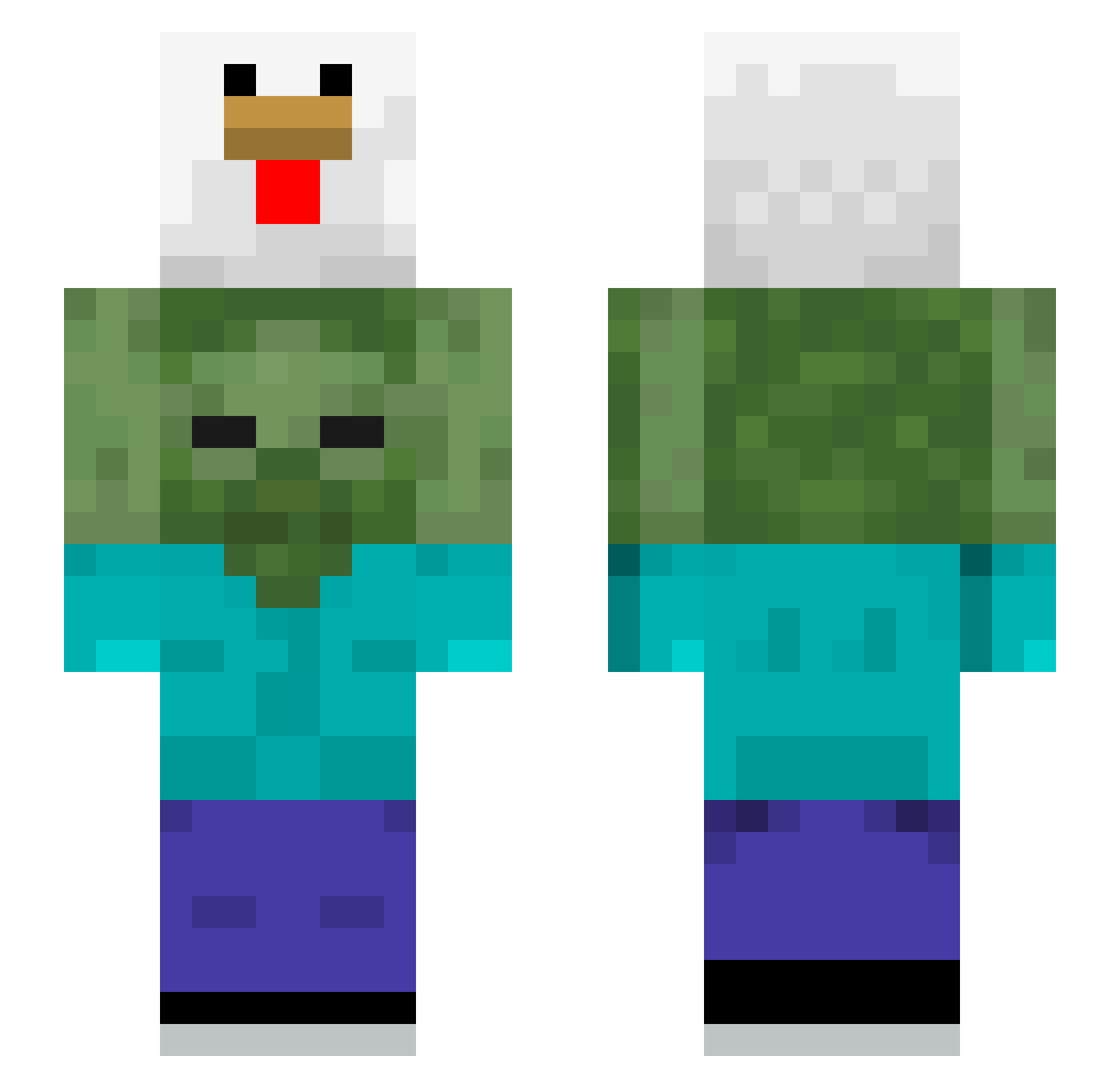
Current Minecraft skin of the player jayyx089, loaded from the official Mojang API. Rotate the 3D model with your mouse or finger, then download the skin as a PNG file and use it in Minecraft: Bedrock Edition or Java Edition for free. When jayyx089 changes their skin, this page updates automatically and the old skin stays in the history below.
Other players with this skin (510)
jayyx089 was the 249th player we have seen with this skin, first spotted on 19.09.2026. The same skin was seen on these players. Open a nickname to see their current skin and skin history.
 Kilroyyyyy Pythor1000 PortableMiner12 LilJelo popeyesbabybce DeokBBok PoulpePulpeux akakeif GeorgeTATAVOST Tuear Potato_eater2 TheRyanChen Saucisse1218 ImBluSM DISCREET37 ANOPELUDO13 teamodani Marshbutbetter dqniek YUYUEChen jeskxp crashingame xcr1ne Jyekmga Pipacrack Ou0__ Arda1caN Rishik250809 Hariiiiii CoYnae Yongho_dong woogang_2 sharkbot2000 josezinho13 robbydownerjr IcyCreamy6 Salokin2021 Maybe_Daniel Loser76 Griimest Roddn Felix_AMONGUSSUS Broadjtzm Onlym2 laymoon1 qkrxogusxkfah waffleFN FuFik_Monke therealchakuumo Frank_0828 coweyisme asami_unicorn aperne Amy59 dudrzi Tousmasques iddi38 Grusfanatiker cryingChocoPie THElohz
More Chicken Minecraft skins
How to install the jayyx089 skin
- Press the Download button above to save the skin as a PNG file.
- Minecraft: Bedrock Edition (PE): open the Dressing Room from the main menu (or tap your character → Edit Character), go to Classic Skins → Owned, press the + (new skin) button, choose the downloaded PNG and pick the Slim (Alex) model. Works on PC and mobile; consoles cannot import custom skins.
- Minecraft: Java Edition: open the Minecraft Launcher, go to the Skins tab, click New Skin, load the PNG, pick the Slim (Alex) model and press Save & Use. You can also upload it at minecraft.net → Profile → Change Skin.
The skin does not show up after import - what should I do?
Restart Minecraft and open the Dressing Room again - imported skins sometimes appear only after a restart. Also make sure you selected the imported skin and picked the Slim (Alex) model.
Which model should I choose, Classic or Slim?
This skin is designed for the Slim (Alex) model. If you pick the wrong model, the arms of the skin will look stretched or squeezed.
Is the skin of jayyx089 free to download?
Yes. Press Download, save the PNG file and use it in Minecraft: Bedrock Edition or Java Edition - no payment or registration needed. The skin also works on multiplayer servers and Realms.
More skins
Looking for more? Go back to all Minecraft skins and check the top skins of the week, month and all time, or find any player's skin by nickname.