
jaydenn347 - Minecraft Skins & Skin History
Current Minecraft skin of the player jaydenn347, loaded from the official Mojang API. Rotate the 3D model with your mouse or finger, then download the skin as a PNG file and use it in Minecraft: Bedrock Edition or Java Edition for free. When jaydenn347 changes their skin, this page updates automatically and the old skin stays in the history below.
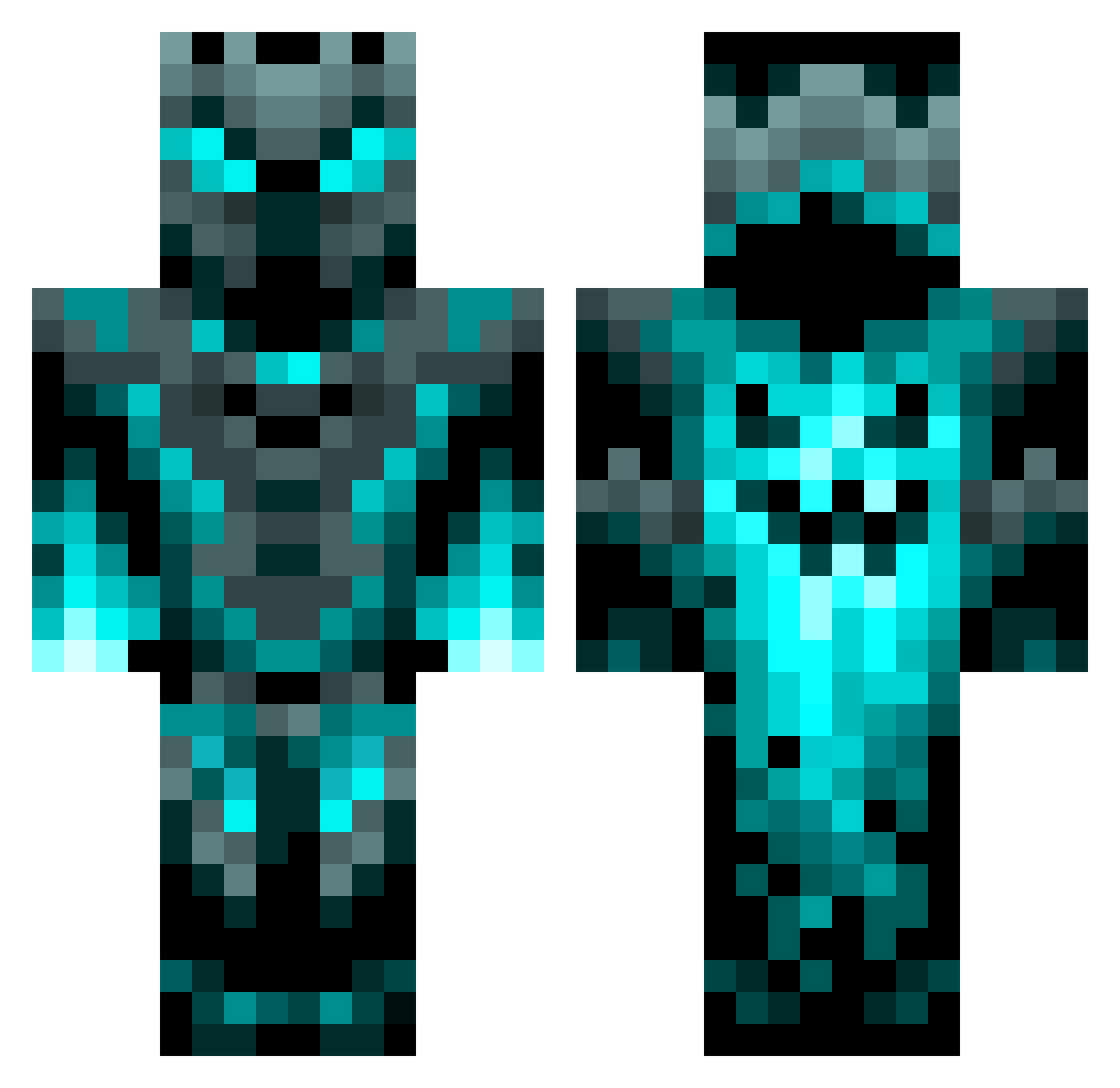
Other players with this skin (85)
jaydenn347 was the 42nd player we have seen with this skin, first spotted on 12.09.2026. The same skin was seen on these players. Open a nickname to see their current skin and skin history.
 mrt8683 Maximania56 B3rn4D Kolage007 Ecrazy007 Tectonic_yt Louisifroze ILWEIK youradopted99 UEJannik NeEja68 warlex25 Patros12 Weslelele Vithuran09 KillerCasenova XS0UL1337 alexfalling Georgiiiii poppy0505 immortalfox212 quinn_roberts V1X7R1X LandiZX flo38578 gustavo9990o gusss07 LucaFrueh copajitis blakedz Playboy0145 Thehungrywolf Broccoli_Guy_19 Matti_HD231 Alexiss8 Thomasvo59560 PyroDiamond1762 SQ527 cloudrunner10 TrashX20 herti_ ShaShaTorres quaidtrex Tape876 Berumeru09 BomberWladi TIRENDE989 Nicklas112345 Polo_317 riles4milesss
 Newtaze49 jacobsa1989 Sl1mReAp3r Digitalex35 Executer8558 Epilepticgang MrDevita mastsaujaeger DiegoCappi Filo222666
More Glowing Minecraft skins
How to install the jaydenn347 skin
- Press the Download button above to save the skin as a PNG file.
- Minecraft: Bedrock Edition (PE): open the Dressing Room from the main menu (or tap your character → Edit Character), go to Classic Skins → Owned, press the + (new skin) button, choose the downloaded PNG and pick the Classic (Steve) model. Works on PC and mobile; consoles cannot import custom skins.
- Minecraft: Java Edition: open the Minecraft Launcher, go to the Skins tab, click New Skin, load the PNG, pick the Classic (Steve) model and press Save & Use. You can also upload it at minecraft.net → Profile → Change Skin.
The skin does not show up after import - what should I do?
Restart Minecraft and open the Dressing Room again - imported skins sometimes appear only after a restart. Also make sure you selected the imported skin and picked the Classic (Steve) model.
Which model should I choose, Classic or Slim?
This skin is designed for the Classic (Steve) model. If you pick the wrong model, the arms of the skin will look stretched or squeezed.
Is the skin of jaydenn347 free to download?
Yes. Press Download, save the PNG file and use it in Minecraft: Bedrock Edition or Java Edition - no payment or registration needed. The skin also works on multiplayer servers and Realms.
More skins
Looking for more? Go back to all Minecraft skins and check the top skins of the week, month and all time, or find any player's skin by nickname.