
jamest15 - Minecraft Skins & Skin History
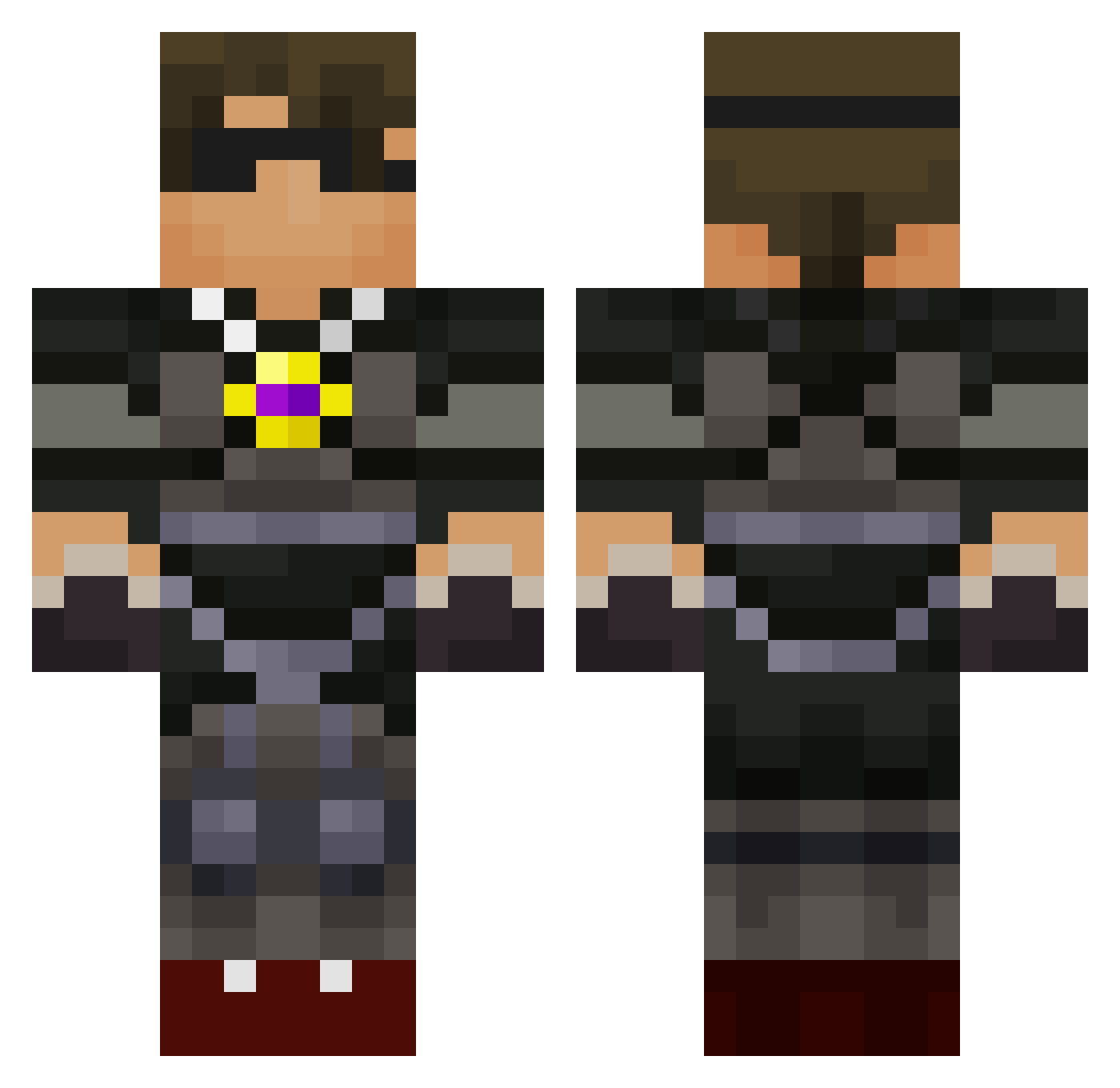
Current Minecraft skin of the player jamest15, loaded from the official Mojang API. Rotate the 3D model with your mouse or finger, then download the skin as a PNG file and use it in Minecraft: Bedrock Edition or Java Edition for free. When jamest15 changes their skin, this page updates automatically and the old skin stays in the history below.
Other players with this skin (588)
jamest15 was the 78th player we have seen with this skin, first spotted on 07.08.2026. The same skin was seen on these players. Open a nickname to see their current skin and skin history.
 IanLu1606 LegitGamer111 noiv KrazieBlock sugarassassin ronnoc_richards mollymopples marcusrubin devoml12345 RothTM 5willi Dudeman570 creepi32 berkin1471 LandGopez wells45123 CONNORDOESMCRAFT jjmarshall fuqanisity9000 JamesAMCN ProKeeper DeadLyBeatzz JJHick jonasoky waterotter03 coolbeanman Alliance_United FireBlock47 DAZZLINGMAN1 Maverick7004 littlebaby5 edwin_812 torkarlsson ateam444 Haloman567 apocalypse0818 Gassypants11 Jayasuriya123 JamesWagman bob_marley6969 budderbaccaking Arteta3000 TheHuntsman260 xKuaDx Babahz05 trainjohn6 BGShrimp13 camcreeper98 FDUMOPH marcpalmer megalord789 ltpssmc14 Pakkitto grandstar123 terrbear200 liamT9 jasondoesMC4 tyler7704 shaw1212 CrazyDudeMC2
More Necklace Minecraft skins
How to install the jamest15 skin
- Press the Download button above to save the skin as a PNG file.
- Minecraft: Bedrock Edition (PE): open the Dressing Room from the main menu (or tap your character → Edit Character), go to Classic Skins → Owned, press the + (new skin) button, choose the downloaded PNG and pick the Classic (Steve) model. Works on PC and mobile; consoles cannot import custom skins.
- Minecraft: Java Edition: open the Minecraft Launcher, go to the Skins tab, click New Skin, load the PNG, pick the Classic (Steve) model and press Save & Use. You can also upload it at minecraft.net → Profile → Change Skin.
The skin does not show up after import - what should I do?
Restart Minecraft and open the Dressing Room again - imported skins sometimes appear only after a restart. Also make sure you selected the imported skin and picked the Classic (Steve) model.
Which model should I choose, Classic or Slim?
This skin is designed for the Classic (Steve) model. If you pick the wrong model, the arms of the skin will look stretched or squeezed.
Is the skin of jamest15 free to download?
Yes. Press Download, save the PNG file and use it in Minecraft: Bedrock Edition or Java Edition - no payment or registration needed. The skin also works on multiplayer servers and Realms.
More skins
Looking for more? Go back to all Minecraft skins and check the top skins of the week, month and all time, or find any player's skin by nickname.