
jaeho01234 - Minecraft Skins & Skin History
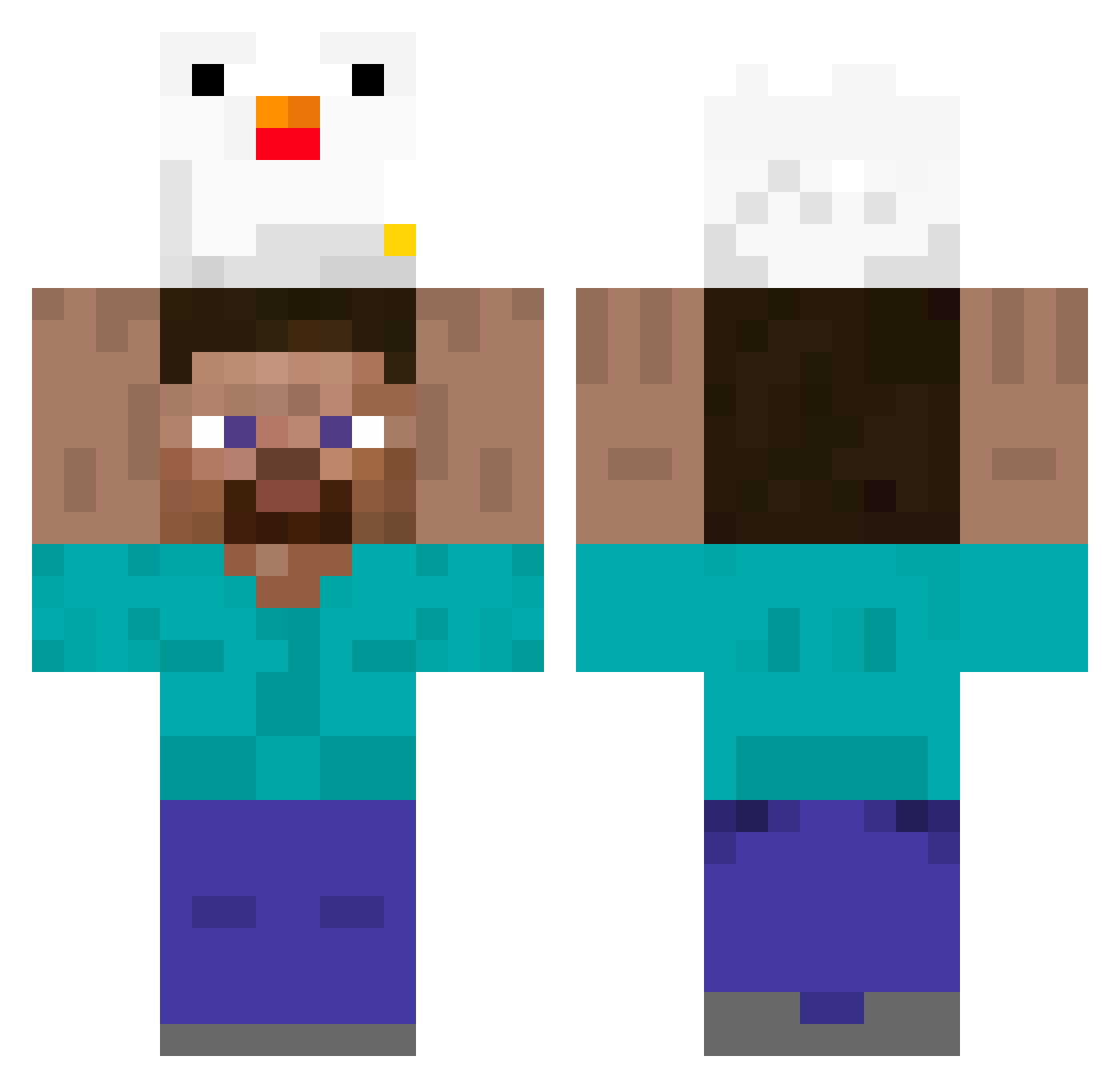
Current Minecraft skin of the player jaeho01234, loaded from the official Mojang API. Rotate the 3D model with your mouse or finger, then download the skin as a PNG file and use it in Minecraft: Bedrock Edition or Java Edition for free. When jaeho01234 changes their skin, this page updates automatically and the old skin stays in the history below.
Other players with this skin (395)
jaeho01234 was the 187th player we have seen with this skin, first spotted on 20.09.2026. The same skin was seen on these players. Open a nickname to see their current skin and skin history.
 VernstromGracken glupayadevochka Wolf_WP TarakCHunsaJHW runxjinoo JugitoDeGuayaba_ Chun0925 Icayugu hexickw Elmotaverde BuTTerLiz3 CheemsMaiden Banana_Daddy whitextr WhispyBeet GalvAran64 hyunwook_03 Inyeong_0412 Elvstr0eM malte1979hi Kevinb22 CerditoLogin yan_yo thomasgamias69 GGININDCC BekKimchi mi0des_ z0mbey3 Minekratf Cylich Casseur4k Vanelkeyor Marqueto Trayvem Gr33tings Ig_Boruto MergingChickenV2 AngDeYo Isaias6536 Jjinggu_04 MatthieuRage CheekyJERRY SSXXZZYYABAB taccio TacoHouse79 FireNebula45694 Doge_2819 MrTeaTeaV2 realbaIIsack17 Ken_Zeee DokHell seeun0414 Abrahaw LeDinoBarry entalpao KentukyFriedC0ck espindo Drazan_Potter CRH233 ooeshipo
More Holding Chicken Minecraft skins
See all 8 Holding Chicken skins
How to install the jaeho01234 skin
- Press the Download button above to save the skin as a PNG file.
- Minecraft: Bedrock Edition (PE): open the Dressing Room from the main menu (or tap your character → Edit Character), go to Classic Skins → Owned, press the + (new skin) button, choose the downloaded PNG and pick the Classic (Steve) model. Works on PC and mobile; consoles cannot import custom skins.
- Minecraft: Java Edition: open the Minecraft Launcher, go to the Skins tab, click New Skin, load the PNG, pick the Classic (Steve) model and press Save & Use. You can also upload it at minecraft.net → Profile → Change Skin.
The skin does not show up after import - what should I do?
Restart Minecraft and open the Dressing Room again - imported skins sometimes appear only after a restart. Also make sure you selected the imported skin and picked the Classic (Steve) model.
Which model should I choose, Classic or Slim?
This skin is designed for the Classic (Steve) model. If you pick the wrong model, the arms of the skin will look stretched or squeezed.
Is the skin of jaeho01234 free to download?
Yes. Press Download, save the PNG file and use it in Minecraft: Bedrock Edition or Java Edition - no payment or registration needed. The skin also works on multiplayer servers and Realms.
More skins
Looking for more? Go back to all Minecraft skins and check the top skins of the week, month and all time, or find any player's skin by nickname.