
jacksp619 - Minecraft Skins & Skin History
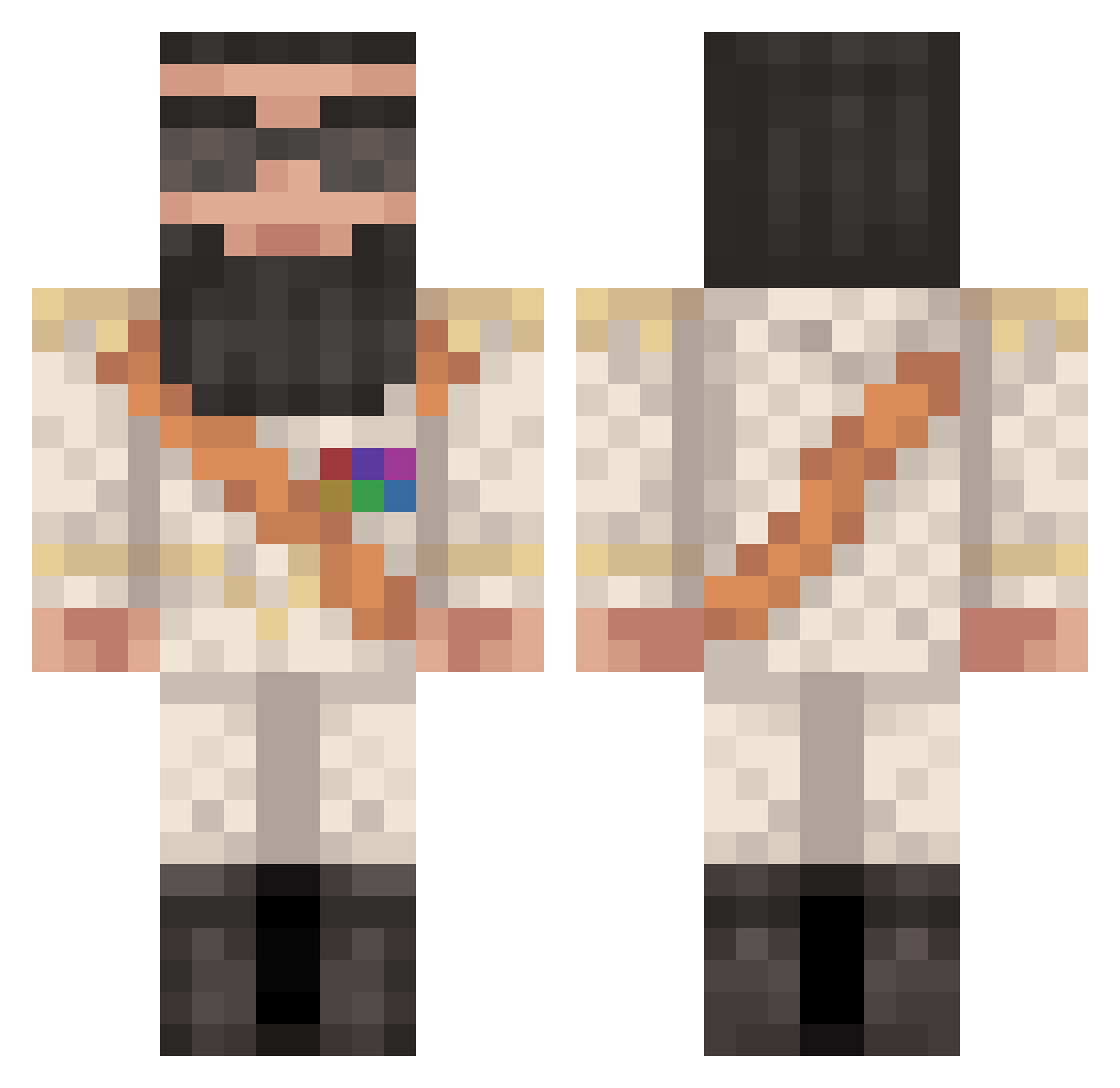
Current Minecraft skin of the player jacksp619, loaded from the official Mojang API. Rotate the 3D model with your mouse or finger, then download the skin as a PNG file and use it in Minecraft: Bedrock Edition or Java Edition for free. When jacksp619 changes their skin, this page updates automatically and the old skin stays in the history below.
Other players with this skin (427)
jacksp619 was the 355th player we have seen with this skin, first spotted on 18.10.2026. The same skin was seen on these players. Open a nickname to see their current skin and skin history.
 creeperkillertje HappyPappy13 stiles05 moonmut123 Darrako BukzBunny telephonebox Mandbo MrZacros General_Plague Machete_DontText OMGReport ignore27 BigWhangTheory mr_mommy SonOfBaphomet JewQueefius NemesisLucius Kap_dun diamondmaster001 smeagol_ UltraDanny123 coolpben caske_04 bean3520 zuksonna _CheesyBurger_ Leinunex coolstrul 420copscantcatch chops_97 Stoepsel2001 KaldMigL mindbuilder222 Karelkip _SNO_ idenziick aaronhardman3 DonovanDuck Amaligom78 omit_99 Nathan2200 yellowducky147 djcaleb25 DrAladeen GeoCorner Chinesemurbs Nachowski10 SmileyMc thoro12 southpark134 pepsilow AlmightyDrPepper poopinaboxx OTF456 themasterwp S1lentbuttdeadly joelofgren11 Bubbinator101 xymustafa
More General Minecraft skins
How to install the jacksp619 skin
- Press the Download button above to save the skin as a PNG file.
- Minecraft: Bedrock Edition (PE): open the Dressing Room from the main menu (or tap your character → Edit Character), go to Classic Skins → Owned, press the + (new skin) button, choose the downloaded PNG and pick the Classic (Steve) model. Works on PC and mobile; consoles cannot import custom skins.
- Minecraft: Java Edition: open the Minecraft Launcher, go to the Skins tab, click New Skin, load the PNG, pick the Classic (Steve) model and press Save & Use. You can also upload it at minecraft.net → Profile → Change Skin.
The skin does not show up after import - what should I do?
Restart Minecraft and open the Dressing Room again - imported skins sometimes appear only after a restart. Also make sure you selected the imported skin and picked the Classic (Steve) model.
Which model should I choose, Classic or Slim?
This skin is designed for the Classic (Steve) model. If you pick the wrong model, the arms of the skin will look stretched or squeezed.
Is the skin of jacksp619 free to download?
Yes. Press Download, save the PNG file and use it in Minecraft: Bedrock Edition or Java Edition - no payment or registration needed. The skin also works on multiplayer servers and Realms.
More skins
Looking for more? Go back to all Minecraft skins and check the top skins of the week, month and all time, or find any player's skin by nickname.