
itslandrii - Minecraft Skins & Skin History
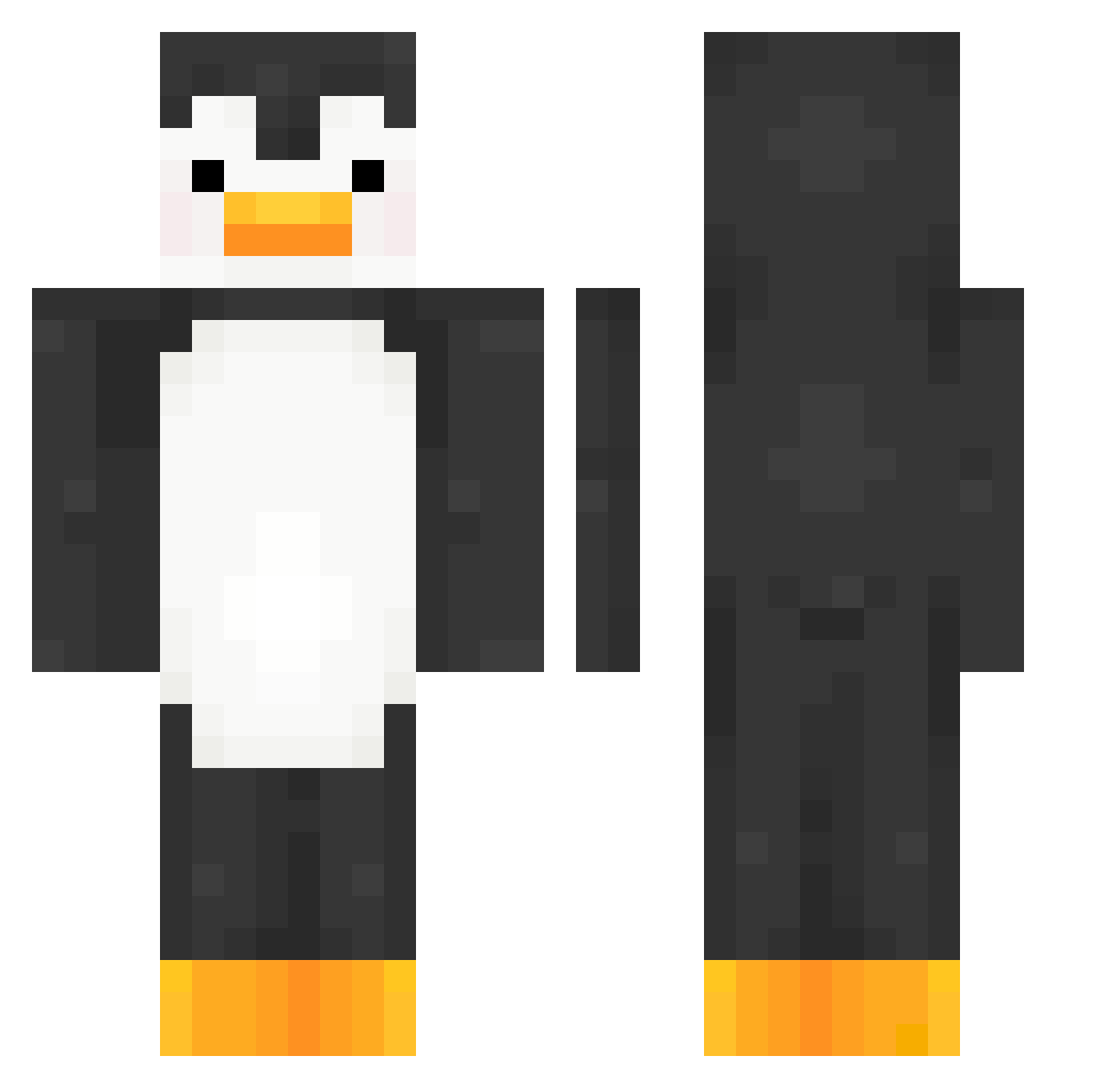
Current Minecraft skin of the player itslandrii, loaded from the official Mojang API. Rotate the 3D model with your mouse or finger, then download the skin as a PNG file and use it in Minecraft: Bedrock Edition or Java Edition for free. When itslandrii changes their skin, this page updates automatically and the old skin stays in the history below.
Other players with this skin (376)
itslandrii was the 26th player we have seen with this skin, first spotted on 04.08.2026. The same skin was seen on these players. Open a nickname to see their current skin and skin history.
 Kaaren Jimiliu crewcrewcrew LauRi_Lapi7209 chen_818 daytonaruko JosimarPedroso kkthai_ SuperAJCx snowman_mm
 Lxces08 marhim MIG13OFICIAL NanoWaves tanshioooooooo __ZaZa__ arsenicSulfur03 Joba57 GameUKey dldbstn1
 bss_main MateYBizcochitos PizzaMan7160 Ovy242 forfeitbee 1514k
 DigBar002 kuuuni168 Joker098989
 K_hlz buletproof OhsunDosun _ToastedYT_ ksm1001111 14ivan04 Hans_Speckmantel laurelleafs pitcel BuyMyLionCub chatar149 FS_Luke Nikokan14 ionnnnn08 Chundaif DarkWolf9621 ABED1233 AvohCahDoe baco777 Crampatte Citolito25 Gab187 Flqcx
 papugson123 fefoda HappyBoyMann112 zbxxi nokia1213 gabbsy24
 MicahRaccon
 pluggeddma
More Animal Minecraft skins
How to install the itslandrii skin
- Press the Download button above to save the skin as a PNG file.
- Minecraft: Bedrock Edition (PE): open the Dressing Room from the main menu (or tap your character → Edit Character), go to Classic Skins → Owned, press the + (new skin) button, choose the downloaded PNG and pick the Classic (Steve) model. Works on PC and mobile; consoles cannot import custom skins.
- Minecraft: Java Edition: open the Minecraft Launcher, go to the Skins tab, click New Skin, load the PNG, pick the Classic (Steve) model and press Save & Use. You can also upload it at minecraft.net → Profile → Change Skin.
The skin does not show up after import - what should I do?
Restart Minecraft and open the Dressing Room again - imported skins sometimes appear only after a restart. Also make sure you selected the imported skin and picked the Classic (Steve) model.
Which model should I choose, Classic or Slim?
This skin is designed for the Classic (Steve) model. If you pick the wrong model, the arms of the skin will look stretched or squeezed.
Is the skin of itslandrii free to download?
Yes. Press Download, save the PNG file and use it in Minecraft: Bedrock Edition or Java Edition - no payment or registration needed. The skin also works on multiplayer servers and Realms.
More skins
Looking for more? Go back to all Minecraft skins and check the top skins of the week, month and all time, or find any player's skin by nickname.