
isyu4 - Minecraft Skins & Skin History
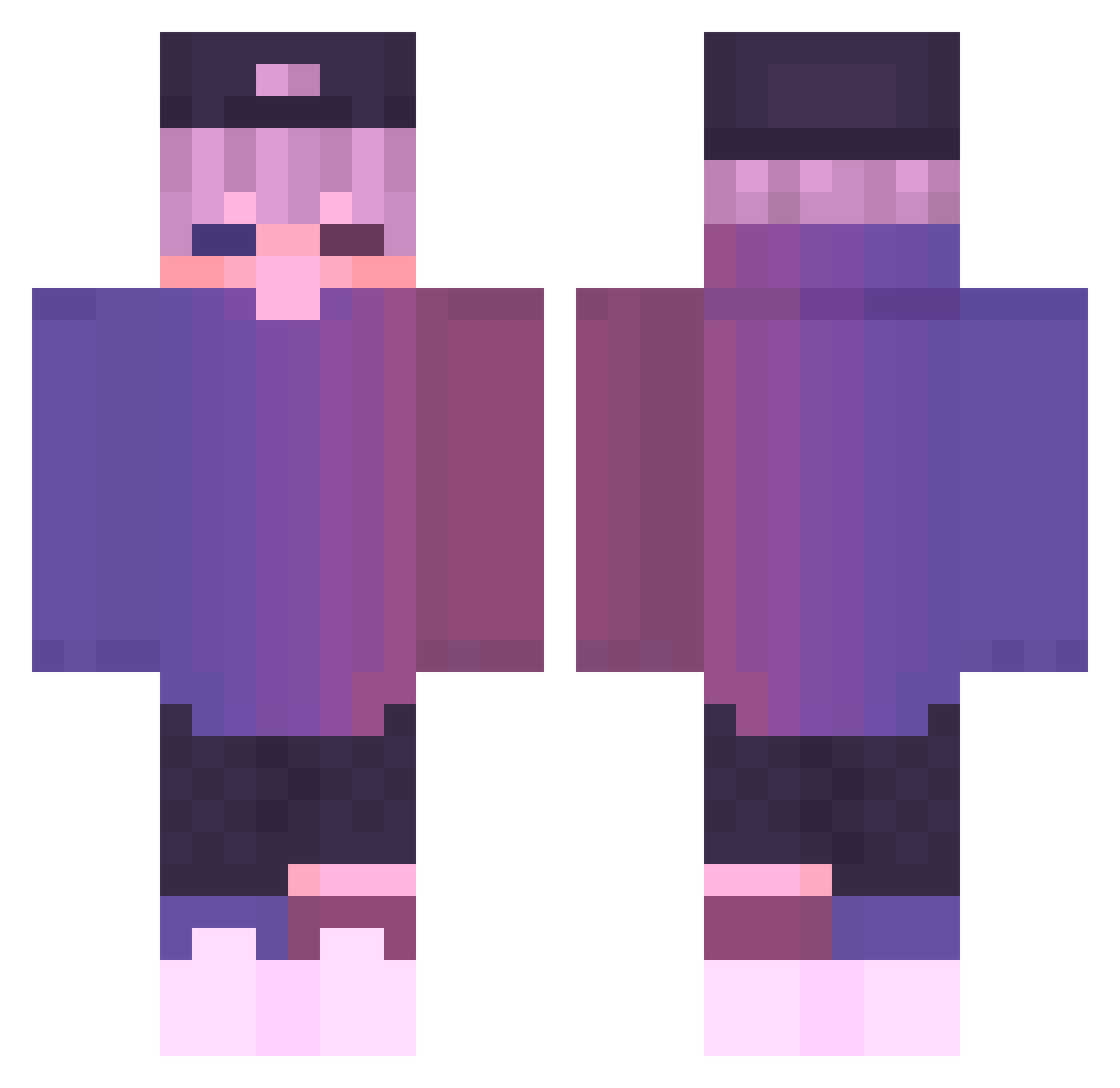
Current Minecraft skin of the player isyu4, loaded from the official Mojang API. Rotate the 3D model with your mouse or finger, then download the skin as a PNG file and use it in Minecraft: Bedrock Edition or Java Edition for free. When isyu4 changes their skin, this page updates automatically and the old skin stays in the history below.
Other players with this skin (729)
isyu4 was the 504th player we have seen with this skin, first spotted on 09.10.2026. The same skin was seen on these players. Open a nickname to see their current skin and skin history.
 ezva_fuxk VacuousWolf7943 OpTaiwan W_aotu vaiperd TurtleBossJunior BRUHKJI LEE_JIK stark_atomik Maximoproxd12 King___man Feilun lepooprat litvars _ShadowFaimy_ OliClan5 UcanLewix ThatsBoax KevinArmageddon Hydrasyl Mentalityx02 Labibibo_owo ColdBoy22 qyu66 pochun84 Etherealsage_OCE Kai_o318 huuuu_ GIWU__ nolangamer64 Comapre TedKonrados Skyfqll mappy0305 TeaDrivenRage RaimiNiiSama Skibid1lunchly ondrasek142 joacoatv109 Haykohypex pplikinboi Skipper_SpLG Snowhuynh abs3nce tenorrrrr 6Tatsumaki6 Coquillas m1lesss A1FI3_ MatchenS FeFeLambo Letarg0 DROSSOo drewwLMAO Syaein _Adidin_ BerndBuhle SlapWalrus jUjujae Hypiriks
More Cap Minecraft skins
How to install the isyu4 skin
- Press the Download button above to save the skin as a PNG file.
- Minecraft: Bedrock Edition (PE): open the Dressing Room from the main menu (or tap your character → Edit Character), go to Classic Skins → Owned, press the + (new skin) button, choose the downloaded PNG and pick the Classic (Steve) model. Works on PC and mobile; consoles cannot import custom skins.
- Minecraft: Java Edition: open the Minecraft Launcher, go to the Skins tab, click New Skin, load the PNG, pick the Classic (Steve) model and press Save & Use. You can also upload it at minecraft.net → Profile → Change Skin.
The skin does not show up after import - what should I do?
Restart Minecraft and open the Dressing Room again - imported skins sometimes appear only after a restart. Also make sure you selected the imported skin and picked the Classic (Steve) model.
Which model should I choose, Classic or Slim?
This skin is designed for the Classic (Steve) model. If you pick the wrong model, the arms of the skin will look stretched or squeezed.
Is the skin of isyu4 free to download?
Yes. Press Download, save the PNG file and use it in Minecraft: Bedrock Edition or Java Edition - no payment or registration needed. The skin also works on multiplayer servers and Realms.
More skins
Looking for more? Go back to all Minecraft skins and check the top skins of the week, month and all time, or find any player's skin by nickname.