
insanzor - Minecraft Skins & Skin History
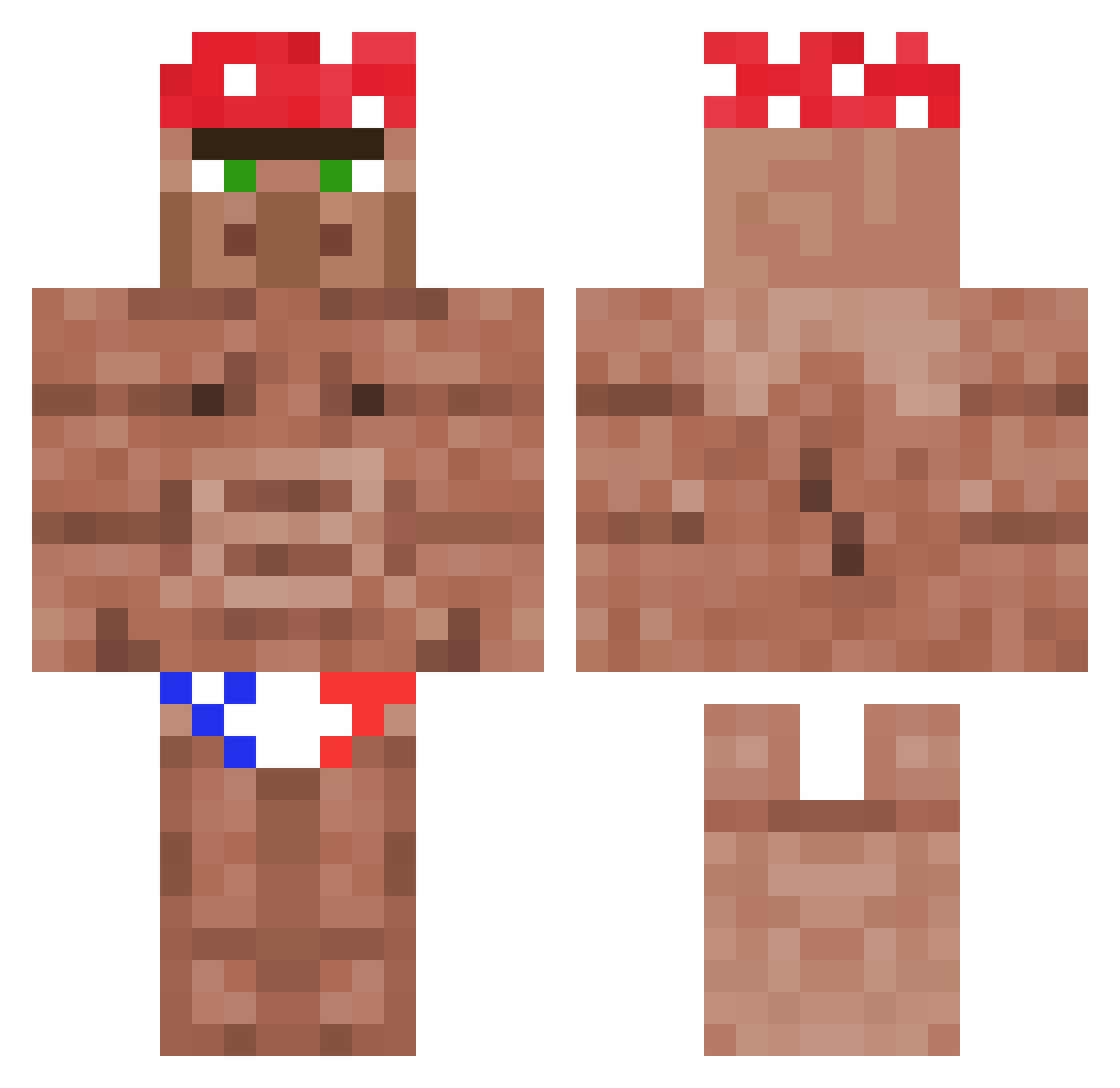
Current Minecraft skin of the player insanzor, loaded from the official Mojang API. Rotate the 3D model with your mouse or finger, then download the skin as a PNG file and use it in Minecraft: Bedrock Edition or Java Edition for free. When insanzor changes their skin, this page updates automatically and the old skin stays in the history below.
Other players with this skin (1118)
insanzor was the 928th player we have seen with this skin, first spotted on 17.10.2026. The same skin was seen on these players. Open a nickname to see their current skin and skin history.
 Arkaaaaaz xxkomododragon yaboichad BigBossNuria _LegitG0D Lsau3s Momruoy JonnyCrick ryoooooto thetigergm Painday24 Olanga33 ramos301 Hatsune_Sans gerbella iSpherx Lord_TolGo kamkazechicken Doommasterchief GapeDestroyer Roliick generalxis7 bingbong445 GearlessMax Kurisue Saltarin2121 InfinityCreature _BadBunnyPR MommaGuchy Alexrg2007 Der_Hirsch77 Sirmentlegen gskg Claireiscrying hubertino Christmas_Dust SaShaMaru XXPhilip IkkeTilSalg RusherDuGetto Chunkyloverboiii GeorgeFloydds Kaiser_Semmel caeza343 Mordenge Leoleul syumun FinnMartin buzzard_5115 baffomoretti That_One_Nerd231 H3nkie xSnowCloud JUST_ROX76 RedDragon7000 irfhtcou McShlonger neruteru canalesb McKotwic
More Ricardo Milos Minecraft skins
See all 96 Ricardo Milos skins
How to install the insanzor skin
- Press the Download button above to save the skin as a PNG file.
- Minecraft: Bedrock Edition (PE): open the Dressing Room from the main menu (or tap your character → Edit Character), go to Classic Skins → Owned, press the + (new skin) button, choose the downloaded PNG and pick the Classic (Steve) model. Works on PC and mobile; consoles cannot import custom skins.
- Minecraft: Java Edition: open the Minecraft Launcher, go to the Skins tab, click New Skin, load the PNG, pick the Classic (Steve) model and press Save & Use. You can also upload it at minecraft.net → Profile → Change Skin.
The skin does not show up after import - what should I do?
Restart Minecraft and open the Dressing Room again - imported skins sometimes appear only after a restart. Also make sure you selected the imported skin and picked the Classic (Steve) model.
Which model should I choose, Classic or Slim?
This skin is designed for the Classic (Steve) model. If you pick the wrong model, the arms of the skin will look stretched or squeezed.
Is the skin of insanzor free to download?
Yes. Press Download, save the PNG file and use it in Minecraft: Bedrock Edition or Java Edition - no payment or registration needed. The skin also works on multiplayer servers and Realms.
More skins
Looking for more? Go back to all Minecraft skins and check the top skins of the week, month and all time, or find any player's skin by nickname.