
ihui996 - Minecraft Skins & Skin History
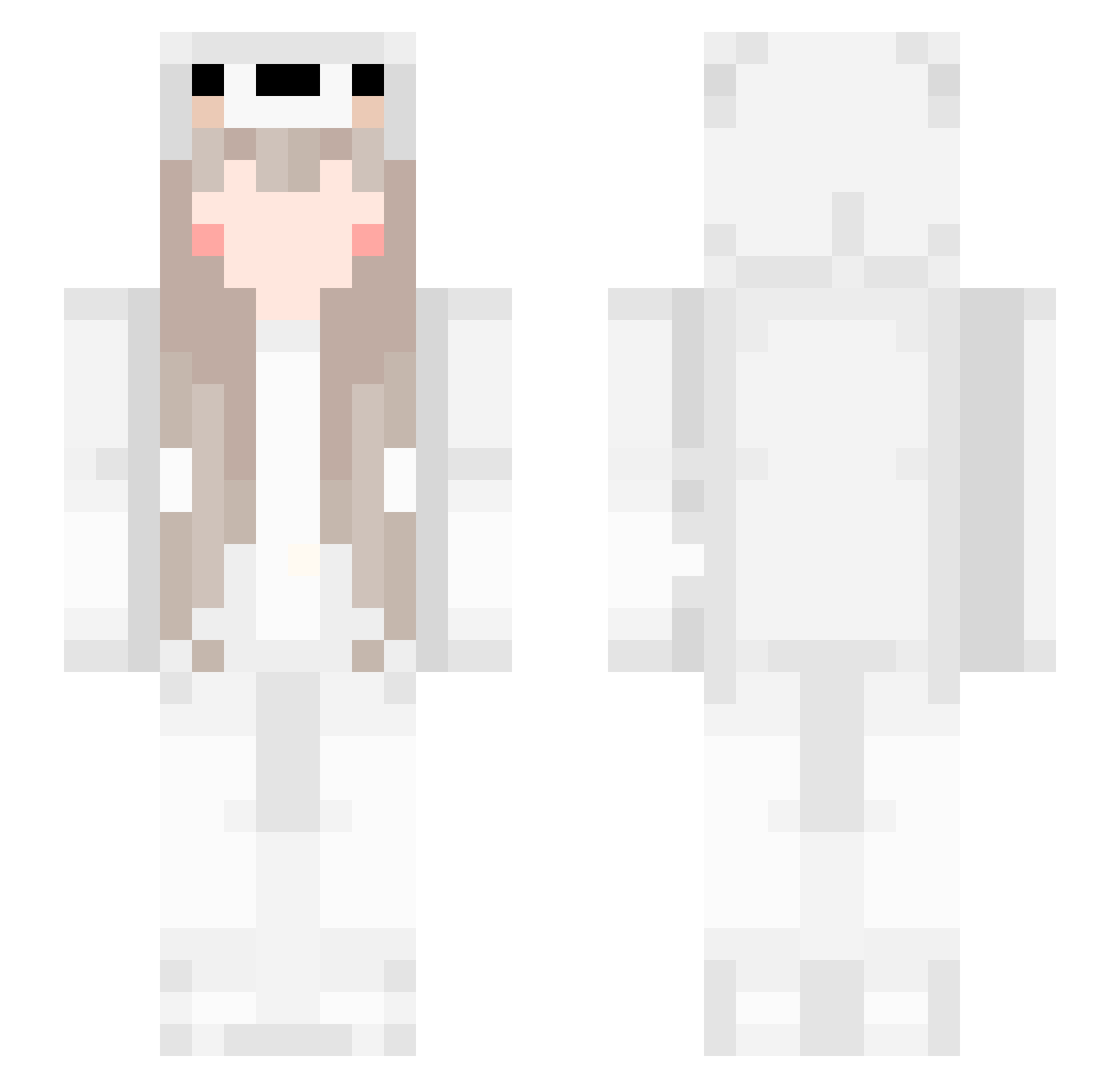
Current Minecraft skin of the player ihui996, loaded from the official Mojang API. Rotate the 3D model with your mouse or finger, then download the skin as a PNG file and use it in Minecraft: Bedrock Edition or Java Edition for free. When ihui996 changes their skin, this page updates automatically and the old skin stays in the history below.
Other players with this skin (561)
ihui996 was the 349th player we have seen with this skin, first spotted on 02.10.2026. The same skin was seen on these players. Open a nickname to see their current skin and skin history.
 ruler1998 Changqing0424 Borisov2U Shiralti Yukiiiiii_ shijiebazhu Algo_gg GalAxy_ace123 BurgerPiggg Bear_BOYzz ZHNN2 yexun11 ddr2c68 xuexue66666 hjeen RealMan_KUN NicoNco AnnOwO Mikakaela yana_star Saysgoodnight Limaniel DANHUANG0327 KONGYiLin qing_yuan_9 b1ond3 WILLbeme Bunny355 Tatilapcn luojian_ 77best play921 Yum0Sama LittleDroplets kiki_9527 Eunemi Homura_SC bayuncai vanilla10086 leauo jasmineanahii EDWARDZE Aefser whispys jsbin_ WAhaha_03 Olhuda emmlan599 YI76 Yumi_Wei _Felyne_ Karupinu WUHUChaim WTDJN Clei257 Shadow_yeah Luckycot Luzixuan yunjianke shumian111
More Girl Minecraft skins
How to install the ihui996 skin
- Press the Download button above to save the skin as a PNG file.
- Minecraft: Bedrock Edition (PE): open the Dressing Room from the main menu (or tap your character → Edit Character), go to Classic Skins → Owned, press the + (new skin) button, choose the downloaded PNG and pick the Slim (Alex) model. Works on PC and mobile; consoles cannot import custom skins.
- Minecraft: Java Edition: open the Minecraft Launcher, go to the Skins tab, click New Skin, load the PNG, pick the Slim (Alex) model and press Save & Use. You can also upload it at minecraft.net → Profile → Change Skin.
The skin does not show up after import - what should I do?
Restart Minecraft and open the Dressing Room again - imported skins sometimes appear only after a restart. Also make sure you selected the imported skin and picked the Slim (Alex) model.
Which model should I choose, Classic or Slim?
This skin is designed for the Slim (Alex) model. If you pick the wrong model, the arms of the skin will look stretched or squeezed.
Is the skin of ihui996 free to download?
Yes. Press Download, save the PNG file and use it in Minecraft: Bedrock Edition or Java Edition - no payment or registration needed. The skin also works on multiplayer servers and Realms.
More skins
Looking for more? Go back to all Minecraft skins and check the top skins of the week, month and all time, or find any player's skin by nickname.