
icebrandon - Minecraft Skins & Skin History
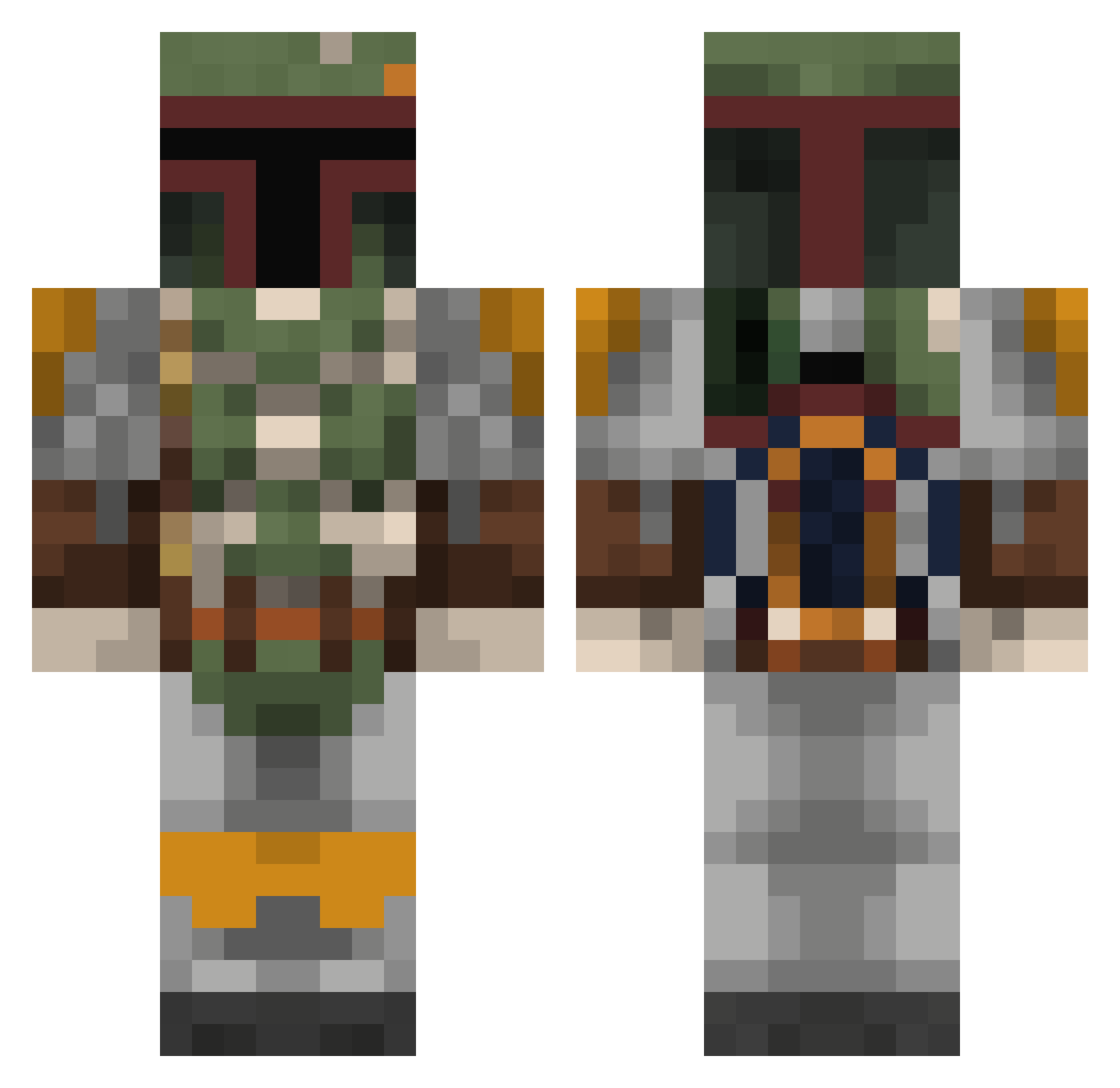
Current Minecraft skin of the player icebrandon, loaded from the official Mojang API. Rotate the 3D model with your mouse or finger, then download the skin as a PNG file and use it in Minecraft: Bedrock Edition or Java Edition for free. When icebrandon changes their skin, this page updates automatically and the old skin stays in the history below.
Other players with this skin (816)
icebrandon was the 257th player we have seen with this skin, first spotted on 31.08.2026. The same skin was seen on these players. Open a nickname to see their current skin and skin history.
 xShocks Tracyn_Kurs HoneyBobaFatt robert95613 Lego_DarksideYT Doppelkorn78 Imperial_Clone Vixos MatthewFett02 DeepestGash theonecalledhit Reaperkiller96 2Balls2Lew _Astraeus_ fluffytm7 The_NTEKILLER BobaFettishes Blairwitcher j_drizzle Tomatosaregood AlxTh Breakshiftt Su25tmFrogfoot MyLittleTwny mangopoptarts bearman722 Hazzy1998 Kokoale buildcraftman98 Sybaturn McFweeFwee McGameboyPlayer quimAQ Arroyobro FireCatch13 BiG_mattyice Saturatedpig Leftmonk Gbpackers50 Samuelmoerz ManuelBS acavedo PlayerEightyOne Raiden7x Pickle__Surprise hibernations Raegunv outlawstar64 22raoulduke kingcudaz CR33P3R_HU993R Bobby_Fett Ibroqim Hedgesleo Mister_Bitter NiFro1 Tyler_Diamondaxe xBENSONx Cannoned LogLacSam
More Boba Fett Minecraft skins
How to install the icebrandon skin
- Press the Download button above to save the skin as a PNG file.
- Minecraft: Bedrock Edition (PE): open the Dressing Room from the main menu (or tap your character → Edit Character), go to Classic Skins → Owned, press the + (new skin) button, choose the downloaded PNG and pick the Classic (Steve) model. Works on PC and mobile; consoles cannot import custom skins.
- Minecraft: Java Edition: open the Minecraft Launcher, go to the Skins tab, click New Skin, load the PNG, pick the Classic (Steve) model and press Save & Use. You can also upload it at minecraft.net → Profile → Change Skin.
The skin does not show up after import - what should I do?
Restart Minecraft and open the Dressing Room again - imported skins sometimes appear only after a restart. Also make sure you selected the imported skin and picked the Classic (Steve) model.
Which model should I choose, Classic or Slim?
This skin is designed for the Classic (Steve) model. If you pick the wrong model, the arms of the skin will look stretched or squeezed.
Is the skin of icebrandon free to download?
Yes. Press Download, save the PNG file and use it in Minecraft: Bedrock Edition or Java Edition - no payment or registration needed. The skin also works on multiplayer servers and Realms.
More skins
Looking for more? Go back to all Minecraft skins and check the top skins of the week, month and all time, or find any player's skin by nickname.