
hutao114 - Minecraft Skins & Skin History
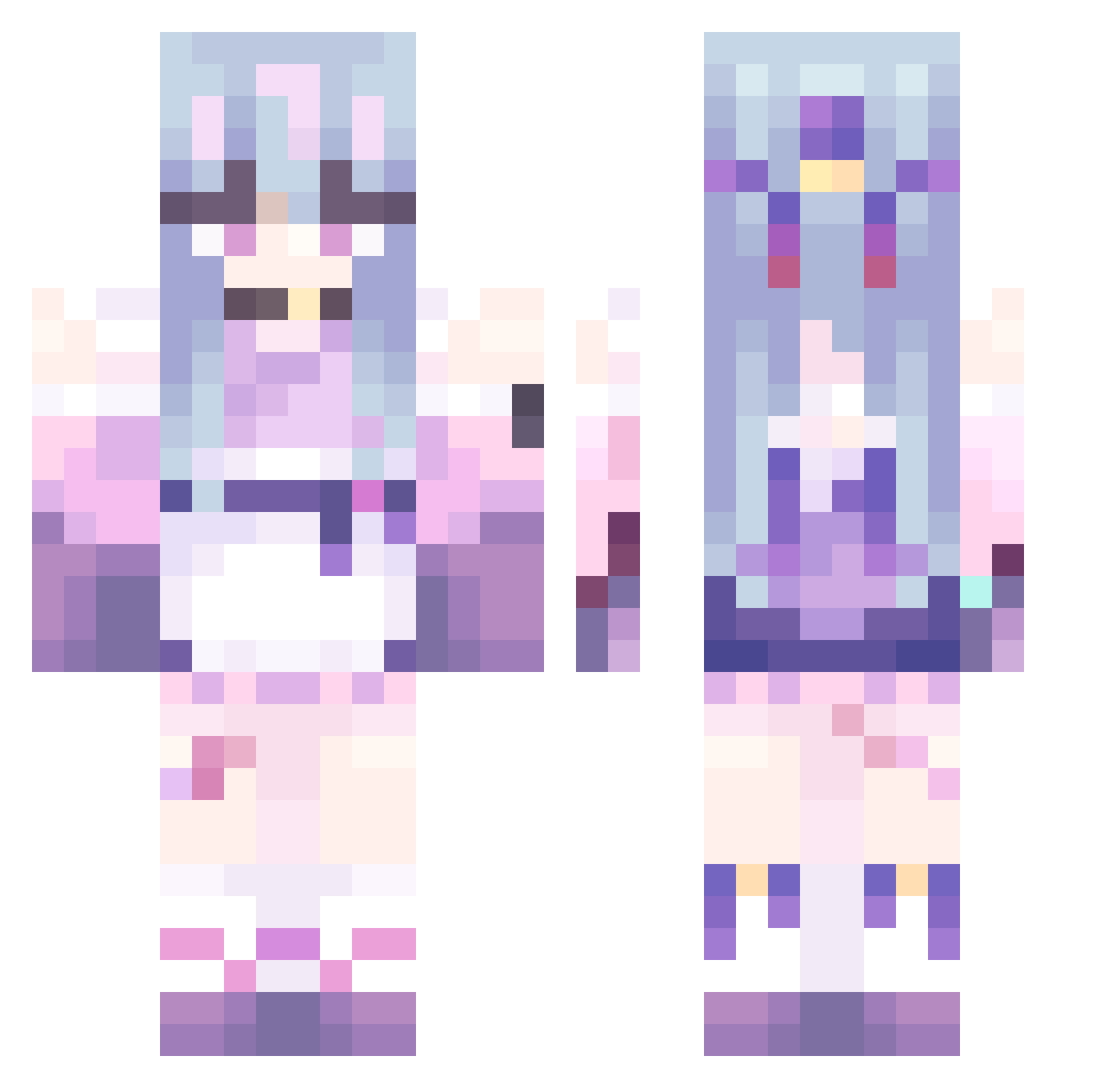
Current Minecraft skin of the player hutao114, loaded from the official Mojang API. Rotate the 3D model with your mouse or finger, then download the skin as a PNG file and use it in Minecraft: Bedrock Edition or Java Edition for free. When hutao114 changes their skin, this page updates automatically and the old skin stays in the history below.
Other players with this skin (480)
hutao114 was the 41st player we have seen with this skin, first spotted on 01.08.2026. The same skin was seen on these players. Open a nickname to see their current skin and skin history.
 pirhuuu 1022yjy darkknightzyy savsan shiki0309 gh0stglitch awutp Koniowa sjdnd SanLeaves moti29like Ju_laaaq xiaobing12 not_skyle aq_QAQ Map1e5 MizukiSH LeeUMon naclara777 zhishun fhf20051 spx123 6dark_luna9 akikan1028 V_Sal pinataro123
 shookness P0zye rizaia47
 Frostbite0313 Craftational YaaBee TheVvv6 Lumi96 Scalet9 YangJunQ banya520 Phantom_E Joycore xcy5 CCA1109 yukicas S_A_P_R_T_4 vadiazinha MEAWOX_ ComoPeces _Sans_12 Jinu_The_PEsKing Astoundment fixlex LoveWishElf JOhua ina483 EuclidMelon NoxDT Earthcotes 114542 ENG_Toxicity153 chommsi
 saurom44
More Anime Girl Minecraft skins
See all 13509 Anime Girl skins
How to install the hutao114 skin
- Press the Download button above to save the skin as a PNG file.
- Minecraft: Bedrock Edition (PE): open the Dressing Room from the main menu (or tap your character → Edit Character), go to Classic Skins → Owned, press the + (new skin) button, choose the downloaded PNG and pick the Classic (Steve) model. Works on PC and mobile; consoles cannot import custom skins.
- Minecraft: Java Edition: open the Minecraft Launcher, go to the Skins tab, click New Skin, load the PNG, pick the Classic (Steve) model and press Save & Use. You can also upload it at minecraft.net → Profile → Change Skin.
The skin does not show up after import - what should I do?
Restart Minecraft and open the Dressing Room again - imported skins sometimes appear only after a restart. Also make sure you selected the imported skin and picked the Classic (Steve) model.
Which model should I choose, Classic or Slim?
This skin is designed for the Classic (Steve) model. If you pick the wrong model, the arms of the skin will look stretched or squeezed.
Is the skin of hutao114 free to download?
Yes. Press Download, save the PNG file and use it in Minecraft: Bedrock Edition or Java Edition - no payment or registration needed. The skin also works on multiplayer servers and Realms.
More skins
Looking for more? Go back to all Minecraft skins and check the top skins of the week, month and all time, or find any player's skin by nickname.