
hoihoihoihoi - Minecraft Skins & Skin History
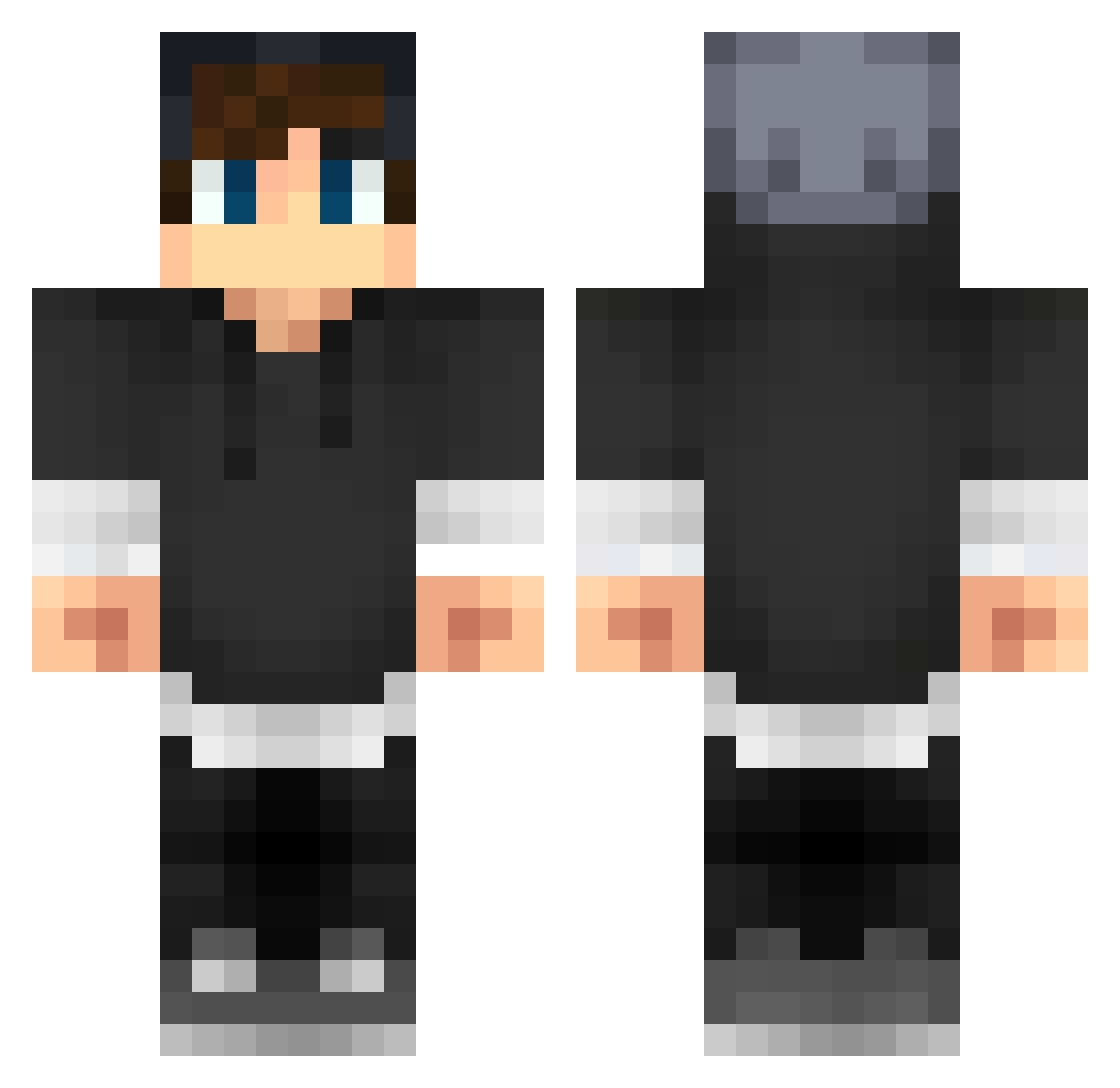
Current Minecraft skin of the player hoihoihoihoi, loaded from the official Mojang API. Rotate the 3D model with your mouse or finger, then download the skin as a PNG file and use it in Minecraft: Bedrock Edition or Java Edition for free. When hoihoihoihoi changes their skin, this page updates automatically and the old skin stays in the history below.
Other players with this skin (279)
hoihoihoihoi was the 184th player we have seen with this skin, first spotted on 06.10.2026. The same skin was seen on these players. Open a nickname to see their current skin and skin history.
 lapo731 xHypercoreMC togotechno Spinach_Man alex03157 Willgames1 Lykkefold Vindr3X taylor_wright04 KuBr3X Jonas_2609 Augustk Wishow Paweloleszczuk Guster95 AEmrYayin slurpy0burpy Kentarau IHaveASmall_PP69 TheFlash1185 levienglish SmellsLike Cosmicolgy Tkz2410 AxilleasZ HikageErufu steinboy SLPoro ImNoobYe Snapebuckle39 Domicent minecraftguy133 johncatman JUST__HYPER _Johnny___ Pedrito74 Michellon thenoobletZXD14 MrXerceus gijs331 Thesargent8 haggendazs CuzImSureax Geistertrommel WinterKo MATHIASJULIN Jopa_SNUS MonkeyGun245 Kush1906 wakattack101 luckylucaslol flameblade9 Anders_HR Distinct_ Buggy2 Aru_Ura zKelson NoNameJustME EvilHD Migueljunior001
More Streetwear Minecraft skins
How to install the hoihoihoihoi skin
- Press the Download button above to save the skin as a PNG file.
- Minecraft: Bedrock Edition (PE): open the Dressing Room from the main menu (or tap your character → Edit Character), go to Classic Skins → Owned, press the + (new skin) button, choose the downloaded PNG and pick the Classic (Steve) model. Works on PC and mobile; consoles cannot import custom skins.
- Minecraft: Java Edition: open the Minecraft Launcher, go to the Skins tab, click New Skin, load the PNG, pick the Classic (Steve) model and press Save & Use. You can also upload it at minecraft.net → Profile → Change Skin.
The skin does not show up after import - what should I do?
Restart Minecraft and open the Dressing Room again - imported skins sometimes appear only after a restart. Also make sure you selected the imported skin and picked the Classic (Steve) model.
Which model should I choose, Classic or Slim?
This skin is designed for the Classic (Steve) model. If you pick the wrong model, the arms of the skin will look stretched or squeezed.
Is the skin of hoihoihoihoi free to download?
Yes. Press Download, save the PNG file and use it in Minecraft: Bedrock Edition or Java Edition - no payment or registration needed. The skin also works on multiplayer servers and Realms.
More skins
Looking for more? Go back to all Minecraft skins and check the top skins of the week, month and all time, or find any player's skin by nickname.