
 Jameskplays Solvtofte05 madsnauta oskarMR hankyispanky F1nertag2 W4xe ItsSklls_N1 Jsm_MC ViaMixl TwiiST_Stone Remote_Mori charliegaming453 Zelay Unai222 NoobSlayerPVP zombiemonday gbuzz BoxHead777 Toslim123 SteamZocker03 NotSeptical Schand3 Amplifications Po4Emy NuclearSnake_YT Eimier ARey360 CdRkrNTz TheRipperDarkLU_ yaruno88 noch_ lelijkerd casper0516 TheBrezelmann xXCircleStrafeXx Cooldude020806 QuanTum_SS MrUnceptive reobio ichbinderLars BassB11 HuLaViTkUtIn Mellyboy123 TommyBoy9 S0urserzzz MoMedSkoen Tobias2085 SnprJeroen EroticShrimp Lasagna_guy Selbitz KingWolf1313 FreddBloggs CRIZ9495 GreyWaffle Jordan_A2102 C4TALIN221 stonzyy_ zinkooo
Minecraft skin of Kapten_ZapMaster. Rotate the 3D model with your mouse or finger to view the skin from every angle, then download it as a PNG file and use it in Minecraft: Bedrock Edition or Java Edition for free. Rate the skin with stars to help other players find the best skins in our collection.
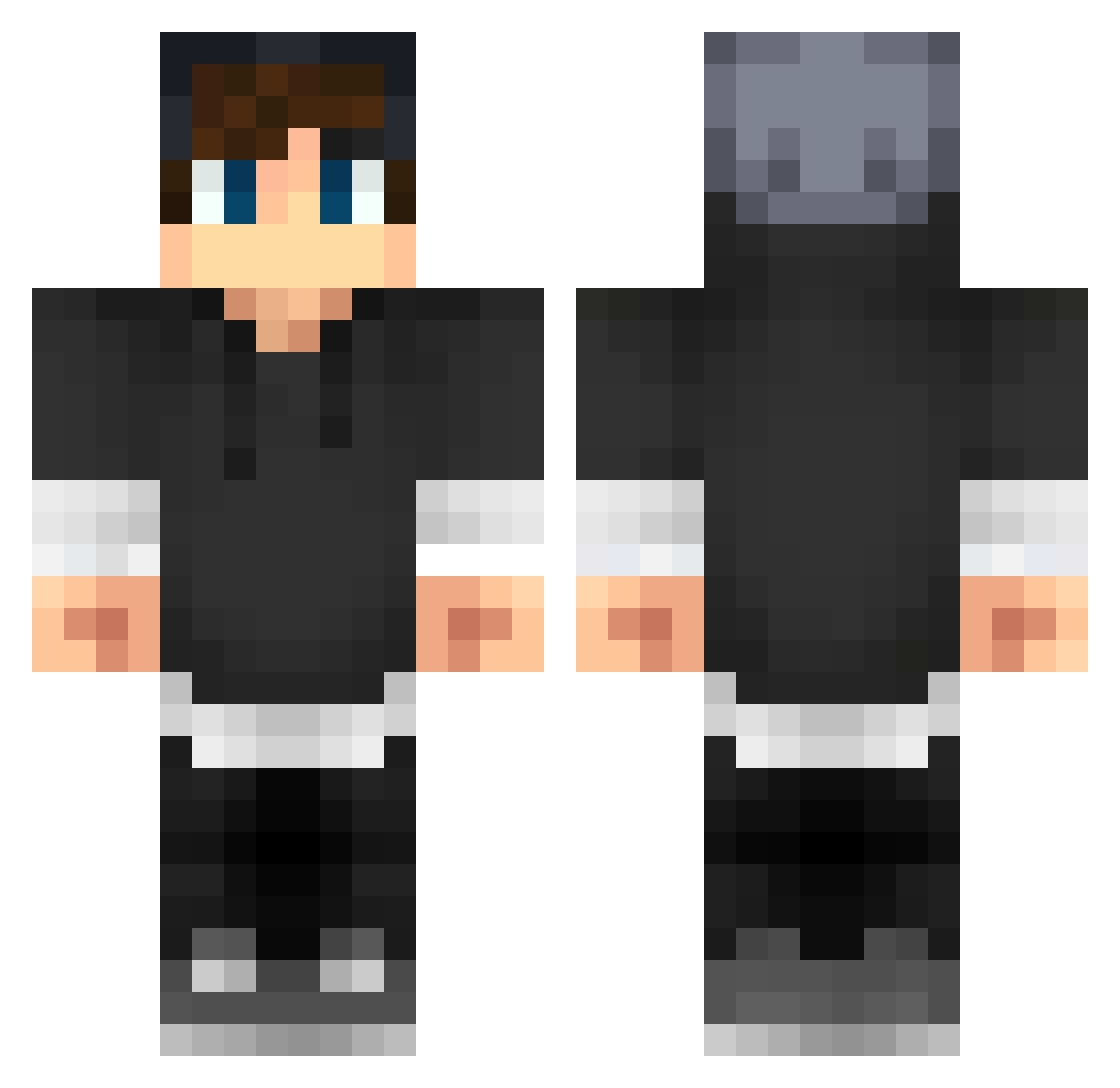
How to install the Kapten_ZapMaster skin
- Press the Download button above to save the skin as a PNG file.
- Minecraft: Bedrock Edition (PE): open the Dressing Room from the main menu (or tap your character → Edit Character), go to Classic Skins → Owned, press the + (new skin) button, choose the downloaded PNG and pick the Classic (Steve) model. Works on PC and mobile; consoles cannot import custom skins.
- Minecraft: Java Edition: open the Minecraft Launcher, go to the Skins tab, click New Skin, load the PNG, pick the Classic (Steve) model and press Save & Use. You can also upload it at minecraft.net → Profile → Change Skin.
The skin does not show up after import - what should I do?
Restart Minecraft and open the Dressing Room again - imported skins sometimes appear only after a restart. Also make sure you selected the imported skin and picked the Classic (Steve) model.
Which model should I choose, Classic or Slim?
This skin is designed for the Classic (Steve) model. If you pick the wrong model, the arms of the skin will look stretched or squeezed.
Is this skin free to use?
Yes. Press Download, save the PNG file and use it in Minecraft: Bedrock Edition or Java Edition - no payment or registration needed. The skin also works on multiplayer servers and Realms.
More Streetwear Minecraft skins
More skins
Looking for more? Go back to all Minecraft skins and check the top skins of the week, month and all time, or find any player's skin by nickname.