
hippolovesfood - Minecraft Skins & Skin History
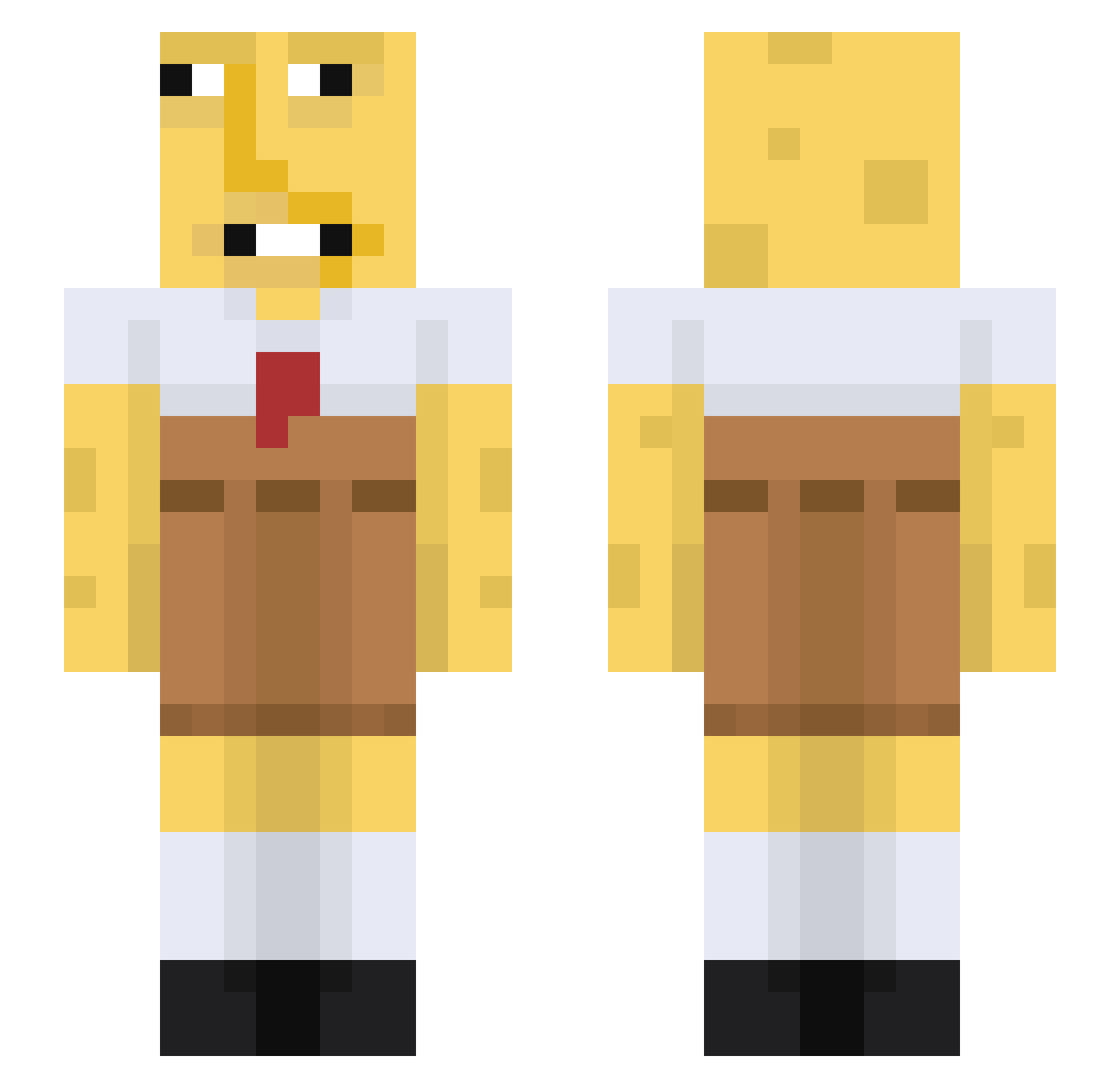
Current Minecraft skin of the player hippolovesfood, loaded from the official Mojang API. Rotate the 3D model with your mouse or finger, then download the skin as a PNG file and use it in Minecraft: Bedrock Edition or Java Edition for free. When hippolovesfood changes their skin, this page updates automatically and the old skin stays in the history below.
Other players with this skin (80)
hippolovesfood was the 34th player we have seen with this skin, first spotted on 02.09.2026. The same skin was seen on these players. Open a nickname to see their current skin and skin history.
 Gladia2r MisterZumic LilEmzies Geniomamada _Liselotte__ shcaes SAWAKO_XD PDeaw01 ADolphinLitChair
 sigmaziemniak123 Ukrajna JustSoap_ bogoxl
 al_Masri Lubi2702 AbdulTheGreat BigMomms IDontDoMornings oweneiei Patyk36 LenicitoKun the_multyman zhennnnnnnnnnnnn PISTACCHINO coping332 spongeboby69 Alkalyne21 Aglandro ethanGOATa RedHORSE67 starrynight123 Apocalypse_99 Kbag_99 SirDomi_ Rumpyy ClosedOnASunday ZeroBladedDragon Toruzumii wimbergplays fartsmella360 NinjaAO2012 Freaakybob IAmNotNate CharliePPro Louis_alt_f4 tysiekptysiek Xylixr FreakBob5 Shawnathon_14 FEMboySupporter1 0225miguel ItsFonixTV AyochillBruh KinguMomo Whisperme Mr_Wafflezz idlexyz Thxre15 SpongRobert VichoGut
More Spongebob Minecraft skins
How to install the hippolovesfood skin
- Press the Download button above to save the skin as a PNG file.
- Minecraft: Bedrock Edition (PE): open the Dressing Room from the main menu (or tap your character → Edit Character), go to Classic Skins → Owned, press the + (new skin) button, choose the downloaded PNG and pick the Slim (Alex) model. Works on PC and mobile; consoles cannot import custom skins.
- Minecraft: Java Edition: open the Minecraft Launcher, go to the Skins tab, click New Skin, load the PNG, pick the Slim (Alex) model and press Save & Use. You can also upload it at minecraft.net → Profile → Change Skin.
The skin does not show up after import - what should I do?
Restart Minecraft and open the Dressing Room again - imported skins sometimes appear only after a restart. Also make sure you selected the imported skin and picked the Slim (Alex) model.
Which model should I choose, Classic or Slim?
This skin is designed for the Slim (Alex) model. If you pick the wrong model, the arms of the skin will look stretched or squeezed.
Is the skin of hippolovesfood free to download?
Yes. Press Download, save the PNG file and use it in Minecraft: Bedrock Edition or Java Edition - no payment or registration needed. The skin also works on multiplayer servers and Realms.
More skins
Looking for more? Go back to all Minecraft skins and check the top skins of the week, month and all time, or find any player's skin by nickname.