
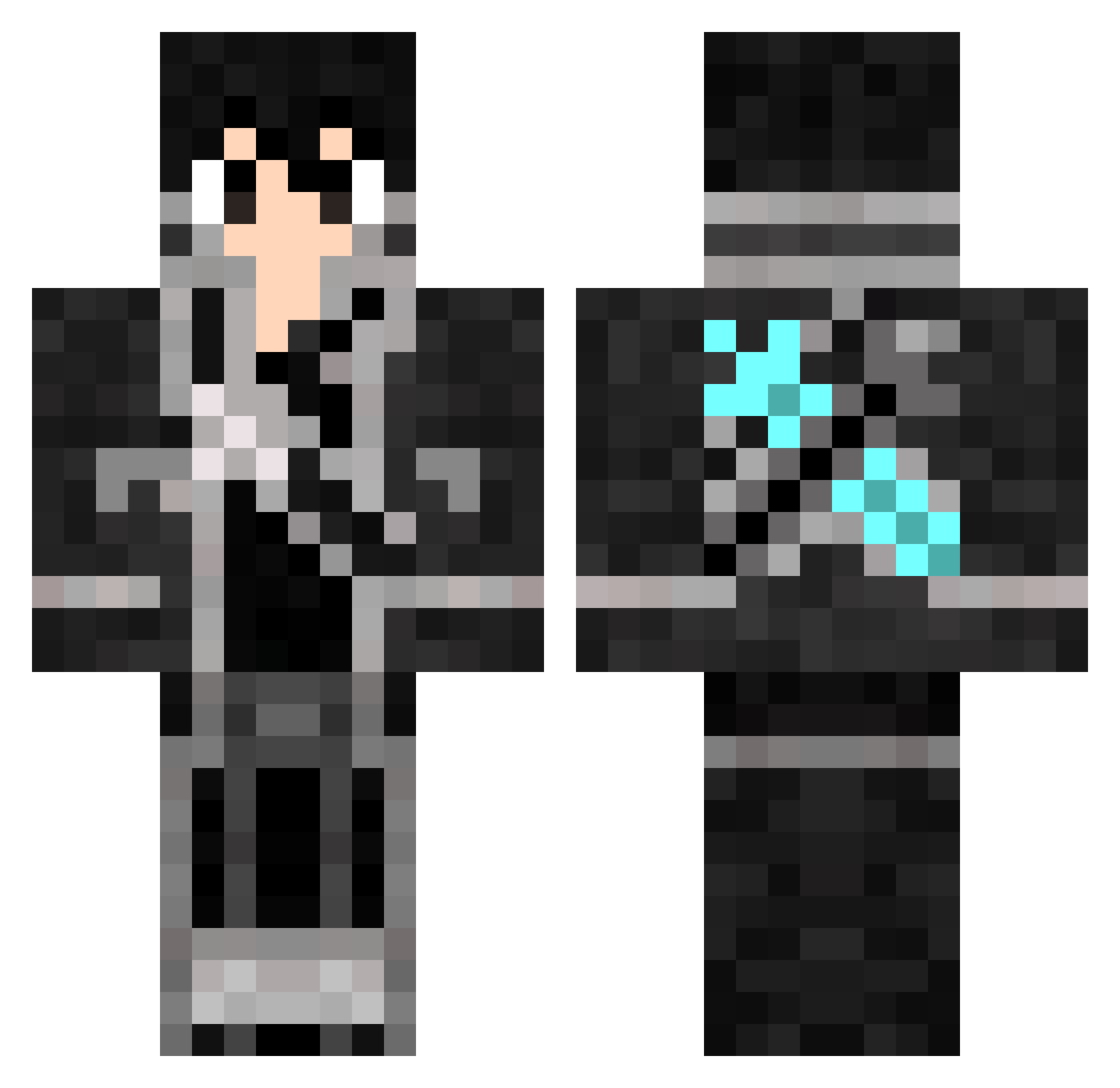
Current Minecraft skin of the player heidashuaibest, loaded from the official Mojang API. Rotate the 3D model with your mouse or finger, then download the skin as a PNG file and use it in Minecraft: Bedrock Edition or Java Edition for free. When heidashuaibest changes their skin, this page updates automatically and the old skin stays in the history below.
Other players with this skin (643)
heidashuaibest was the 589th player we have seen with this skin, first spotted on 10.10.2026. The same skin was seen on these players. Open a nickname to see their current skin and skin history.
 Block_Xiaohei Love5202 Gusker YASELAOYE Shinra996 xTTBenny baptC00ki DT_Vin772 Konneii Sun_C xacg FeijaoFradinho BQGOD CaptainR0n d10227 v1olator AllTh32Kings Thache qingfeng12376 Rapis__ Giuliano_exe Yiuko4 1AnTzy Voidmxt potapomouse Seraph0130 Breaky___ mi_0721 BladeXenonSoul RedDJStone DarkViix D3v1lhearts Opetany_dzem2115 st487 shanglan233 poponchos YULIAN123455 ChN7son _IsaX_ SsantosS_ Tenken20 le878 Drapsag_289 Midnight_Lotus fxxfxyz MashuKurai littlelai Zbot51391 KeyArts diidou73 TCPL233 Koden48273 Lord_Mianite97 Eman58840 Dn2409 zhengjc866 Skyrimbaby Nov111 CCBND ByRobXD_99
More Kirito Minecraft skins
How to install the heidashuaibest skin
- Press the Download button above to save the skin as a PNG file.
- Minecraft: Bedrock Edition (PE): open the Dressing Room from the main menu (or tap your character → Edit Character), go to Classic Skins → Owned, press the + (new skin) button, choose the downloaded PNG and pick the Classic (Steve) model. Works on PC and mobile; consoles cannot import custom skins.
- Minecraft: Java Edition: open the Minecraft Launcher, go to the Skins tab, click New Skin, load the PNG, pick the Classic (Steve) model and press Save & Use. You can also upload it at minecraft.net → Profile → Change Skin.
The skin does not show up after import - what should I do?
Restart Minecraft and open the Dressing Room again - imported skins sometimes appear only after a restart. Also make sure you selected the imported skin and picked the Classic (Steve) model.
Which model should I choose, Classic or Slim?
This skin is designed for the Classic (Steve) model. If you pick the wrong model, the arms of the skin will look stretched or squeezed.
Is the skin of heidashuaibest free to download?
Yes. Press Download, save the PNG file and use it in Minecraft: Bedrock Edition or Java Edition - no payment or registration needed. The skin also works on multiplayer servers and Realms.
More skins
Looking for more? Go back to all Minecraft skins and check the top skins of the week, month and all time, or find any player's skin by nickname.