
hehiho1111 - Minecraft Skins & Skin History
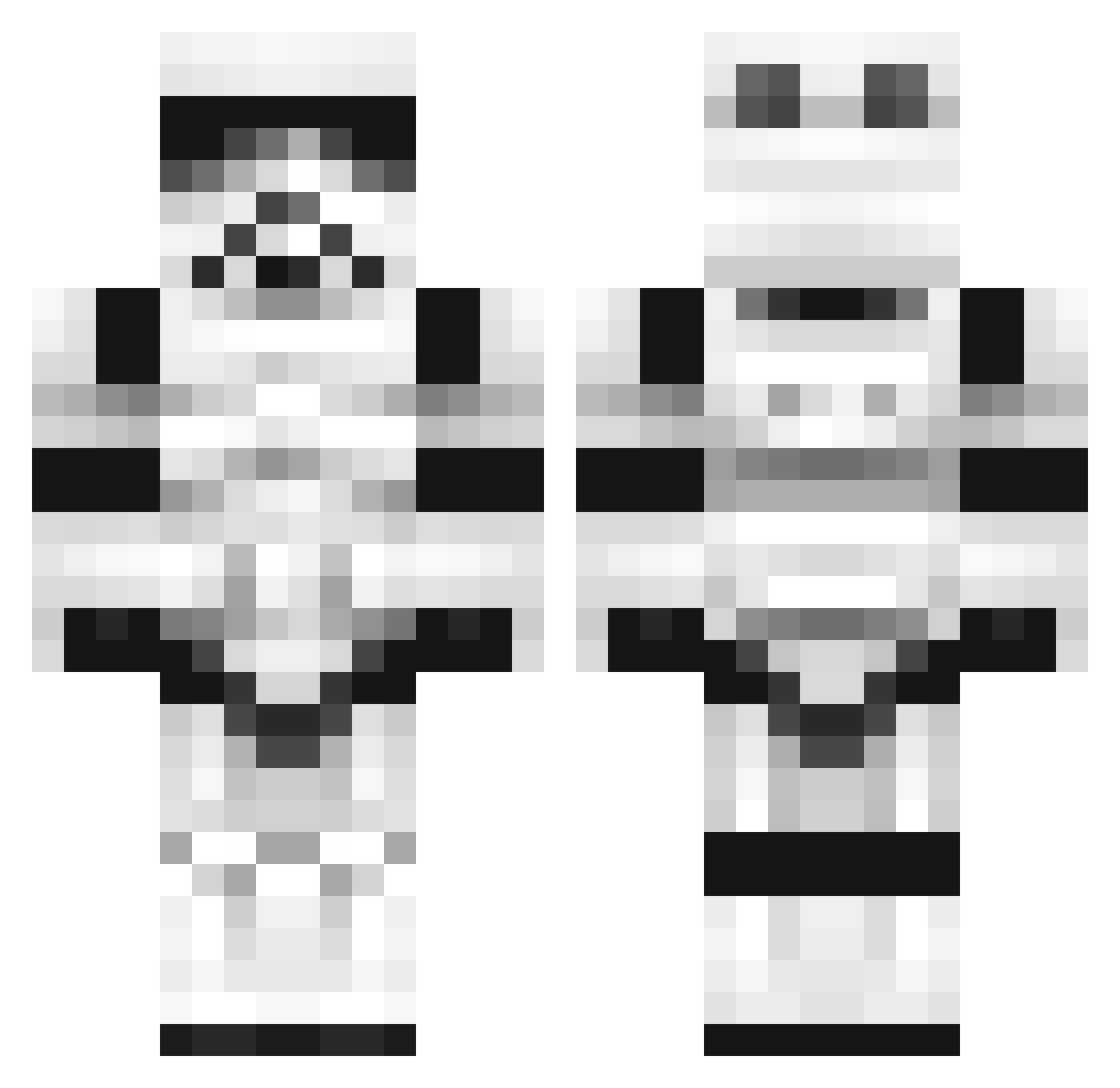
Current Minecraft skin of the player hehiho1111, loaded from the official Mojang API. Rotate the 3D model with your mouse or finger, then download the skin as a PNG file and use it in Minecraft: Bedrock Edition or Java Edition for free. When hehiho1111 changes their skin, this page updates automatically and the old skin stays in the history below.
Other players with this skin (1102)
hehiho1111 was the 833rd player we have seen with this skin, first spotted on 11.10.2026. The same skin was seen on these players. Open a nickname to see their current skin and skin history.
 WashieBear100 swandex Tiguibaseball SirTerragen Lexetus NicoFizz HarloR678 Congon4tor 8JeeperCreeper1 Dungeon_Mattster Stormtrooper44 DarthDave alliage974 Chillpal Herpus_My_Derpus nffk_killer Alve Stormtrooper_WRX aamaro99 HayesJack73 Enlzz Sk1llcrasher mlohm2 WillisCo Wurstgulasch88 Dingo585 HunterrPool TheRagingCanuk Aklagarn zzjaameszz estebanzap7 hkScorpion1 turbolachs MinaHarker77 LoganHamilton98 ChainesAudio x2010a pigtails99 Rockerdaddy exitus13 DDlegend joaopbfarias Varyce Deadsunflowers Fansl theurou garfielfdisciple Fallow_Tank johnnyhattrick3 benmar64 muppas frasersforthewin Alexsin123 jrai1 Jennstate27 MrKaplan34 redafassi11 tewz mrbutter16 Ashet
More Trooper Minecraft skins
How to install the hehiho1111 skin
- Press the Download button above to save the skin as a PNG file.
- Minecraft: Bedrock Edition (PE): open the Dressing Room from the main menu (or tap your character → Edit Character), go to Classic Skins → Owned, press the + (new skin) button, choose the downloaded PNG and pick the Classic (Steve) model. Works on PC and mobile; consoles cannot import custom skins.
- Minecraft: Java Edition: open the Minecraft Launcher, go to the Skins tab, click New Skin, load the PNG, pick the Classic (Steve) model and press Save & Use. You can also upload it at minecraft.net → Profile → Change Skin.
The skin does not show up after import - what should I do?
Restart Minecraft and open the Dressing Room again - imported skins sometimes appear only after a restart. Also make sure you selected the imported skin and picked the Classic (Steve) model.
Which model should I choose, Classic or Slim?
This skin is designed for the Classic (Steve) model. If you pick the wrong model, the arms of the skin will look stretched or squeezed.
Is the skin of hehiho1111 free to download?
Yes. Press Download, save the PNG file and use it in Minecraft: Bedrock Edition or Java Edition - no payment or registration needed. The skin also works on multiplayer servers and Realms.
More skins
Looking for more? Go back to all Minecraft skins and check the top skins of the week, month and all time, or find any player's skin by nickname.