
harveydesu - Minecraft Skins & Skin History
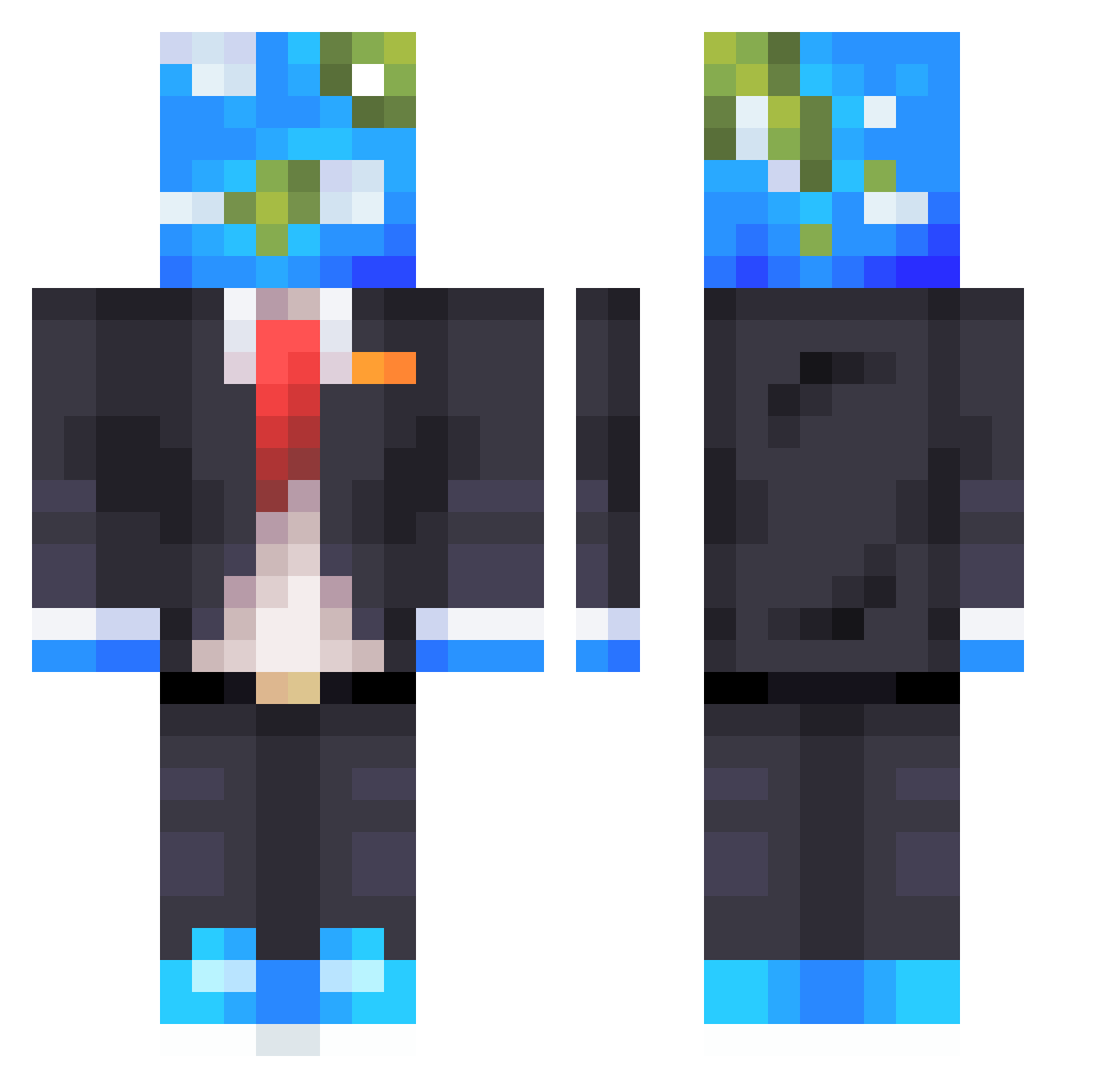
Current Minecraft skin of the player harveydesu, loaded from the official Mojang API. Rotate the 3D model with your mouse or finger, then download the skin as a PNG file and use it in Minecraft: Bedrock Edition or Java Edition for free. When harveydesu changes their skin, this page updates automatically and the old skin stays in the history below.
Other players with this skin (610)
harveydesu was the 129th player we have seen with this skin, first spotted on 19.08.2026. The same skin was seen on these players. Open a nickname to see their current skin and skin history.
 TheNerdZapper ZNF_ azor0902 Nosupper willfire1312 Vortex7890 unbothered2 Tesser4 jaopdro 3JBear hiUwUAA MVRTlNN TitaniumFalls FayWoO AAASTAR JaggedHalo MrWorldwide27 Enesbabuu31 XingHai1023 mathildeee20 Ang3l_015 CrystalApple11 pletnice Suseminia Vanx69 _Cezarek_ jrarnest rm2d Olbivion777 reqmoe Sweetdogz4 NaifFattani37 MellowDeeee TastefulTaffy KOROLIK MrSpooky0 Matalokendo Lee114514 marcelsantanaa Chippydippie Hong_Ka TDB_Philip chytran1 tegidos MagicFireShoe eusoulegal830 SoulSwipe butelkawody__ C1K2 MistakeTheSecond FernandoSB Hadi1_Younan1 PiercingX2 SnowMan4043 psj1093 Britikka Anonymus4769 LegendmasterOne eggle_ovo nvTreedet
More Earth Head Minecraft skins
How to install the harveydesu skin
- Press the Download button above to save the skin as a PNG file.
- Minecraft: Bedrock Edition (PE): open the Dressing Room from the main menu (or tap your character → Edit Character), go to Classic Skins → Owned, press the + (new skin) button, choose the downloaded PNG and pick the Classic (Steve) model. Works on PC and mobile; consoles cannot import custom skins.
- Minecraft: Java Edition: open the Minecraft Launcher, go to the Skins tab, click New Skin, load the PNG, pick the Classic (Steve) model and press Save & Use. You can also upload it at minecraft.net → Profile → Change Skin.
The skin does not show up after import - what should I do?
Restart Minecraft and open the Dressing Room again - imported skins sometimes appear only after a restart. Also make sure you selected the imported skin and picked the Classic (Steve) model.
Which model should I choose, Classic or Slim?
This skin is designed for the Classic (Steve) model. If you pick the wrong model, the arms of the skin will look stretched or squeezed.
Is the skin of harveydesu free to download?
Yes. Press Download, save the PNG file and use it in Minecraft: Bedrock Edition or Java Edition - no payment or registration needed. The skin also works on multiplayer servers and Realms.
More skins
Looking for more? Go back to all Minecraft skins and check the top skins of the week, month and all time, or find any player's skin by nickname.