
haonj1 - Minecraft Skins & Skin History
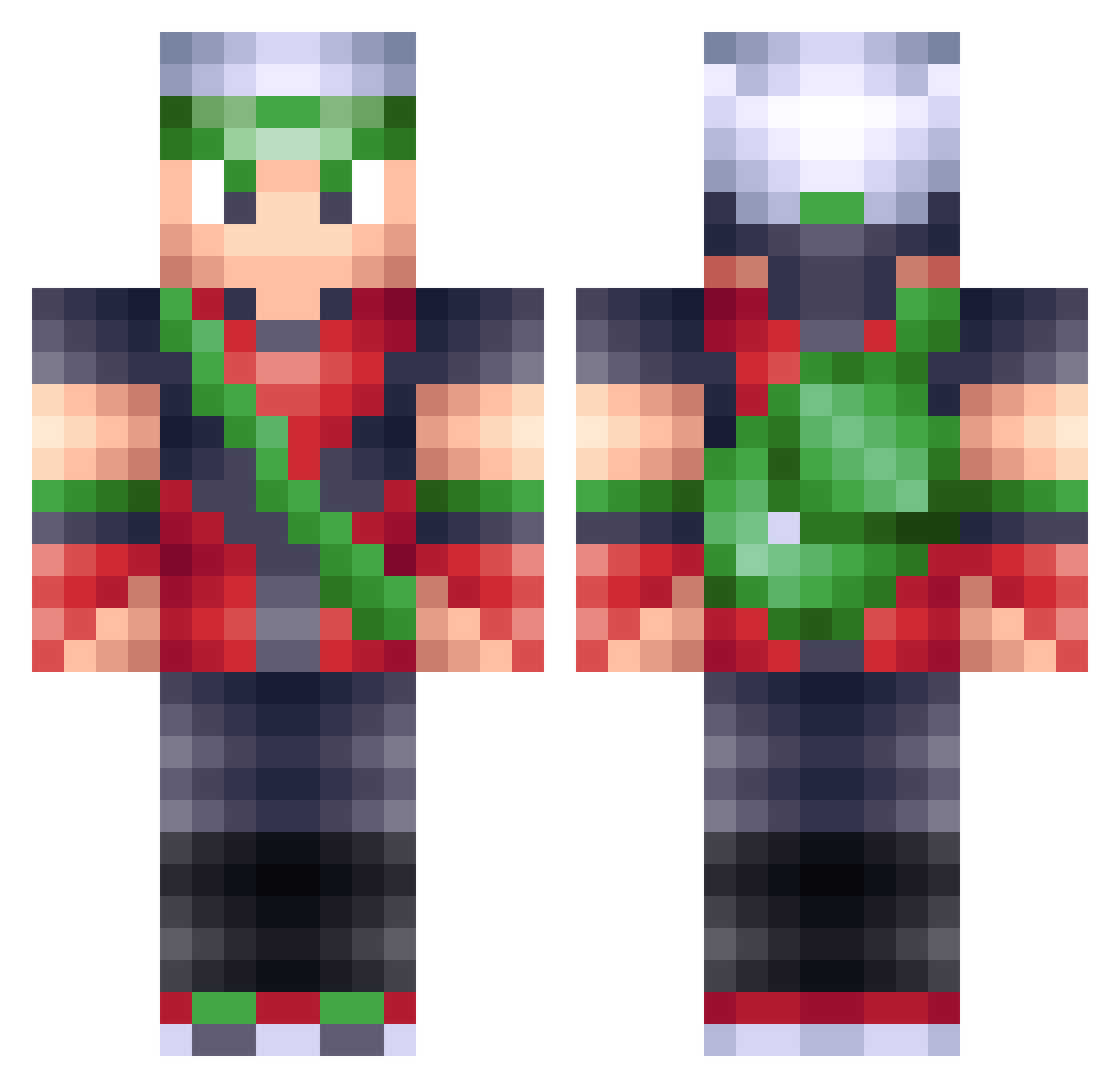
Current Minecraft skin of the player haonj1, loaded from the official Mojang API. Rotate the 3D model with your mouse or finger, then download the skin as a PNG file and use it in Minecraft: Bedrock Edition or Java Edition for free. When haonj1 changes their skin, this page updates automatically and the old skin stays in the history below.
Other players with this skin (201)
haonj1 was the 108th player we have seen with this skin, first spotted on 28.09.2026. The same skin was seen on these players. Open a nickname to see their current skin and skin history.
 Moto2014 TMVerse Samuel_3D_2D D3m0lishr LarsFuchs_1307 nr77 Bahkieh plagueknight666 RBTRocks AzraCraft kingboots1572 Phlixno aisahk TDPokemaster KadePlaysPokemon aid480 ElegantAF NotBrigham Bigbird55 Jampachi TheTurdster anton357 JolteonBot pokemaster0914 SilverTriforce7 DAWGxPRIDE Hero_GBB Pokemon987789 DuctTapePocket TheFlametric MiizTic Peanutty Colvin MZaje PrimalusReborn PurplMonster WiNgEd_BoOtS LazarusYT Alterscope NavyZeal dojomaniac syamster minetomtomo stueb1 Ender_Ninja SlothTama FoxyEskimo olivierminer tilley101 PokemonPadawan H20__Insanity Zerbe92 JeffGoldblum236 Simulationfun KronoSteel TheFlawlessFlaw fableNL WoodClover cbrunkster Hubbe98
More Brendan Minecraft skins
How to install the haonj1 skin
- Press the Download button above to save the skin as a PNG file.
- Minecraft: Bedrock Edition (PE): open the Dressing Room from the main menu (or tap your character → Edit Character), go to Classic Skins → Owned, press the + (new skin) button, choose the downloaded PNG and pick the Classic (Steve) model. Works on PC and mobile; consoles cannot import custom skins.
- Minecraft: Java Edition: open the Minecraft Launcher, go to the Skins tab, click New Skin, load the PNG, pick the Classic (Steve) model and press Save & Use. You can also upload it at minecraft.net → Profile → Change Skin.
The skin does not show up after import - what should I do?
Restart Minecraft and open the Dressing Room again - imported skins sometimes appear only after a restart. Also make sure you selected the imported skin and picked the Classic (Steve) model.
Which model should I choose, Classic or Slim?
This skin is designed for the Classic (Steve) model. If you pick the wrong model, the arms of the skin will look stretched or squeezed.
Is the skin of haonj1 free to download?
Yes. Press Download, save the PNG file and use it in Minecraft: Bedrock Edition or Java Edition - no payment or registration needed. The skin also works on multiplayer servers and Realms.
More skins
Looking for more? Go back to all Minecraft skins and check the top skins of the week, month and all time, or find any player's skin by nickname.