
 CodeNate02 jens_skaug KingRickBoy Cavtheman kaoskrzy420 Mr_lulz_117 hoootpocket Rhythmics Pilsbury_ Jurraaah Gulviq Bou ZhaiFu sicarthea 720game Keffymckeff malikiw gheizn Sterlison TJ_SUMMERS GameCappella Eljayl MostWantedGhost ReshiMC Chris_Monari _bojangles_ Seiveanth TexanCat2341 Maple_M00se MCrafterMike panpasek BlastGreg RawrOfDoom mondeo31 g0ldcard DecentUsername BNMKA Luke15102000 boptimus21 JefferNator DaStyl StartledEntry Snoppym Deifyx Daeth00 Alster MegaJudas Tylayoh D_ray Groundpounder01 Angeldoesbutter1 Jadencirus ThunderJessie MickeyB90 Justindarksword spyrou6452Cy Manamaster77 Marviz MrBlue577 XxLightning
Minecraft skin of BigDylann. Rotate the 3D model with your mouse or finger to view the skin from every angle, then download it as a PNG file and use it in Minecraft: Bedrock Edition or Java Edition for free. Rate the skin with stars to help other players find the best skins in our collection.
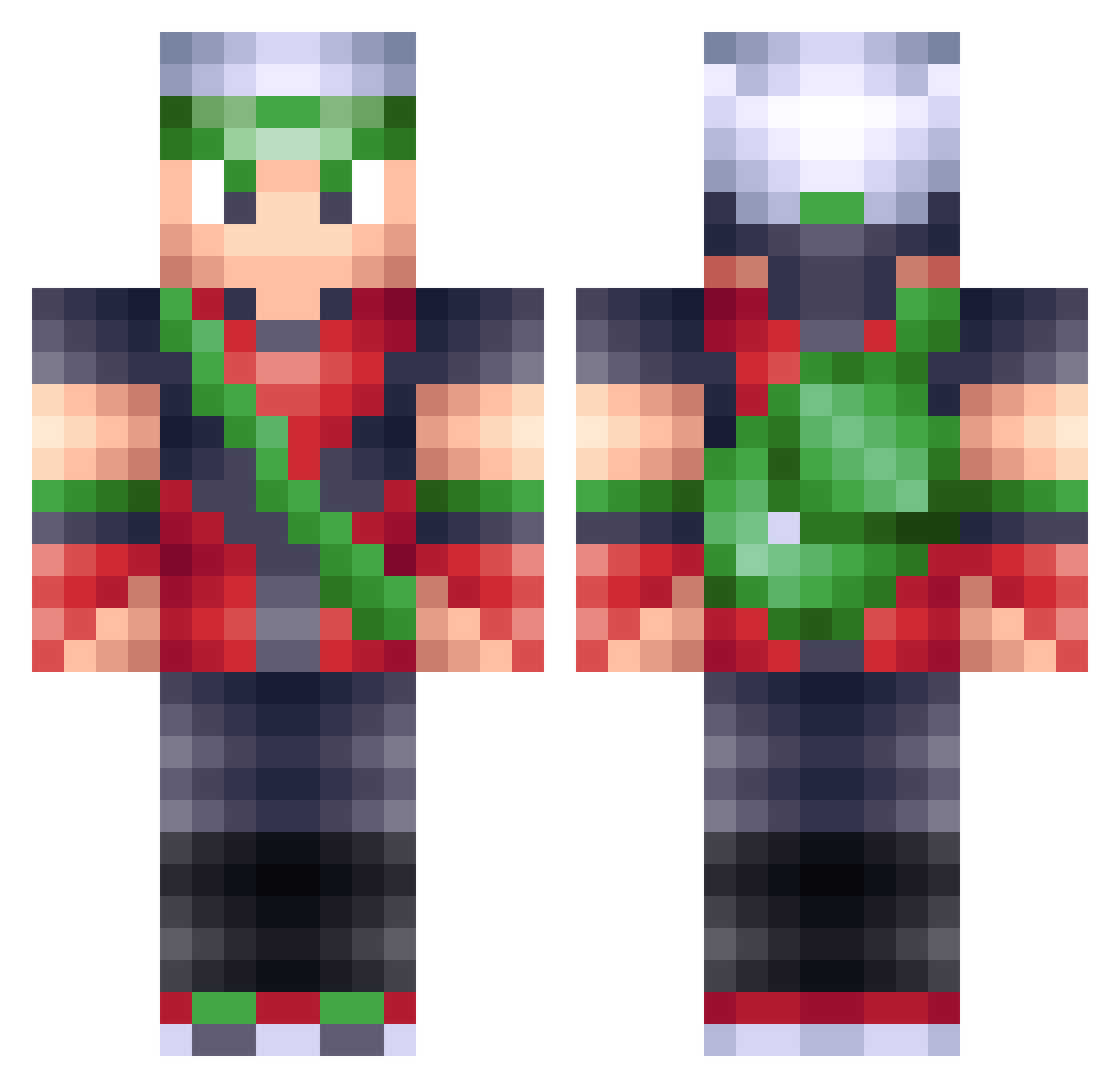
How to install the BigDylann skin
- Press the Download button above to save the skin as a PNG file.
- Minecraft: Bedrock Edition (PE): open the Dressing Room from the main menu (or tap your character → Edit Character), go to Classic Skins → Owned, press the + (new skin) button, choose the downloaded PNG and pick the Classic (Steve) model. Works on PC and mobile; consoles cannot import custom skins.
- Minecraft: Java Edition: open the Minecraft Launcher, go to the Skins tab, click New Skin, load the PNG, pick the Classic (Steve) model and press Save & Use. You can also upload it at minecraft.net → Profile → Change Skin.
The skin does not show up after import - what should I do?
Restart Minecraft and open the Dressing Room again - imported skins sometimes appear only after a restart. Also make sure you selected the imported skin and picked the Classic (Steve) model.
Which model should I choose, Classic or Slim?
This skin is designed for the Classic (Steve) model. If you pick the wrong model, the arms of the skin will look stretched or squeezed.
Is this skin free to use?
Yes. Press Download, save the PNG file and use it in Minecraft: Bedrock Edition or Java Edition - no payment or registration needed. The skin also works on multiplayer servers and Realms.
More Brendan Minecraft skins
More skins
Looking for more? Go back to all Minecraft skins and check the top skins of the week, month and all time, or find any player's skin by nickname.