
hajhesam - Minecraft Skins & Skin History
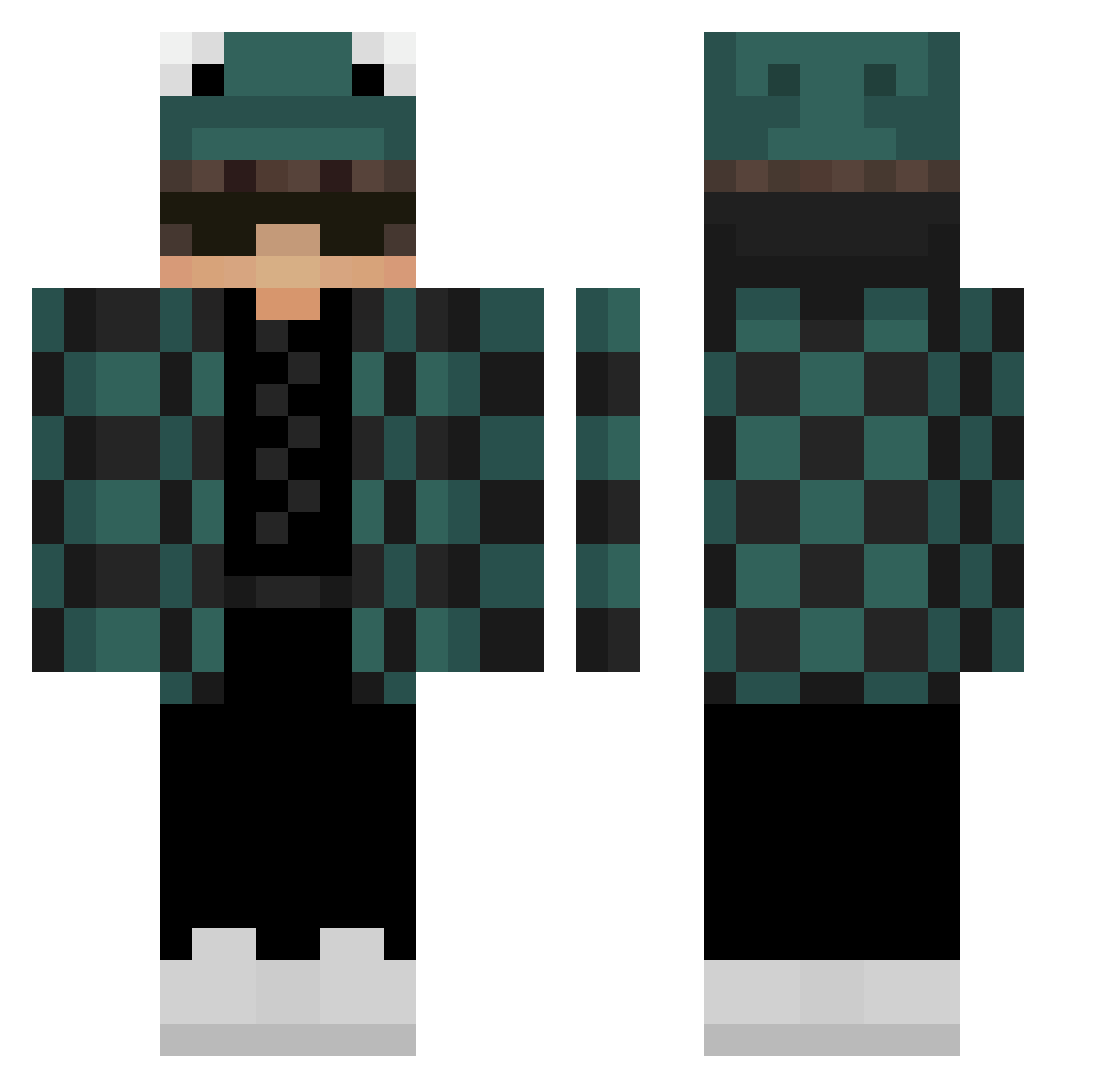
Current Minecraft skin of the player hajhesam, loaded from the official Mojang API. Rotate the 3D model with your mouse or finger, then download the skin as a PNG file and use it in Minecraft: Bedrock Edition or Java Edition for free. When hajhesam changes their skin, this page updates automatically and the old skin stays in the history below.
Other players with this skin (301)
hajhesam was the 197th player we have seen with this skin, first spotted on 06.10.2026. The same skin was seen on these players. Open a nickname to see their current skin and skin history.
 Fpsuper Gigip28 zey_ad Necruss1 Magic_Boy RoXlv__ MetaRiolyPerf10 Bry_010 zG3tR3ktPvP Dagakh Jexerino Le_Jorj_UwU CarrotinhoGodS2 Strogas zyhhxm applerobloxgames zaccccare _uBlue Peetah02 magnusapocalypse Rumunix_ jarombambo ylvxz Lucas4271 TANJIROO13 _zLollo_ Dominator_95 modiii1 MFialho poikd radek1948 moaboi bigg_pronoob r0maku ConnorWTH1 Tuvaslafermer111 BLK1916 alamgod mrprocrayon nekoatoru Tarif_Tahsan Leonardx_01 ParaN0rmaL_ TWZXC0301 TannerGRA Oljit NoName_OnFire kuiye2004 4pez 1WARRIOR_REHAN dbbltap NOSHIKATO toffiiii DarkGabo JJun_o Eshy_ jacktwokay 6ticky00 KKwowKK lncompetente
More Frog Hat Minecraft skins
How to install the hajhesam skin
- Press the Download button above to save the skin as a PNG file.
- Minecraft: Bedrock Edition (PE): open the Dressing Room from the main menu (or tap your character → Edit Character), go to Classic Skins → Owned, press the + (new skin) button, choose the downloaded PNG and pick the Classic (Steve) model. Works on PC and mobile; consoles cannot import custom skins.
- Minecraft: Java Edition: open the Minecraft Launcher, go to the Skins tab, click New Skin, load the PNG, pick the Classic (Steve) model and press Save & Use. You can also upload it at minecraft.net → Profile → Change Skin.
The skin does not show up after import - what should I do?
Restart Minecraft and open the Dressing Room again - imported skins sometimes appear only after a restart. Also make sure you selected the imported skin and picked the Classic (Steve) model.
Which model should I choose, Classic or Slim?
This skin is designed for the Classic (Steve) model. If you pick the wrong model, the arms of the skin will look stretched or squeezed.
Is the skin of hajhesam free to download?
Yes. Press Download, save the PNG file and use it in Minecraft: Bedrock Edition or Java Edition - no payment or registration needed. The skin also works on multiplayer servers and Realms.
More skins
Looking for more? Go back to all Minecraft skins and check the top skins of the week, month and all time, or find any player's skin by nickname.