
h1m1kou - Minecraft Skins & Skin History
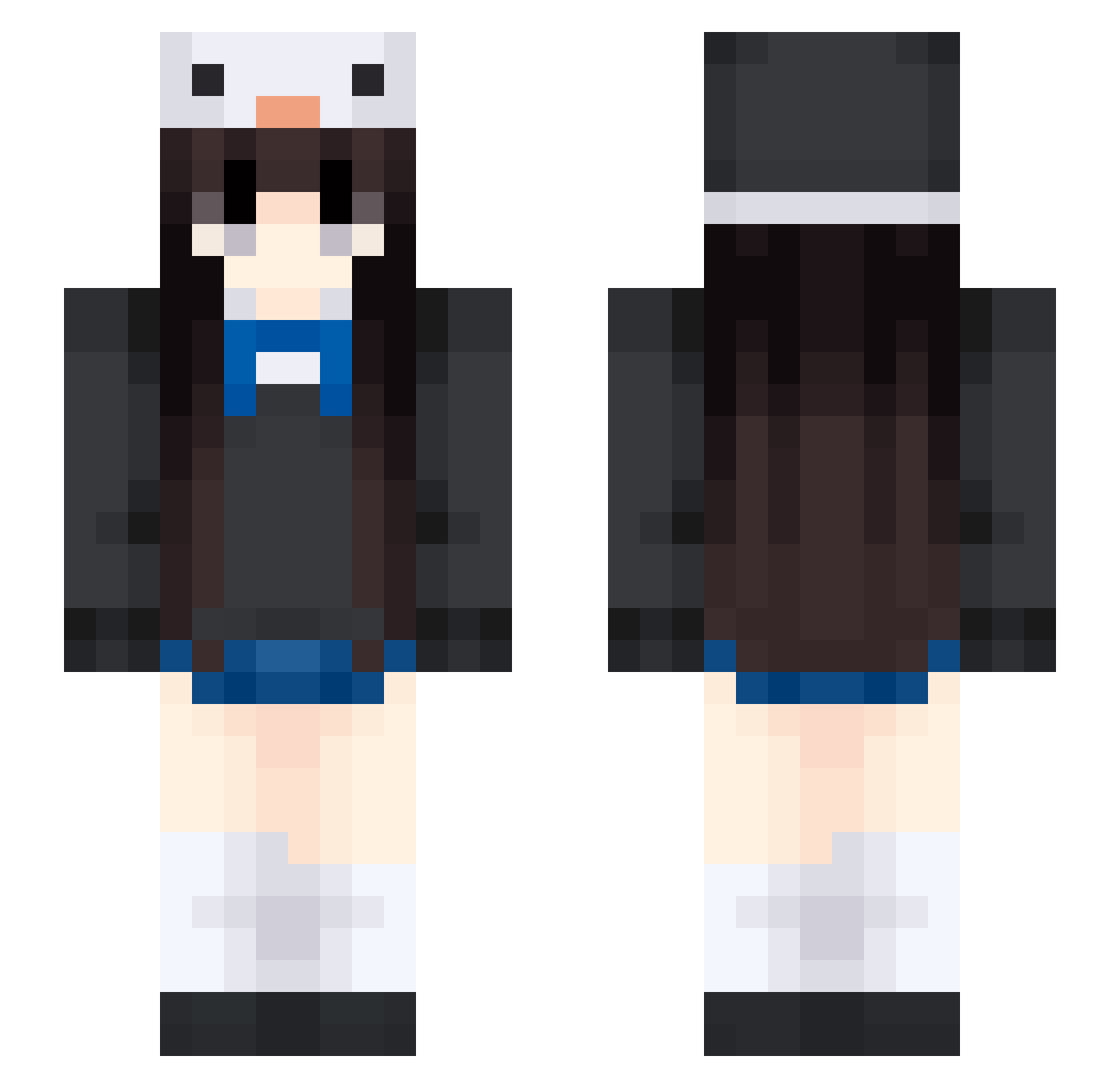
Current Minecraft skin of the player h1m1kou, loaded from the official Mojang API. Rotate the 3D model with your mouse or finger, then download the skin as a PNG file and use it in Minecraft: Bedrock Edition or Java Edition for free. When h1m1kou changes their skin, this page updates automatically and the old skin stays in the history below.
Other players with this skin (453)
h1m1kou was the 406th player we have seen with this skin, first spotted on 23.10.2026. The same skin was seen on these players. Open a nickname to see their current skin and skin history.
 lee2531 jsj081500 Giemma poem27 __A_ mamilinha MaleBBL NPC0179 schosljisn LittleElf1221 LAWUCHI_ Popstate666 QAQ016 Mcloven21 GranolaGG rA1nb0wSparkl3 Mail55555 gaphat wxl250 Ambie67 danger2048 memorial34 FT42 PinelliaTernata1 Never_on washywish xz2134 lengvi sparkleoeo LIOoO5 Affleck05 narimeron Cheesecake94875 taLsyY Clarca WOOZI_7 wasd1223 cheng4567 saakeii 77244 adrianinski Muu_Qing tunami_uwu R1tena whitepassion n4ncy5065 pdd9725 Sunkmanituu CatTyKa nightCit sleep_cat__ SHEN06521 AiGe666 LiuXiaoXiao520 HeraaX Josefa_king MJ12X zalvie 5night5 nyocoo
More Penguin Hat Minecraft skins
How to install the h1m1kou skin
- Press the Download button above to save the skin as a PNG file.
- Minecraft: Bedrock Edition (PE): open the Dressing Room from the main menu (or tap your character → Edit Character), go to Classic Skins → Owned, press the + (new skin) button, choose the downloaded PNG and pick the Slim (Alex) model. Works on PC and mobile; consoles cannot import custom skins.
- Minecraft: Java Edition: open the Minecraft Launcher, go to the Skins tab, click New Skin, load the PNG, pick the Slim (Alex) model and press Save & Use. You can also upload it at minecraft.net → Profile → Change Skin.
The skin does not show up after import - what should I do?
Restart Minecraft and open the Dressing Room again - imported skins sometimes appear only after a restart. Also make sure you selected the imported skin and picked the Slim (Alex) model.
Which model should I choose, Classic or Slim?
This skin is designed for the Slim (Alex) model. If you pick the wrong model, the arms of the skin will look stretched or squeezed.
Is the skin of h1m1kou free to download?
Yes. Press Download, save the PNG file and use it in Minecraft: Bedrock Edition or Java Edition - no payment or registration needed. The skin also works on multiplayer servers and Realms.
More skins
Looking for more? Go back to all Minecraft skins and check the top skins of the week, month and all time, or find any player's skin by nickname.