
gusse2110 - Minecraft Skins & Skin History
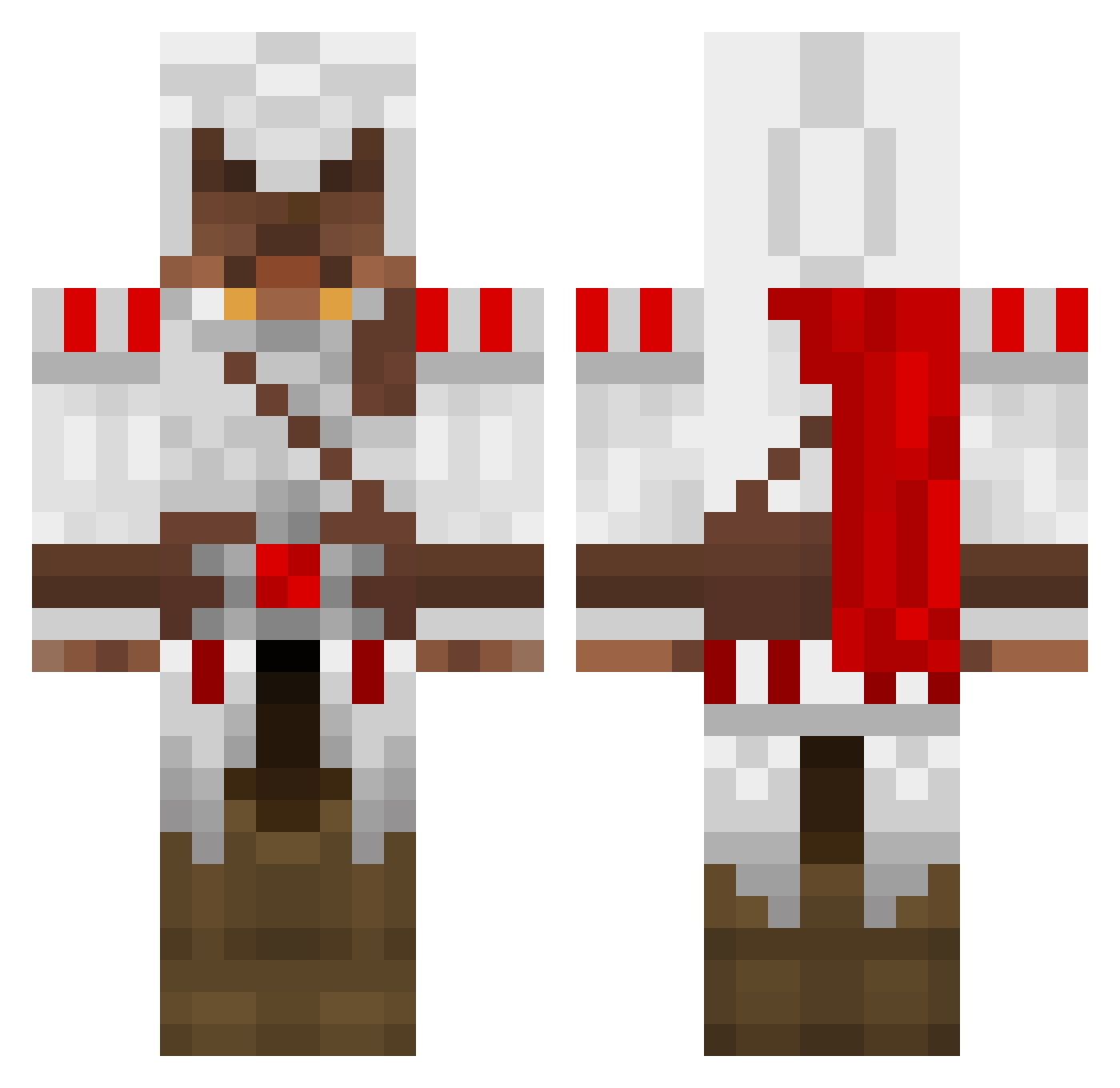
Current Minecraft skin of the player gusse2110, loaded from the official Mojang API. Rotate the 3D model with your mouse or finger, then download the skin as a PNG file and use it in Minecraft: Bedrock Edition or Java Edition for free. When gusse2110 changes their skin, this page updates automatically and the old skin stays in the history below.
Other players with this skin (1388)
gusse2110 was the 1352nd player we have seen with this skin, first spotted on 28.10.2026. The same skin was seen on these players. Open a nickname to see their current skin and skin history.
 brent_beddoe_10 joeyma1996 Jayjaytoppa kirby6007 JP_big deathshadow58 shadowplay21 Reprezent Fenix09 AC2BR3 alvbue TECHNOVIKING95 sealpup Mau88 RxRaWxR DraconianTezzer warrior0611 InsoneBR buttbuds Briarwood george2403 Thedarkdj12 Miner4Evar ginjax Stormfury lianmoo xXfl0ridab0yXx emceejon Citadel_v2 demindril SunriseSurprize djlomaxx Johannes0511 IceKreemKid Vorlock murchison gamerjoel135 Cherebim Danino88 River654 Thabrandonhall Conman753 Tforcier CrazyChimp007 glynwales123 Aoiibara Erik_Morrow StarBurst118 Farodinlp angiosarcoma Jack_Kane Nathanael432 thatguy1156 XXEPICO SweetxRose GabiAgustin bersi4kzero scurtis123 Chaos_Is_Here manidiego
More Altair Ibn La Ahad Minecraft skins
See all 196 Altair Ibn La Ahad skins
How to install the gusse2110 skin
- Press the Download button above to save the skin as a PNG file.
- Minecraft: Bedrock Edition (PE): open the Dressing Room from the main menu (or tap your character → Edit Character), go to Classic Skins → Owned, press the + (new skin) button, choose the downloaded PNG and pick the Classic (Steve) model. Works on PC and mobile; consoles cannot import custom skins.
- Minecraft: Java Edition: open the Minecraft Launcher, go to the Skins tab, click New Skin, load the PNG, pick the Classic (Steve) model and press Save & Use. You can also upload it at minecraft.net → Profile → Change Skin.
The skin does not show up after import - what should I do?
Restart Minecraft and open the Dressing Room again - imported skins sometimes appear only after a restart. Also make sure you selected the imported skin and picked the Classic (Steve) model.
Which model should I choose, Classic or Slim?
This skin is designed for the Classic (Steve) model. If you pick the wrong model, the arms of the skin will look stretched or squeezed.
Is the skin of gusse2110 free to download?
Yes. Press Download, save the PNG file and use it in Minecraft: Bedrock Edition or Java Edition - no payment or registration needed. The skin also works on multiplayer servers and Realms.
More skins
Looking for more? Go back to all Minecraft skins and check the top skins of the week, month and all time, or find any player's skin by nickname.