
ginslisky - Minecraft Skins & Skin History
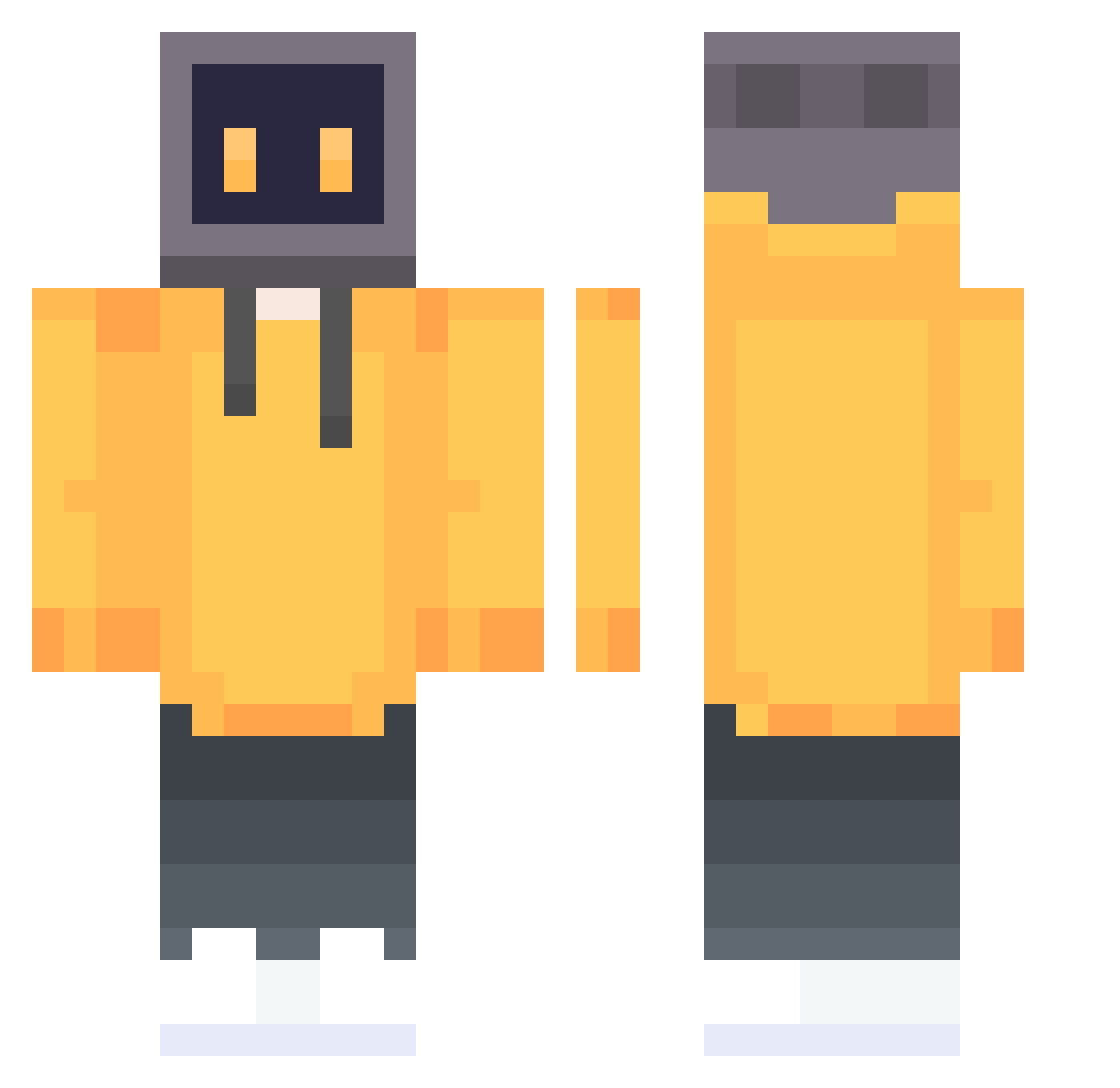
Current Minecraft skin of the player ginslisky, loaded from the official Mojang API. Rotate the 3D model with your mouse or finger, then download the skin as a PNG file and use it in Minecraft: Bedrock Edition or Java Edition for free. When ginslisky changes their skin, this page updates automatically and the old skin stays in the history below.
Other players with this skin (647)
ginslisky was the 610th player we have seen with this skin, first spotted on 18.10.2026. The same skin was seen on these players. Open a nickname to see their current skin and skin history.
 NiKo_58 Sk1nnyMonkey Vogar345 s0uLiX87 Awryt 98Owo BissellBoy XTDragonW sawawo11 Visheri beianovo xiangjiao999 Lnvy_ APHASIA0 BqSa_DeFuSe Mirane CrabThanks _XMO_ Kindavid0415 mumumu2009 ZhangLuYao274 L11byzz SanMuGe mobadb huangsir1 WhiteLitter TuoFan123 azakaaa EnderTime_0731 Asuka_Langley_li 0zyh_0 polkion GBill0811 DavenHD MotixMC SunriseA Botzz1 syjmjj hayun0325 gubai77 WTTZTTW CefanA Grokpu wolkean PaTheticq ahBene wolfcd8 Sxnoob SB_Zl990a tangtang1212 HuangJunXuan Dusty_Mdude GHOSTFUFU Hisilicon LGOUGOU iKraziii BridgerZero Serendipity098 Lza2007 Tueeng
More TV Head Minecraft skins
How to install the ginslisky skin
- Press the Download button above to save the skin as a PNG file.
- Minecraft: Bedrock Edition (PE): open the Dressing Room from the main menu (or tap your character → Edit Character), go to Classic Skins → Owned, press the + (new skin) button, choose the downloaded PNG and pick the Classic (Steve) model. Works on PC and mobile; consoles cannot import custom skins.
- Minecraft: Java Edition: open the Minecraft Launcher, go to the Skins tab, click New Skin, load the PNG, pick the Classic (Steve) model and press Save & Use. You can also upload it at minecraft.net → Profile → Change Skin.
The skin does not show up after import - what should I do?
Restart Minecraft and open the Dressing Room again - imported skins sometimes appear only after a restart. Also make sure you selected the imported skin and picked the Classic (Steve) model.
Which model should I choose, Classic or Slim?
This skin is designed for the Classic (Steve) model. If you pick the wrong model, the arms of the skin will look stretched or squeezed.
Is the skin of ginslisky free to download?
Yes. Press Download, save the PNG file and use it in Minecraft: Bedrock Edition or Java Edition - no payment or registration needed. The skin also works on multiplayer servers and Realms.
More skins
Looking for more? Go back to all Minecraft skins and check the top skins of the week, month and all time, or find any player's skin by nickname.