
giden0880 - Minecraft Skins & Skin History
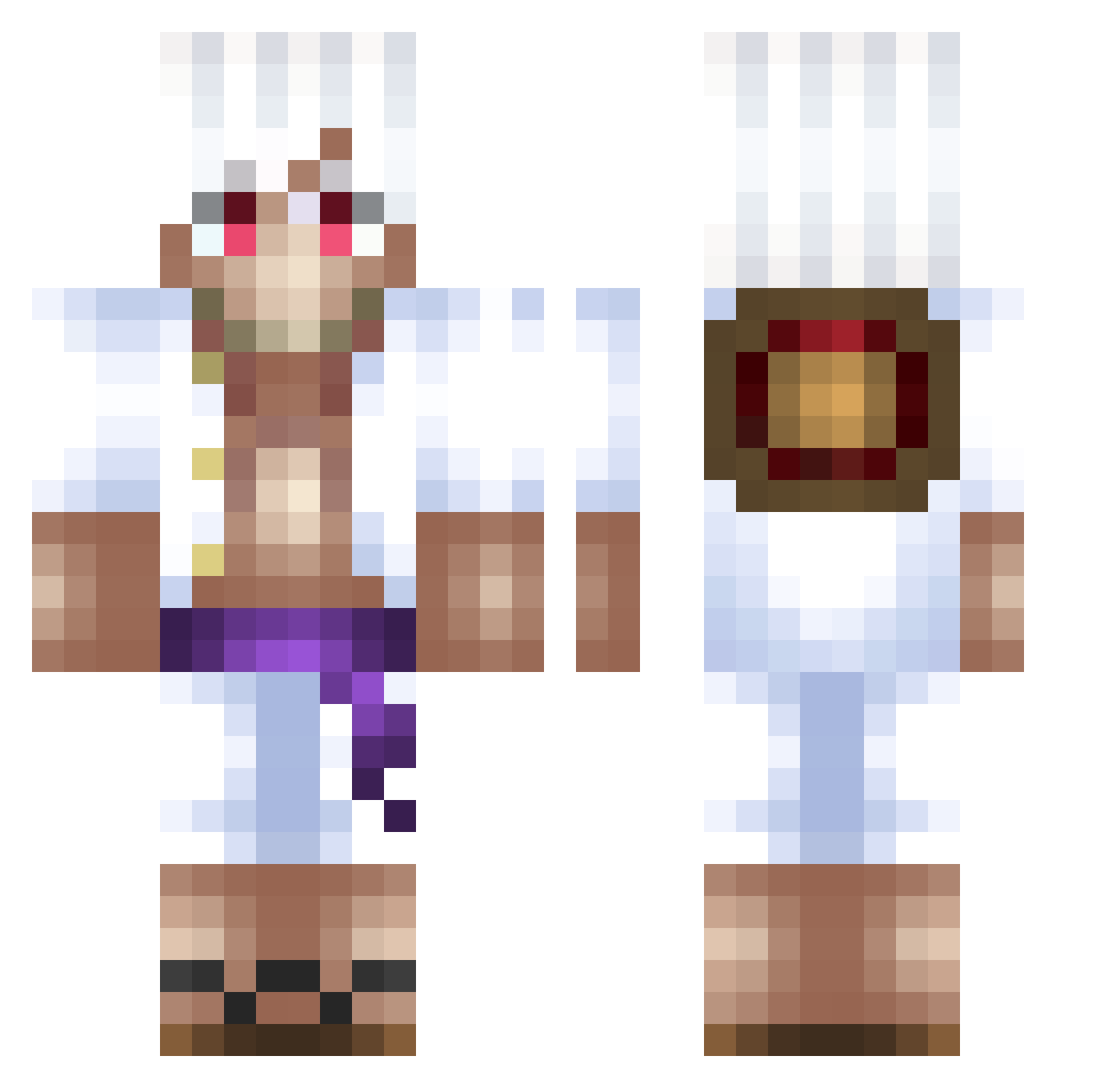
Current Minecraft skin of the player giden0880, loaded from the official Mojang API. Rotate the 3D model with your mouse or finger, then download the skin as a PNG file and use it in Minecraft: Bedrock Edition or Java Edition for free. When giden0880 changes their skin, this page updates automatically and the old skin stays in the history below.
Other players with this skin (500)
giden0880 was the 343rd player we have seen with this skin, first spotted on 07.10.2026. The same skin was seen on these players. Open a nickname to see their current skin and skin history.
 Da_king123 _Nekitch_ Naassen bigboysergio DondeEstaLaLAche reezix27 paininakatsuki ShinzoAbe321jiji MasterSticky xtheOggiNord Clemzerito Maesrio DadyTrent Caoa Someone11115 AC_Stardust kr_moe Black_Banana666 Rick1133 AndyWOLK Rythmmm usernamelol7 fphyx LilNasMinecraft Hascoidb Tvcp_Branko lioncama KakaDev Siimon11 Balmierek_ Bronc3 immtacoo MrNico29 yDryzz Norkk69 blueboi2098 JeSuis_Gotham RosesUncle THE_FULL Potatoflip_rar Kalaratria Nahasyt Itzyahboiye AKfunnyY luffyjazz BatuDerG BoogeymanxXx Grand_Shadow Mizuu1111 guilyanlp Pincio05 Shiroyasha9175 jamaica42 SxmGG_ rasttattoo MugiwaraLuffy1 shekidodo kemik1122 Danielex10 Mezza04
More Monkey D Luffy Minecraft skins
See all 925 Monkey D Luffy skins
How to install the giden0880 skin
- Press the Download button above to save the skin as a PNG file.
- Minecraft: Bedrock Edition (PE): open the Dressing Room from the main menu (or tap your character → Edit Character), go to Classic Skins → Owned, press the + (new skin) button, choose the downloaded PNG and pick the Classic (Steve) model. Works on PC and mobile; consoles cannot import custom skins.
- Minecraft: Java Edition: open the Minecraft Launcher, go to the Skins tab, click New Skin, load the PNG, pick the Classic (Steve) model and press Save & Use. You can also upload it at minecraft.net → Profile → Change Skin.
The skin does not show up after import - what should I do?
Restart Minecraft and open the Dressing Room again - imported skins sometimes appear only after a restart. Also make sure you selected the imported skin and picked the Classic (Steve) model.
Which model should I choose, Classic or Slim?
This skin is designed for the Classic (Steve) model. If you pick the wrong model, the arms of the skin will look stretched or squeezed.
Is the skin of giden0880 free to download?
Yes. Press Download, save the PNG file and use it in Minecraft: Bedrock Edition or Java Edition - no payment or registration needed. The skin also works on multiplayer servers and Realms.
More skins
Looking for more? Go back to all Minecraft skins and check the top skins of the week, month and all time, or find any player's skin by nickname.